60
Indicators
B Others
Indicators
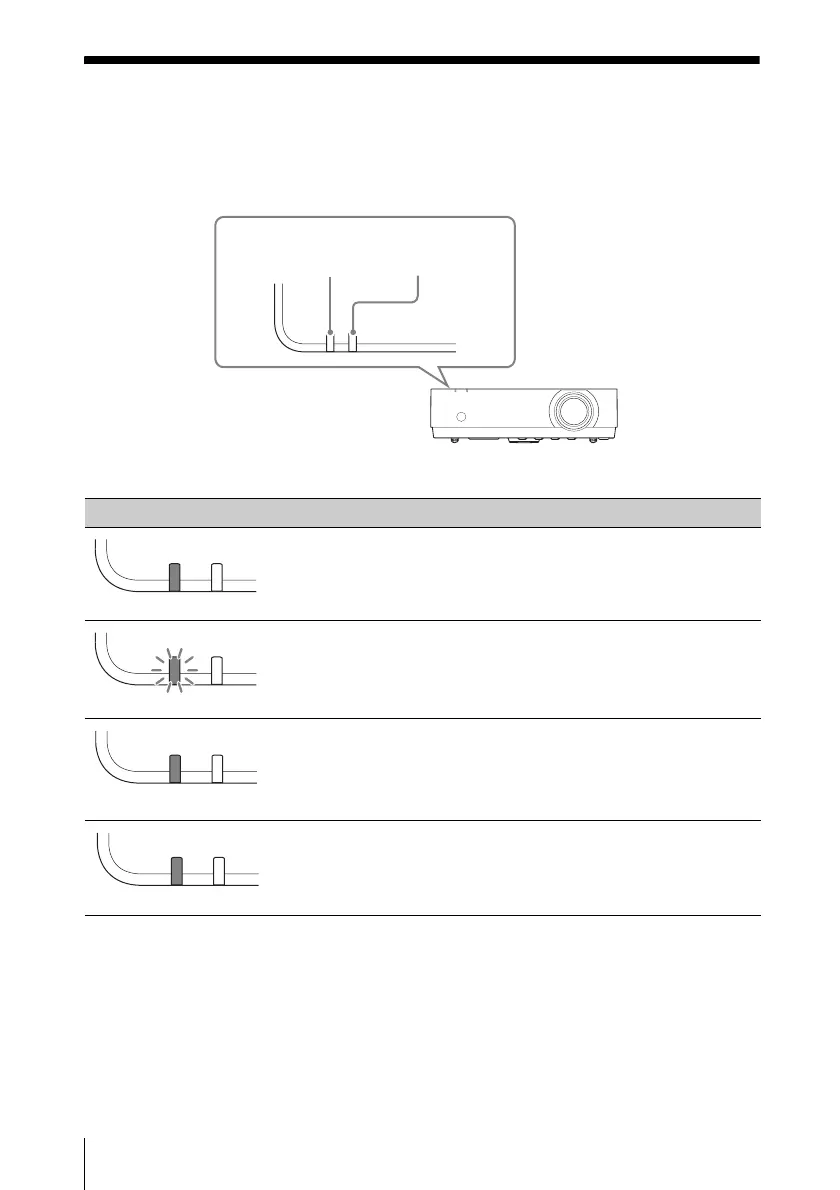
You can check the projector status or abnormality by checking the lighting/flashing status of
the ON/STANDBY indicator and WARNING indicator on the front. If the indicators flash in
red, address the problem in accordance with “Warning indicators and remedies” (page 61).
Operating status indication
Indicator status Operating status Meaning
Standby The power is supplied to the projector and the
projector is in a standby mode according to the
setting.
Warm-up/Cool-
down
The projector is warming up after it is turned on, or
cooling down after turned off.
Power on The projector is ready for projection.
Other standby
status
The projector is in With No Input (Lamp Cutoff).
ON/STANDBY
indicator
WARNING
indicator
(Off)(Lights in red)
(Off)(Flashes in green)
(Off)(Lights in green)
(Off)(Lights in orange)



 To Next Page