67
Replacing the Lamp
Others
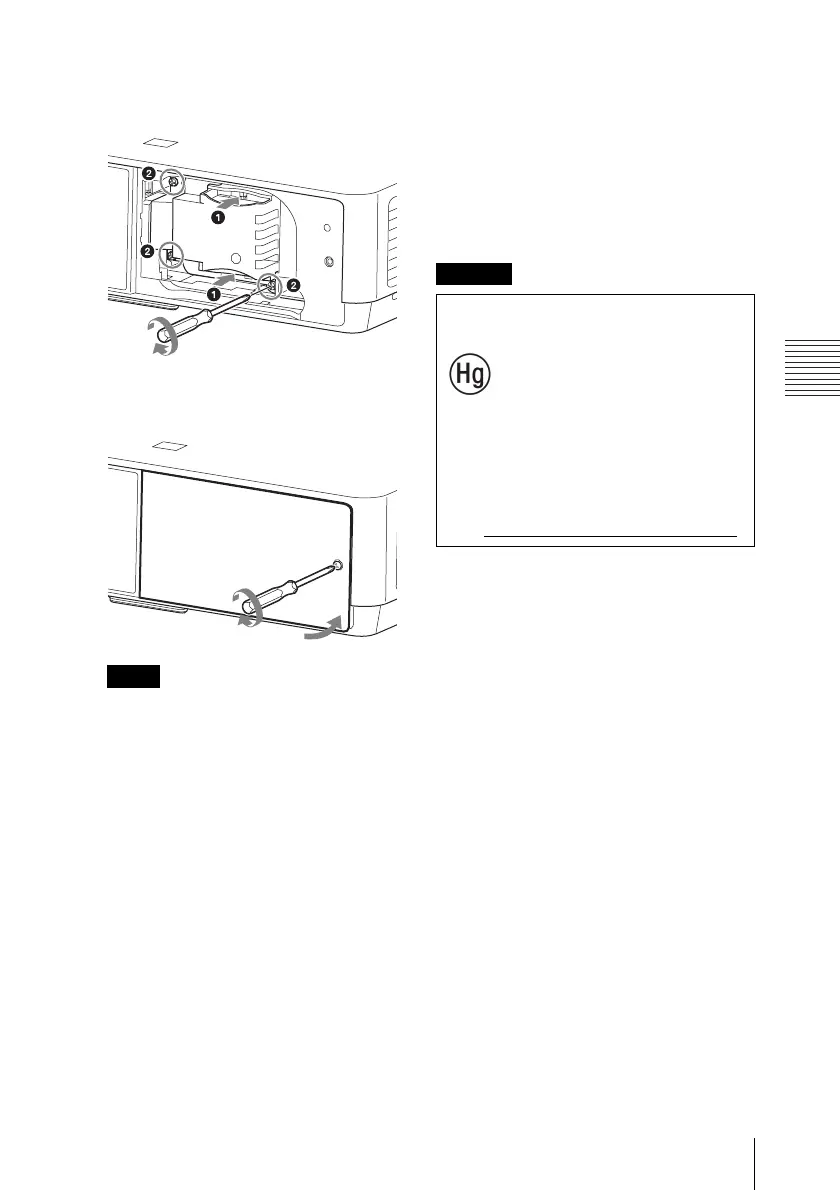
4 Insert the new lamp all the way in until
it is securely in place. Tighten the
3 screws.
5 Close the lamp cover and tighten the
1 screw.
The power will not turn on if the lamp is
not secured properly.
6 Connect the AC power cord to a wall
outlet and turn on the projector.
7 Reset the lamp timer for notification of
the next replacement time.
Select “Lamp Timer Reset” on the
Function menu then press the ENTER
key. When a message appears, select
“Yes” to reset the lamp timer (page 29).
Note
Caution
For the customers in the
U.S.A. and Canada
Lamp contains
mercury. Dispose according
to applicable local, state/
province and federal laws.
For additional information,
see www.sony.com/mercury



 To Next Page