10
Selecting the Menu Language
Selecting the Menu Language
The factory setting for the language for displaying menus, messages, etc. is English.
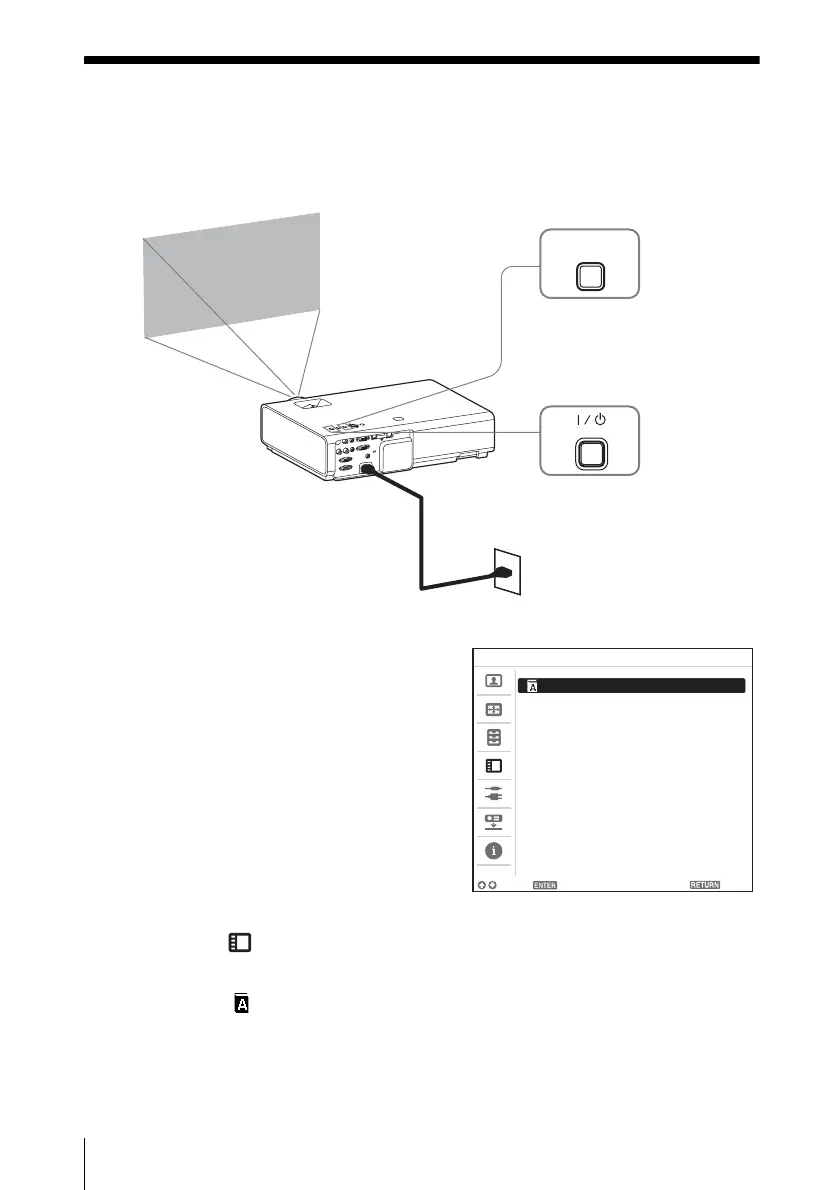
To change the on-screen language, proceed as follows:
1 Plug in the AC power cord into a wall
outlet.
2 Turn on the projector.
Press the ?/1 key.
3 Press the MENU key to display the
menu.
If the display cannot be properly seen,
adjust the focus, size, and position of the
projected image
(page 22).
4 Select the menu language.
1
Press the V or v key to select the
Operation ( ) menu then press
the ENTER key.
2 Press the V or v key to select
“Language ( )” then press the
ENTER key.
3 Press the V/v/B/b key to select a
language, then press the ENTER
key.
5 Press the MENU key to turn off the
menu screen.
MENU
1
3
2
Language English
Status OnStatus OnStatus
Security Lock Off
Control Key Lock Off
Operation
Sel Set Back



 To Next Page