44
Using Presentation Function via Network
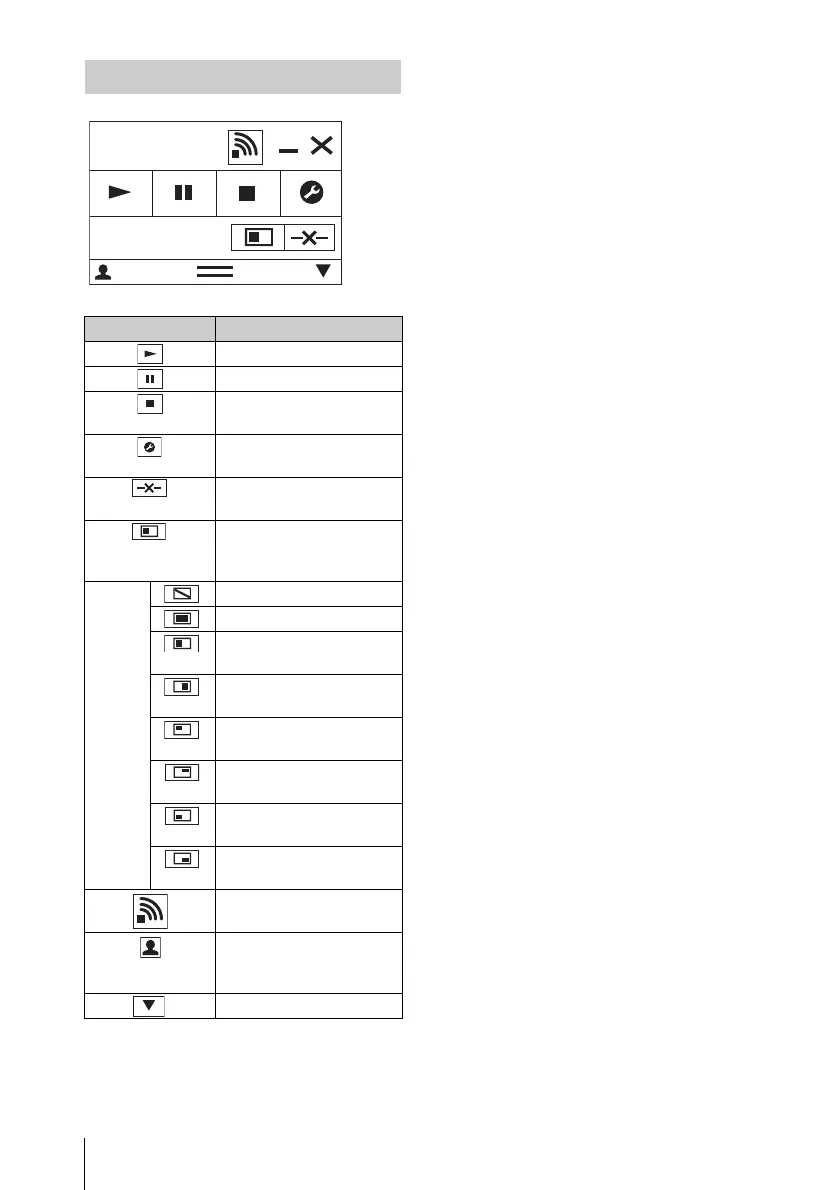
Using the Controller
Items Functions
Start projecting an image.
Pause projecting an image.
Stop projecting an image
(screen turns black).
Change the application
settings.
Disconnect from the
projector.
Select a projection method
then start projecting an
image.
Projection
method
Not projecting an image.
Project in full screen.
Project in the left half of
the screen.
Project in the right half of
the screen.
Project in the upper left
quadrant of the screen.
Project in the upper right
quadrant of the screen.
Project in the lower left
quadrant of the screen.
Project in the lower right
quadrant of the screen.
Display the strength of the
wireless signal.
Display the number of
users connected to the
projector.
Display the users’ status.
Network
Presentation
User 000001
8



 To Next Page