31
The Screen Menu
Adjustments and Settings Using a Menu
VPL-EX281/EX275/EX271/EX245/
EX241/EX225/EX221
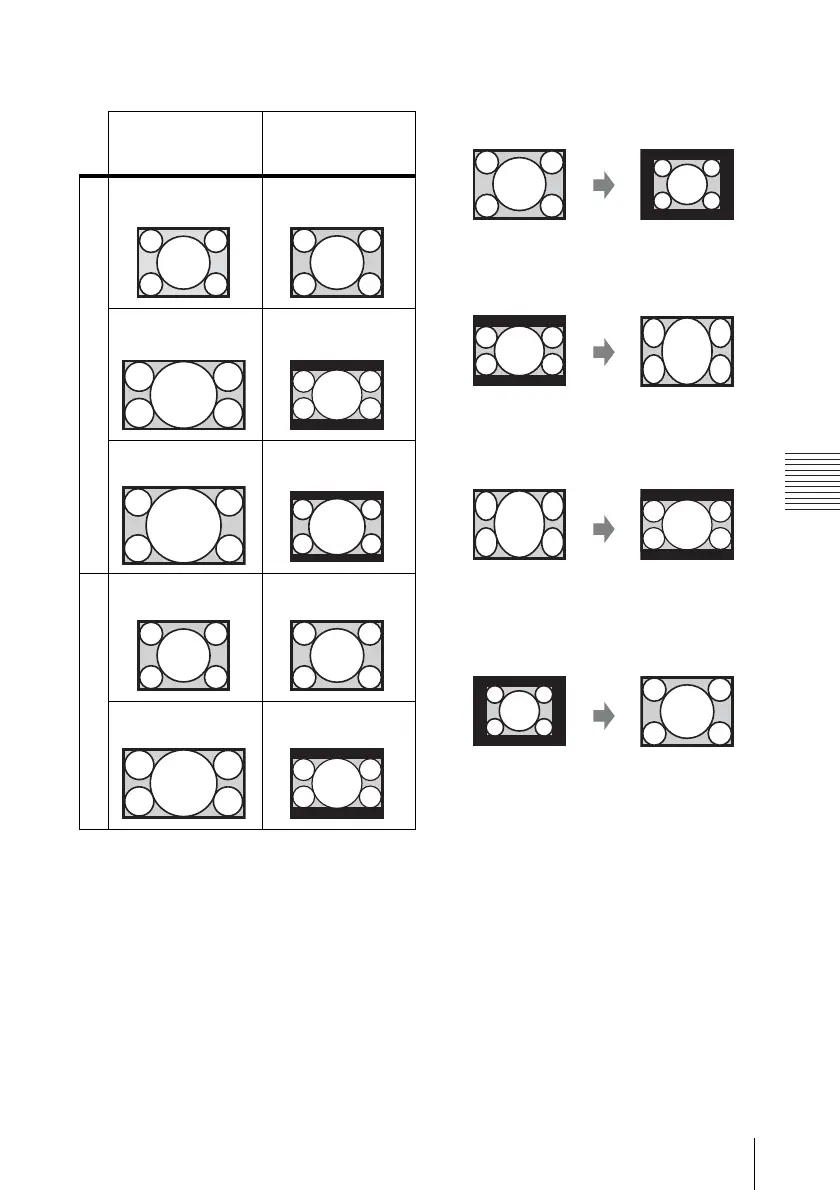
*1: If you select “Normal,” the image is
projected in the same resolution as the
input signal without changing the aspect
ratio of the original image.
*2: If you select “4:3,” the image is projected
to fit the projected image size, regardless
of the aspect ratio of the image.
*3: Depending on the input signal, the
projected image may be projected as
illustrated below. In this a case, select
“16:9.”
*4: Depending on the input signal, the
projected image may be projected as
illustrated below. In this a case, select
“Zoom.”
Input signal Recommended
setting value and
projected image
Computer signal
4:3
Full1
*1
16:9
Full1
*1 *2
16:10 Full1
*1 *2
Video signal
4:3 4:3
*3
16:9 16:9
*4



 To Next Page