19Step 3: Adjusting the Picture Size and Position
Connections and Preparations
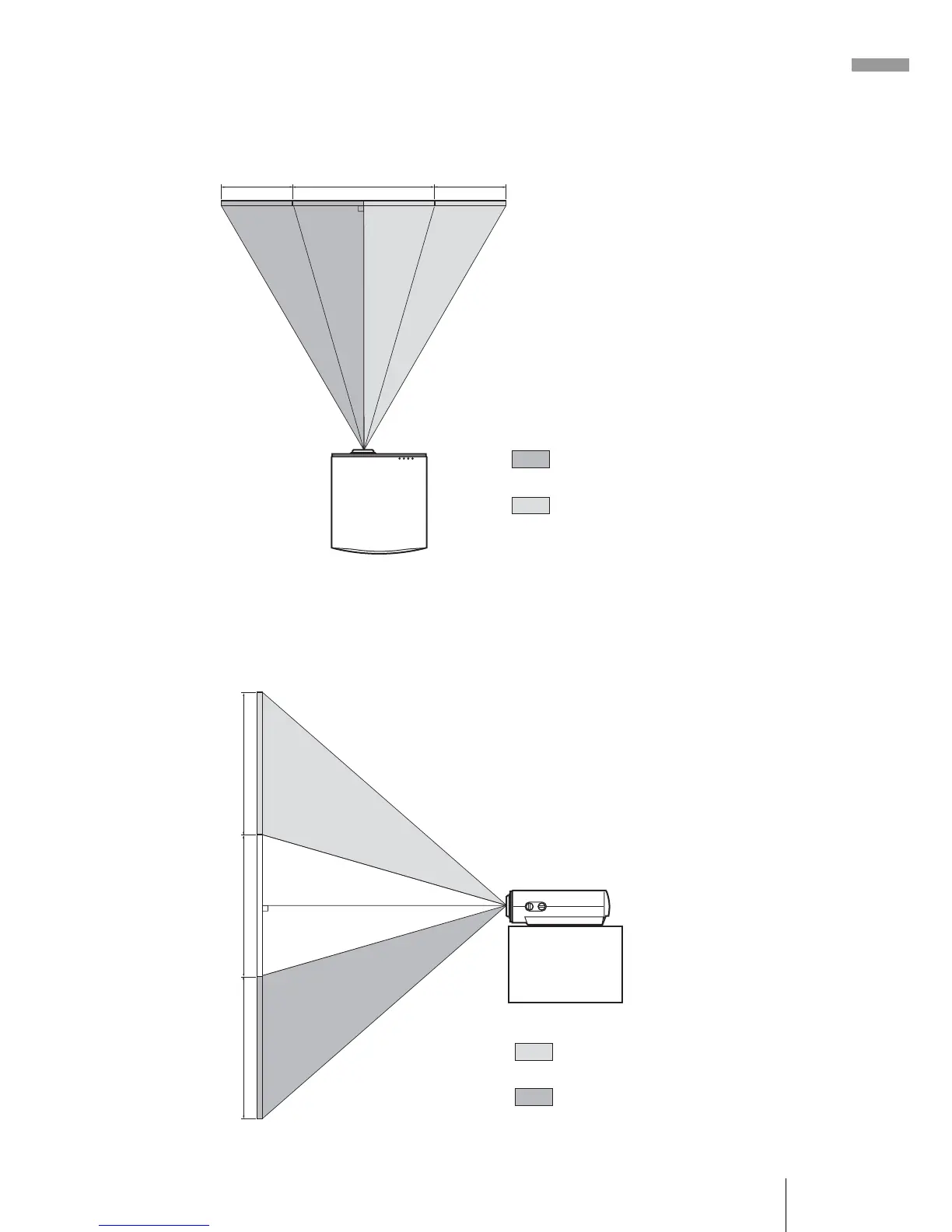
To adjust the horizontal position
Turn the LENS SHIFT dial right or left.
The picture moves right or left by a maximum of half of the screen size from
the center of the lens.
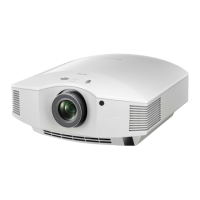
To adjust the vertical position
Turn the LENS SHIFT dial up or down.
The picture moves up or down by a maximum of the screen size from the
center of the lens.
Top view
: Picture position when moving the
picture to the left at maximum
: Picture position when moving the
picture to the right at maximum
1
/2H
1H
1
/2H
Side view
: Picture position when moving the
picture upward at maximum
: Picture position when moving the
picture downward at maximum
1V
1V
1V



 To Next Page