Sorensen DCS Series 3kW Supplies Basic Operation
3.2.2 Local Programming Mode Operation
Units are shipped from the factory configured for local programming mode operation. In local
programming mode:
•
Output voltage and current limit settings are adjusted with the front panel controls.
•
The sense point of the supply is at the output terminals.
•
The front panel OVP potentiometer determines the OVP set point. See Section 4.4
Using Over Voltage Protection (OVP) for the adjustment procedure.
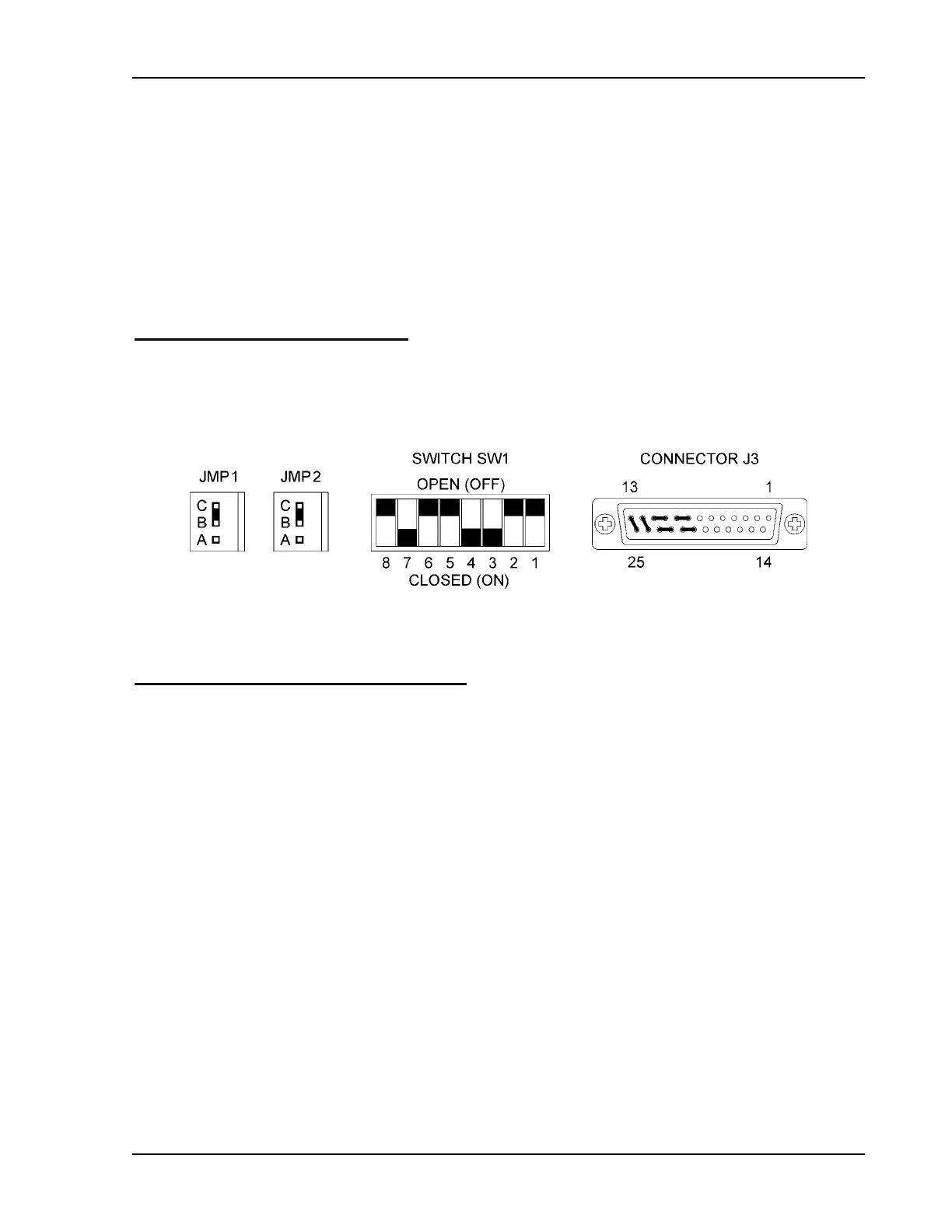
Local Mode Default Configuration
Figure 3-2 shows the default factory settings for the internal jumpers JMP1 and JMP2, for
switch SW1, and for rear panel connector J3. These controls are used to select among the
various options for programming, sensing, and monitoring. See Section 4.2 Configuring for
Remote Programming, Sensing, and Monitoring.
Figure 3-2 Local Mode Default Configuration
Setting Output Voltage and Current Limit
After installing the power supply and connecting the load as described in Section 2
Installation, set the required output voltage and current limit according to the following front
panel procedure:
1. Turn both the voltage and current controls fully counter-clockwise.
2. Turn the AC power ON.
3. Press the STANDBY switch to its IN position to disable the power supply output.
4. Press and hold the V & I CHECK button to display the voltage and current control
settings on the voltmeter and ammeter displays.
5. Adjust the voltage control to the required voltage (the compliance voltage for
applications using current mode operation).
6. Adjust the current control to the required current limit setting.
7. Release the V & I CHECK button.
8. Press the STANDBY switch to its OUT position to apply power to the load.
Operation Manual 3-3



 To Next Page