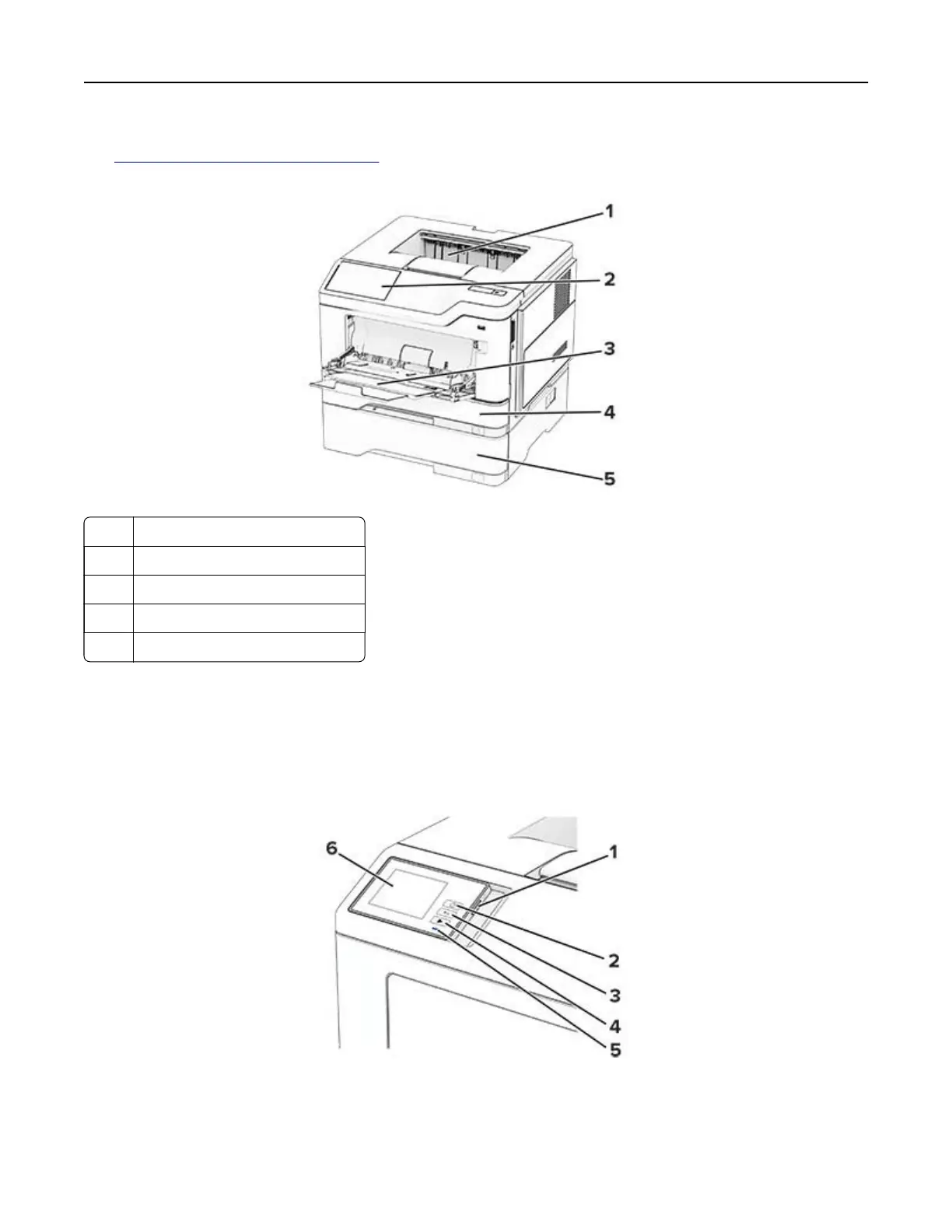
You can configure your printer by adding up to three optional 250‑ or 550‑sheet trays. For more information,
see
“Installing optional trays” on page 33.
1 Standard bin
2 Control panel
3 Multipurpose feeder
4 Standard 250- or 550-sheet tray
5 Optional 250- or 550-sheet tray
Using the control panel
Panel with 2.8-inch touch‑screen display
Learn about the printer 9



 To Next Page