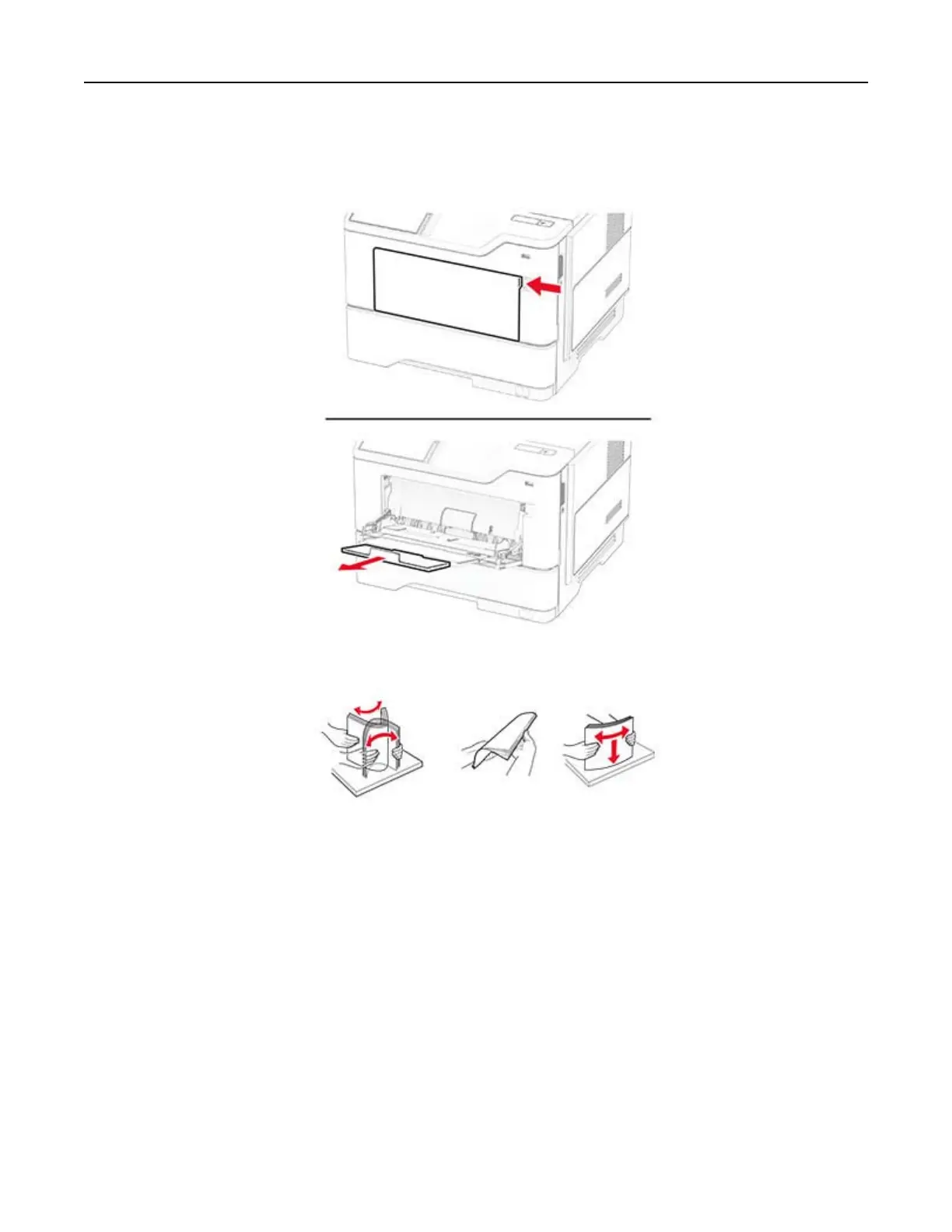
Loading the multipurpose feeder
1 Open the multipurpose feeder.
2 Flex, fan, and align the paper edges before loading.
3 Load paper with the printable side faceup.
Notes:
• Load letterhead faceup with the header toward the rear of the printer for one‑sided printing.
• Load letterhead facedown with the header toward the front of the printer for two‑sided printing.
• Load envelopes with the flap facedown on the left side.
Warning—Potential Damage: Do not use envelopes with stamps, clasps, snaps, windows, coated linings,
or self‑stick adhesives.
Set up, install, and configure 28



 To Next Page