Control panel part Function
1 Power button
• Turn on or turn o the printer.
Note: To tu r n
o
the printer, press and hold the power button for
five
seconds.
• Set the printer to Sleep mode.
• Wake the printer from Sleep or Hibernate mode.
2 Home button Go to the home screen.
3 Back button Return to the previous screen.
4 Start button Start a job.
5 Indicator light Check the status of the printer.
6 Display
• View the printer messages and supply status.
• Set up and operate the printer.
Panel with 4.3-inch touch‑screen display
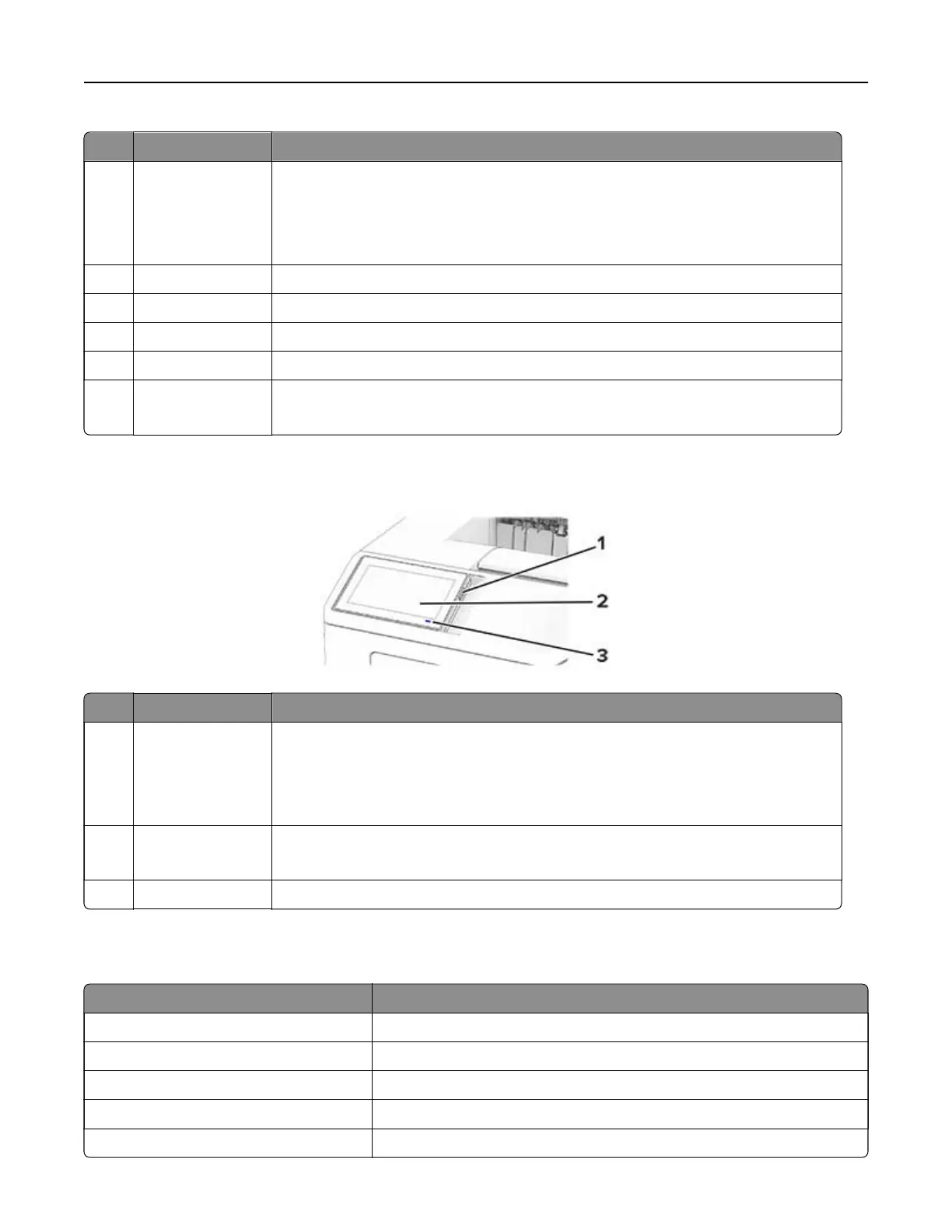
Control panel part Function
1 Power button
• Turn on or turn o the printer.
Note: To turn o the printer, press and hold the power button for five seconds.
• Set the printer to Sleep mode.
• Wake the printer from Sleep or Hibernate mode.
2 Display
• View the printer messages and supply status.
• Set up and operate the printer.
3 Indicator light Check the status of the printer.
Understanding the status of the indicator light
Indicator light Printer status
O The printer is o.
Solid blue The printer is ready.
Blinking blue The printer is printing or processing data.
Blinking red The printer requires user intervention.
Solid amber The printer is in Sleep mode.
Learn about the printer 10



 To Next Page