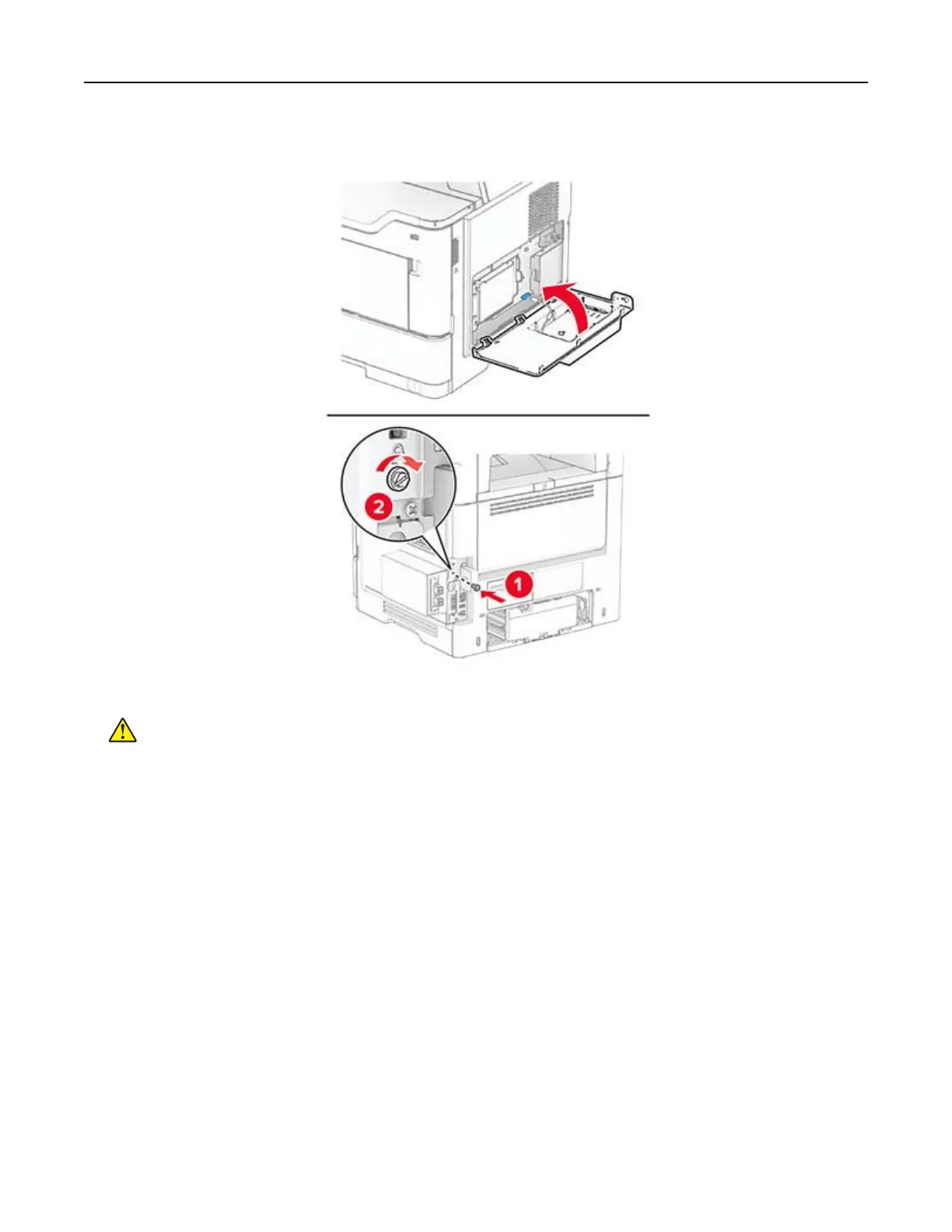
9 Close the ISP kit, and then install the screw.
10 Connect the power cord to the printer, and then to the electrical outlet.
CAUTION—POTENTIAL INJURY: To avoid the risk of
fire
or electrical shock, connect the power cord
to an appropriately rated and properly grounded electrical outlet that is near the product and easily
accessible.
11 Turn on the printer.
Networking
Connecting the printer to a Wi‑Fi network
Make sure that Active Adapter is set to Auto. From the home screen, touch Settings > Network/Ports > Network
Overview > Active Adapter.
1 From the home screen, touch Settings > Network/Ports > Wireless > Setup On Printer Panel > Choose
Network.
2 Select a Wi‑Fi network, and then type the network password.
Note: For Wi‑Fi‑network‑ready printer models, a prompt for Wi‑Fi network setup appears during initial
setup.
Set up, install, and configure 44



 To Next Page