Selecting preprinted forms and letterhead
• Use grain long paper.
• Use only forms and letterhead printed using an oset lithographic or engraved printing process.
• Avoid paper with rough or heavily textured surfaces.
• Use inks that are not aected by the resin in toner. Inks that are oxidation‑set or oil‑based generally meet
these requirements; latex inks might not.
• Print samples on preprinted forms and letterheads considered for use before buying large quantities. This
action determines whether the ink in the preprinted form or letterhead aects print quality.
• When in doubt, contact your paper supplier.
• When printing on letterhead, load the paper in the proper orientation for your printer.
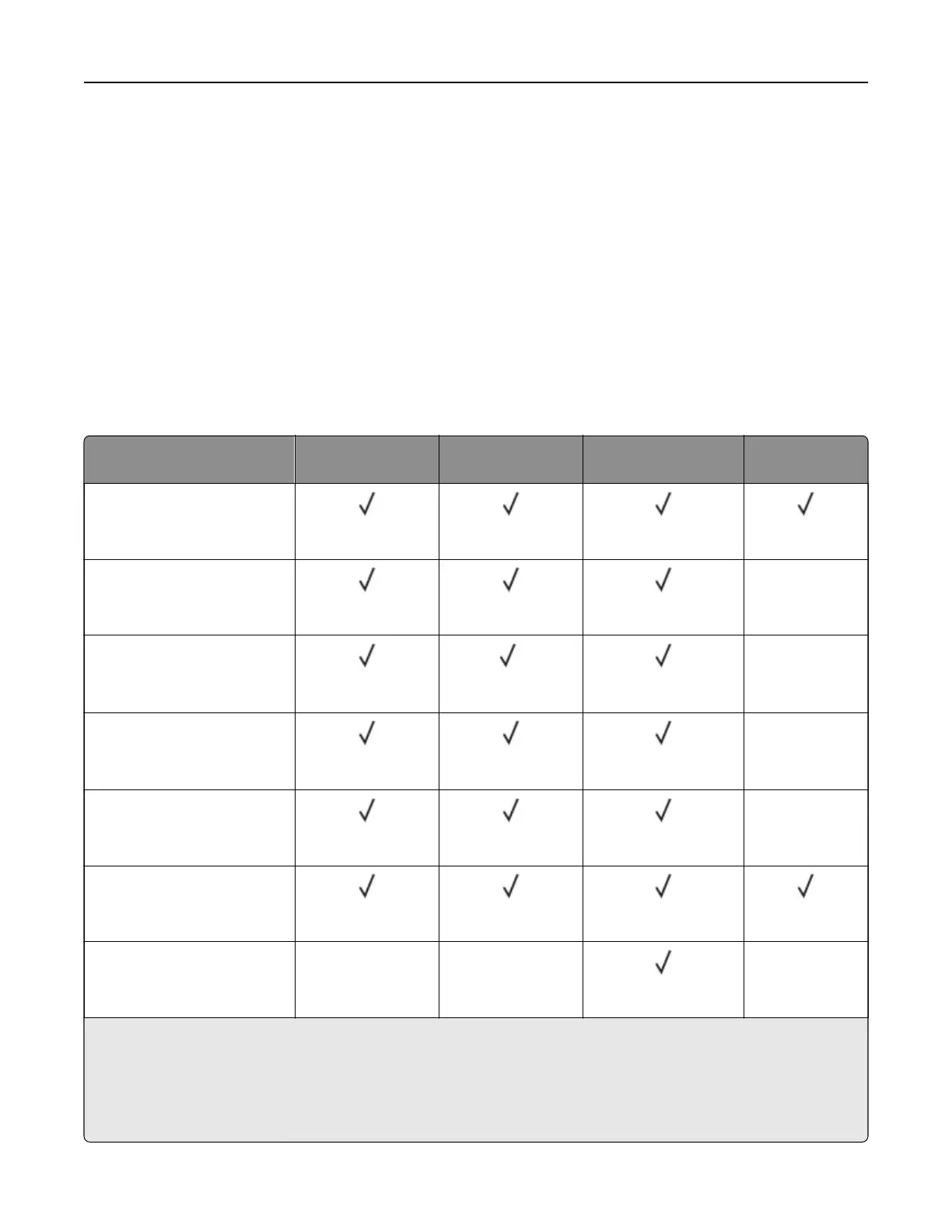
Supported paper sizes
Paper size Standard 250‑ or
550‑sheet tray
Optional 250‑ or
550‑sheet tray
Multipurpose feeder Two‑sided
printing
A4
210 x 297 mm
(8.27 x 11.7 in.)
A5 Portrait (SEF)
148 x 210 mm
(5.83 x 8.27 in.)
X
A5 Landscape (LEF)
1
210 x 148 mm
(8.27 x 5.83 in.)
2
X
A6
2
105 x 148 mm
(4.13 x 5.83 in.)
X
JIS B5
182 x 257 mm
(7.17 x 10.1 in.)
X
Oficio (Mexico)
216 x 340 mm
(8.5 x 13.4 in.)
Hagaki
100 x 148 mm
(3.93 x 5.83 in.)
XX X
1
The default support is short‑edge feed.
2
Supported only in the MS639 printer model.
3
When Universal is selected, the page is formatted for 215.90 x 355.60 mm (8.5 x 14 in.) unless
specified
by the
application.
4
Paper must at least be 210 mm (8.27 in.) wide and 279.4 mm (11 in.) long for two‑sided printing.
Learn about the printer 13



 To Next Page