Note: Hard disk is supported only in some printer models.
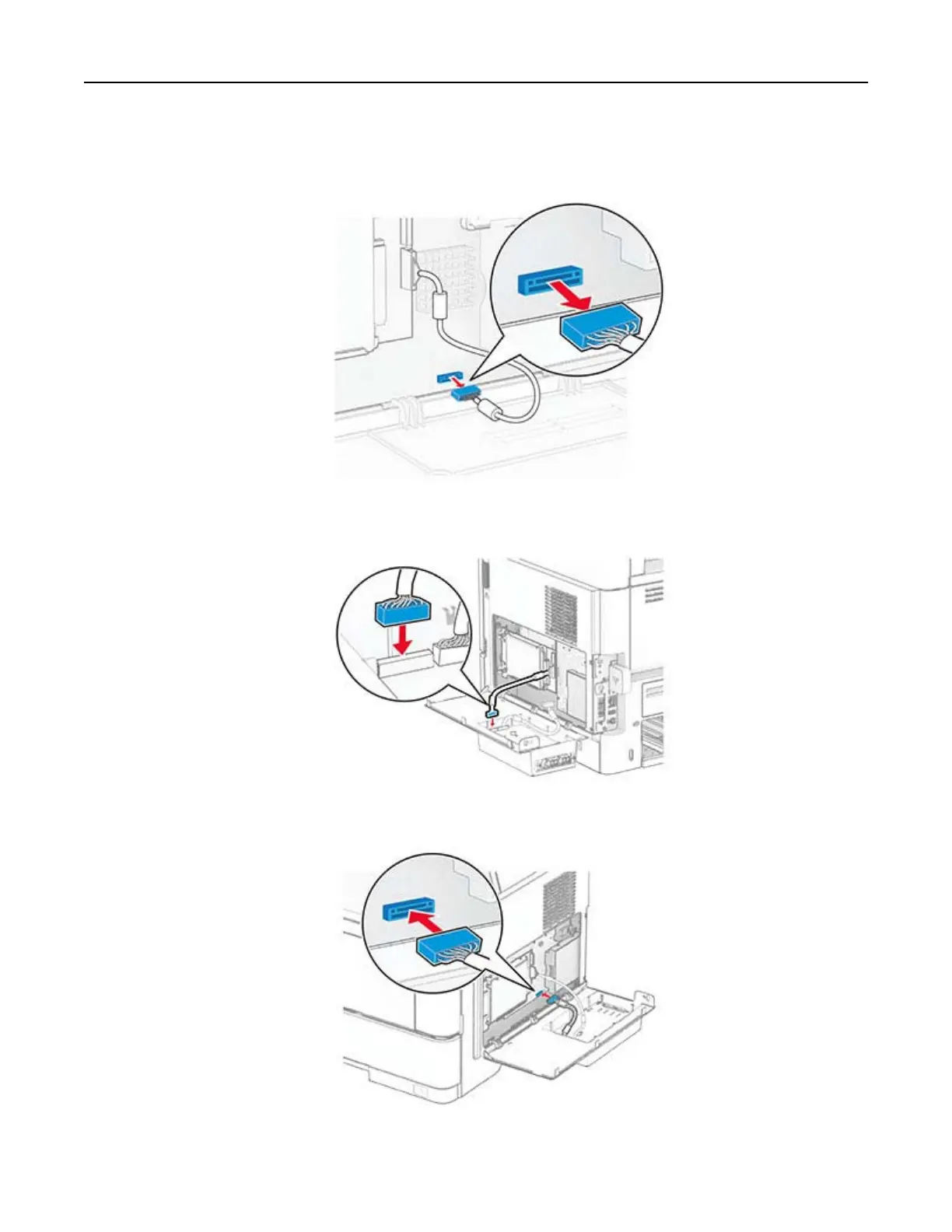
a Disconnect the hard disk interface cable from the controller board.
b Connect the hard disk interface cable to the ISP.
c Connect the ISP extended cable to the ISP connector.
Set up, install, and configure 43



 To Next Page