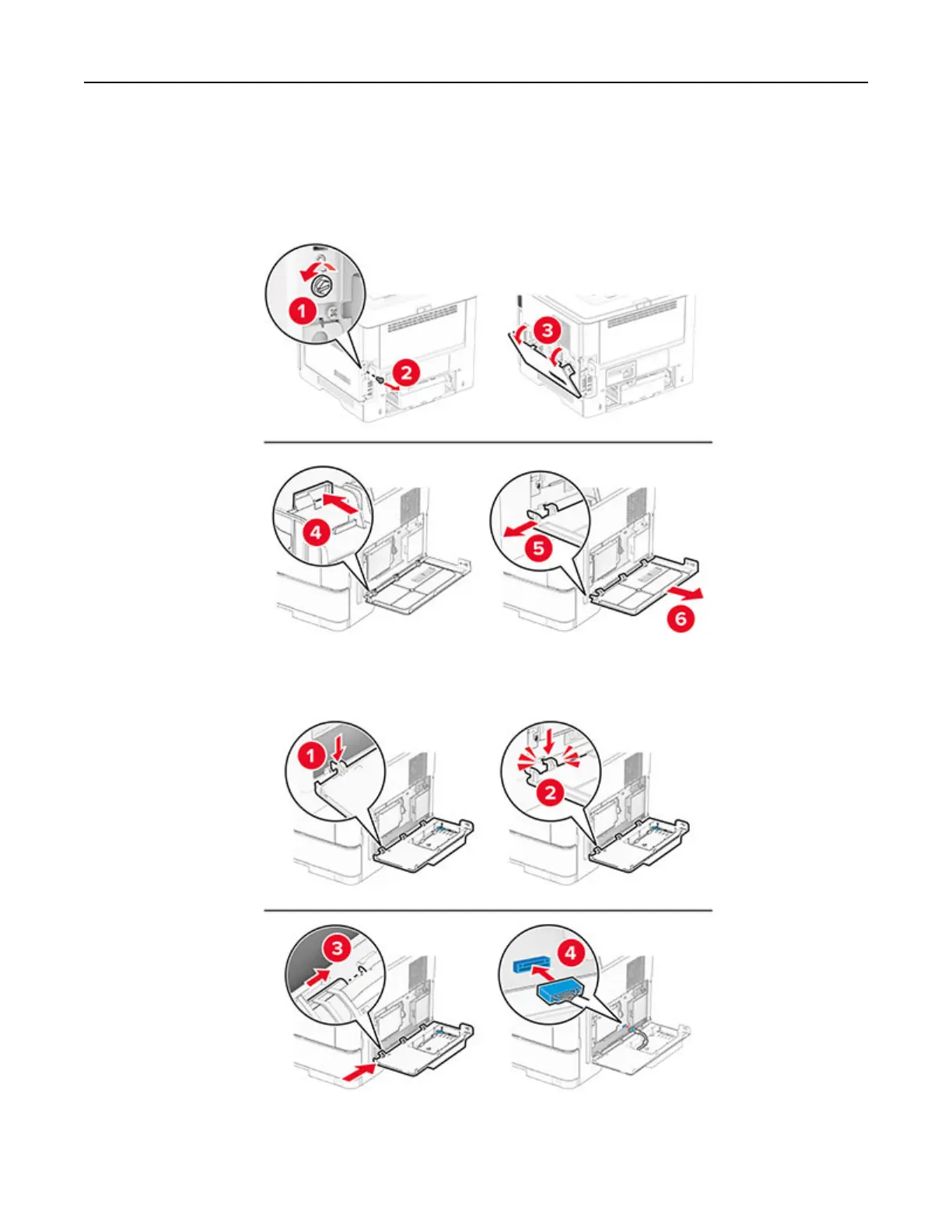
7 Using a flat‑head screwdriver, remove the controller board access cover.
Warning—Potential Damage: Controller board electronic components are easily damaged by static
electricity. Touch a metal surface on the printer before touching any controller board electronic
components or connectors.
8 Attach the ISP kit to the printer.
If a hard disk is installed, then disconnect the hard disk interface cable before installing the ISP.
Set up, install, and configure 42



 To Next Page