SC-CF-SBD Owner’s Manual38
Instructions
Main Spa Side Control • Dual Pump System
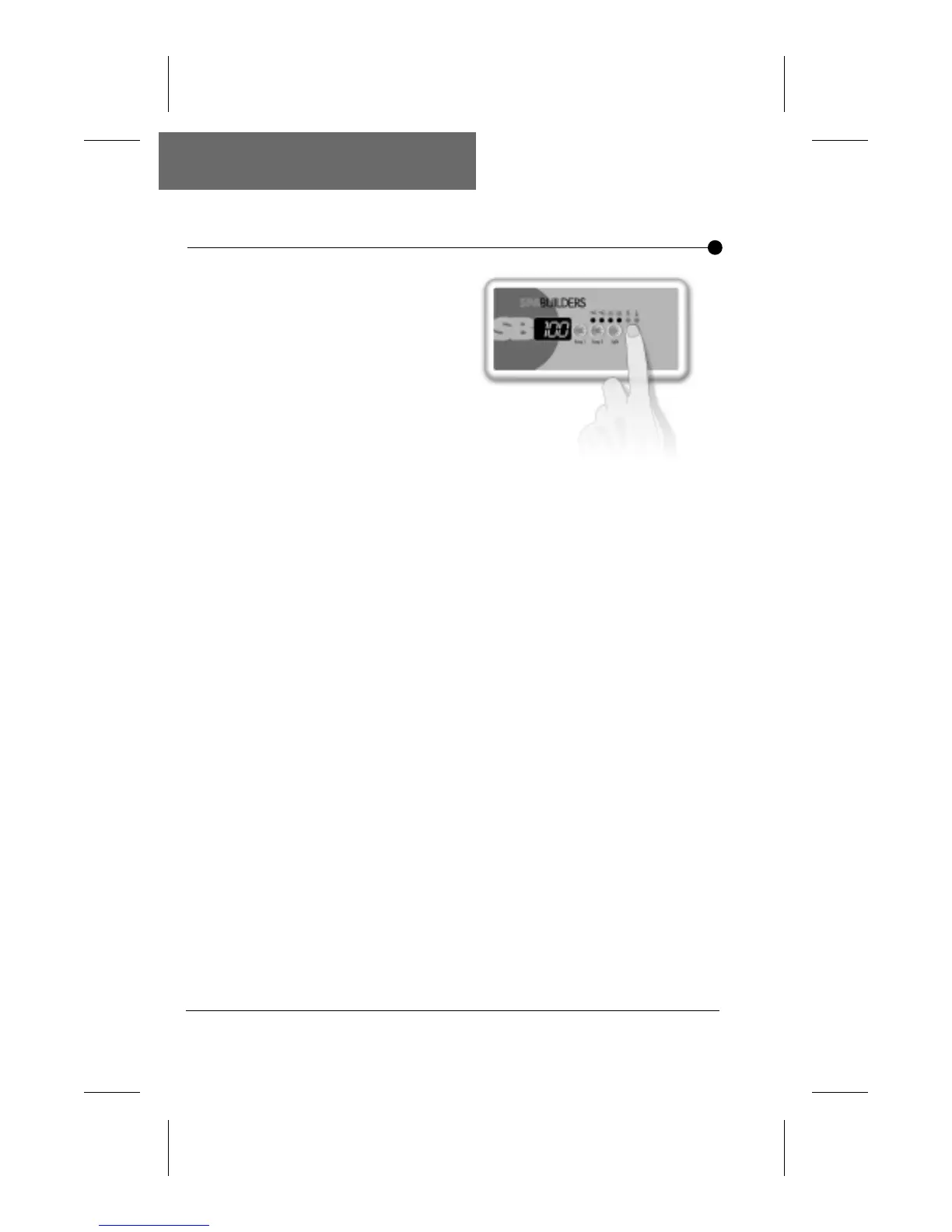
Up/Down arrow key is used
to set water temperature.
A first press on the key will
display the set point value.
Keeping pressure on the
key will increase the
desired temperature value.
To decrease the value of
the desired water
temperature, press again on Up/Down arrow key and hold
until the desired value is reached. The new and desired
temperature setting will remain for 5 seconds on the LED
display as a confirmation of its new value.
The Set Point light indicator (K-18) or triangular icon (K-19)
tells the user that the temperature shown is the desired and
not the actual temperature of the water. The temperature can
be adjusted in 1 degree increments from 59 to 104°F (15 to
40°C.).
Up & Down Arrows
Water Heater
Automatic Start
Water Temperature
Display
When the water temperature is 1°F lower than the set point,
the heater will be turned on until the water temperature
reaches the set point plus 1°F. The "Heater" indicator (K-18)
or triangular icon (K-19) will appear when the heater is on.
The "Heater" indicator or icon will flash if there is a request for
more heat but the heater has not started yet.
The 3-digit LED display shows the water temperature reading.
The reading will be refreshed every second.


 To Next Page