39SC-CF-SBD Owner’s Manual
Filter Cycles
Main Spa Side Control • Dual Pump System
Instructions
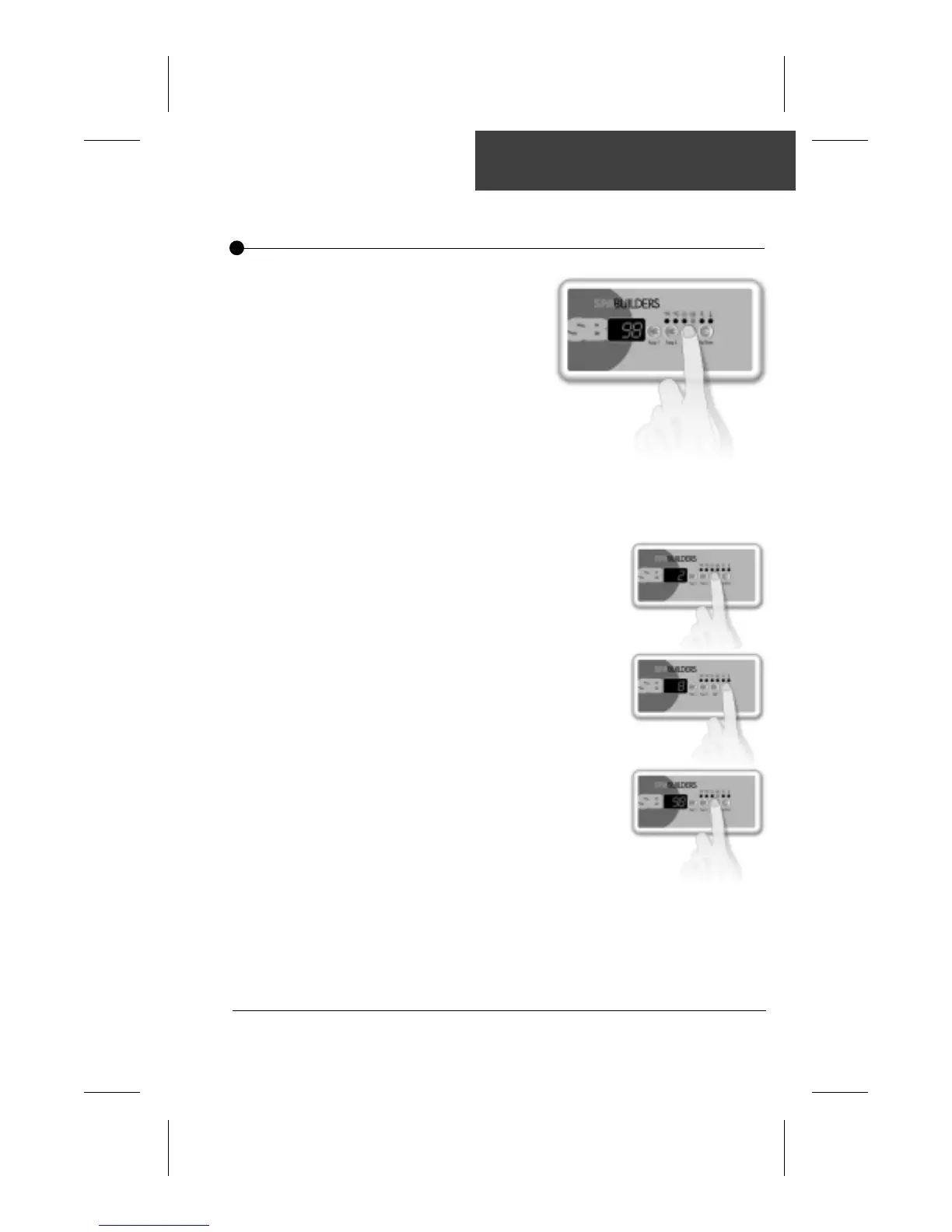
To set the duration of the filtering cycle (the amount of time
pump 1 will be on), follow this procedure:
•Press and hold Light key for 5
seconds.
•The display will show a digit that
represents the duration of the
filter cycle in hours.
•Use Up/Down arrow key to
change setting.
0 = no filtration
12 = continuous filtration
•When the desired setting is
displayed, press Light key
again. The filter cycle will start.
The "Filter" indicator lights up
when a filter cycle is on.
Note that after a power failure, the filter cycle duration will return to its
default value (6 hours, twice a day). In this case, the first filter cycle will
start 12 hours after power has been restored.
The system will automa-
tically perform two filtering
cycles per day, 12 hours
apart. During a cycle, Pump
2 (or blower) will run for
one minute at the beginning
of the cycle. Then Pump 1
will start in high speed for 1
minute and will run in low speed for a
predetermined number of hours.
The ozonator is always on during a filter cycle.


 To Next Page