Page 11 of 34
The home tab shows you how many users are connected and shows your network
connection state and data usage summary.
• The device will automatically connect to the network so it shows the Disconnect
button status by default.
• To change this behaviour press Disconnect first, then go to Settings > Network
Settings > WAN Connection Mode, and select Manual.
• The number of devices connected to your Wi-Fi hotspot is displayed
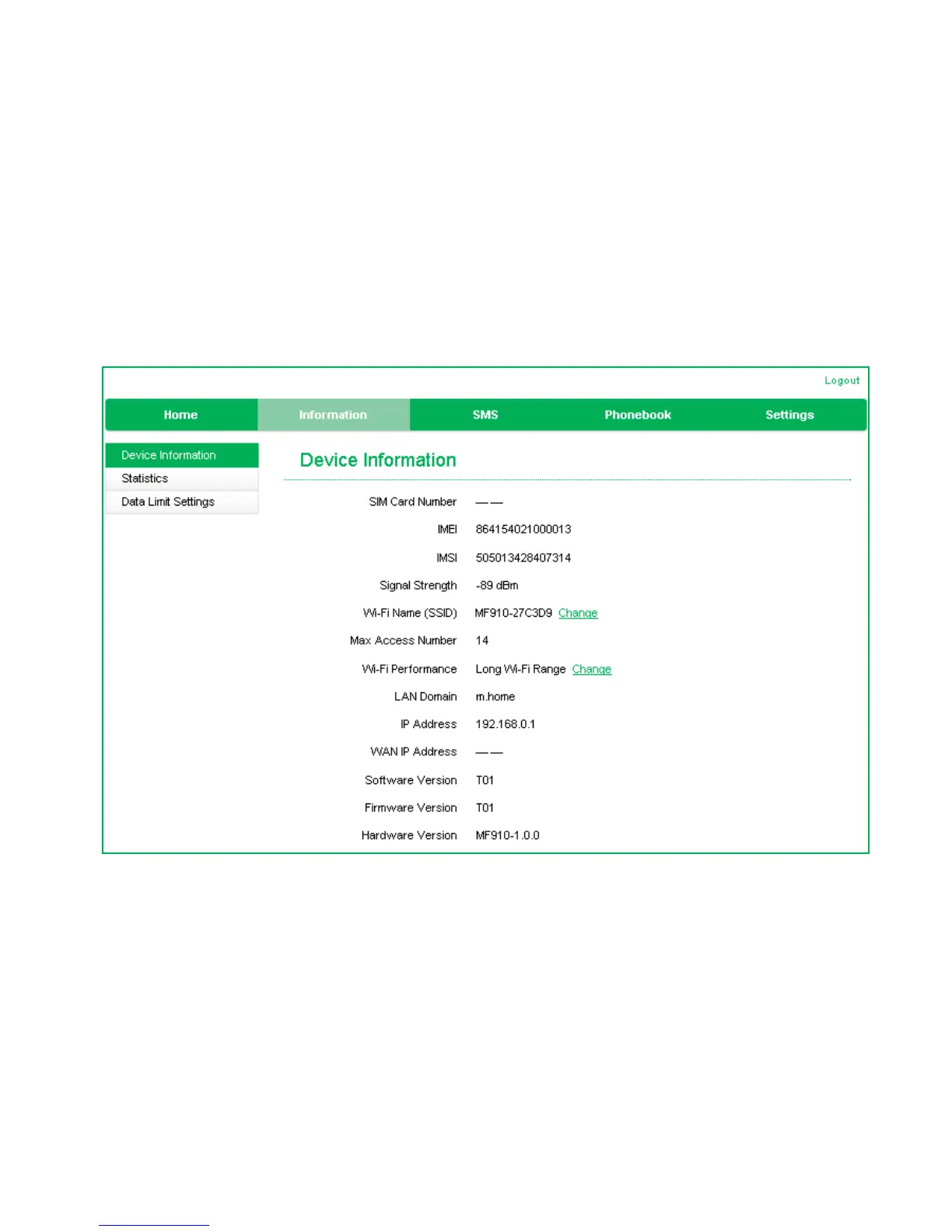
INFORMATION
• View the device IMEI number, Signal strength and other details.
• Change the SSID
• Change the Wi-Fi Performance
Setting to Short Range will preserve battery life by reducing the Wi-Fi
power but this will give you less reach and lower speeds.


 To Next Page