Page 22 of 34
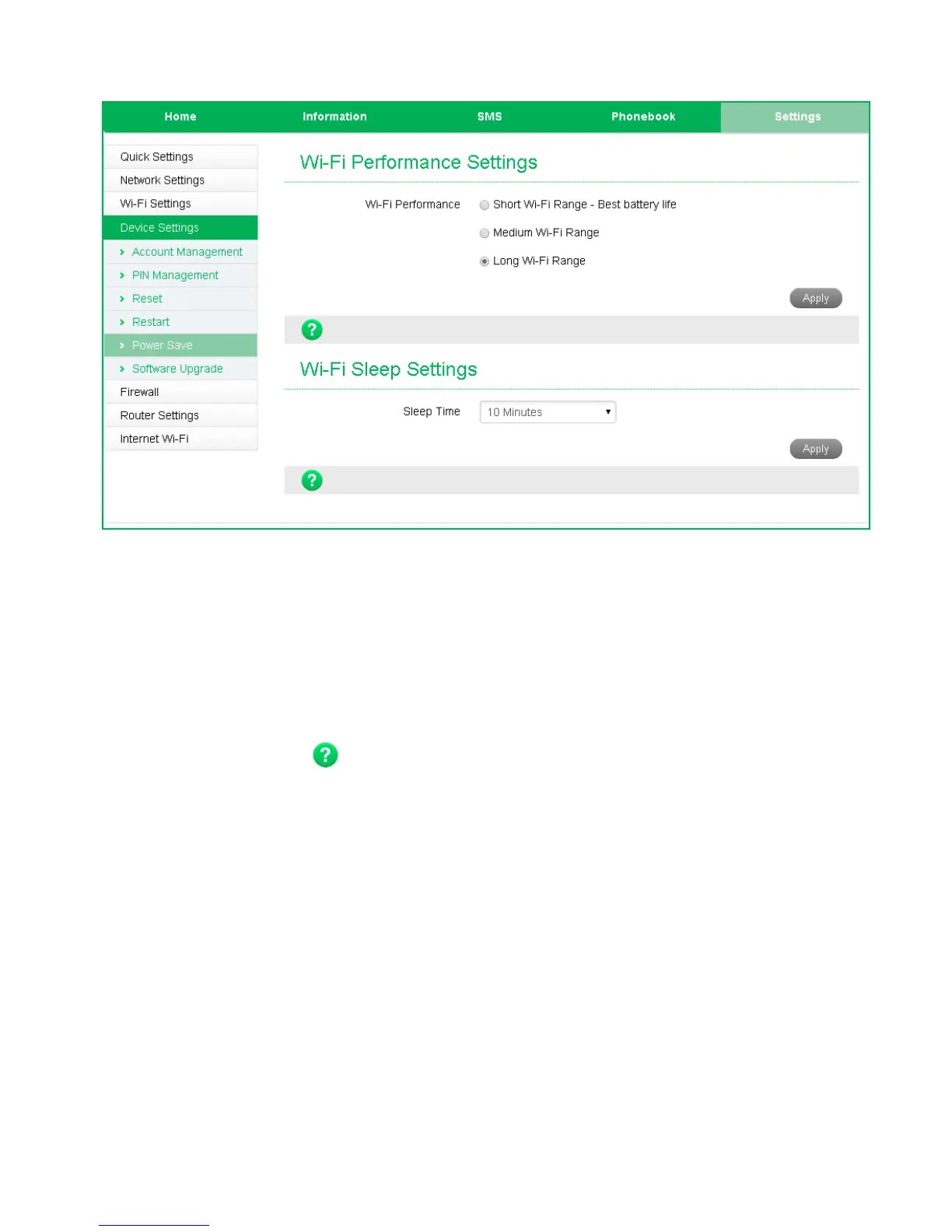
SETTINGS > DEVICE SETTINGS > POWER SAVE
• The default setting provides the greatest reach for your Wi-Fi signal.
• Setting to Short Range will preserve battery life by reducing the Wi-Fi power but
this reduces the Wi-Fi signal range.
• If there is no Wi-Fi traffic detected then the device will switch off Wi-Fi as
determined by the Wi-Fi sleep setting.
• Set Wi-Fi sleep time to Never Sleep to keep the Wi-Fi always on.
• Press the Help icon to get in context tips


 To Next Page