Page 23 of 34
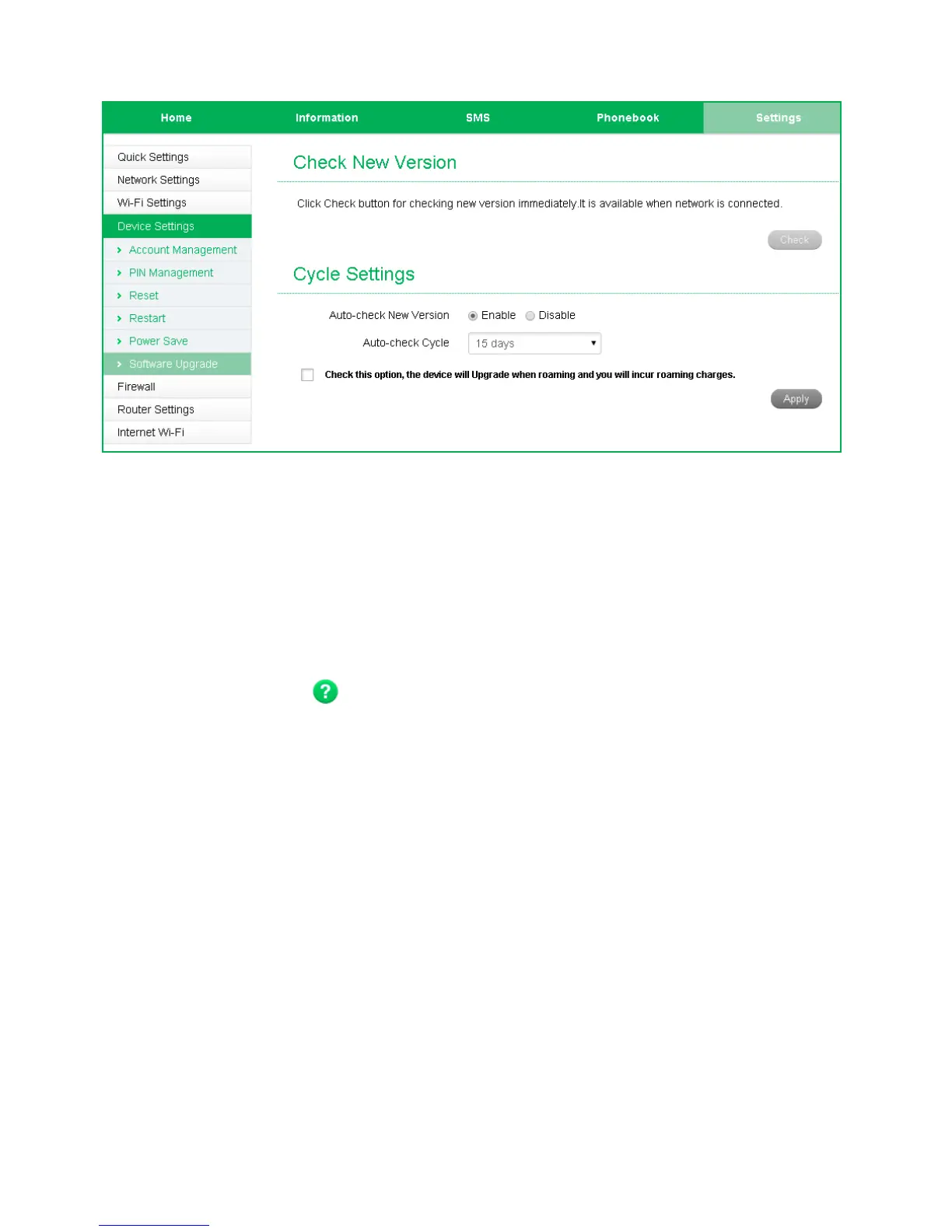
SETTINGS > DEVICE SETTINGS > SOFTWARE UPDATE
• With Check for New Version enabled you are notified on the device display and
in the web user interface if there is an update available.
• You need to be in the Connected state to download new versions.
• Press the Update Now button to see if there are software updates for your
device.
• Roaming Settings control if the device will update when roaming. This is
disabled to reduce high data charges when roaming.
• Press the Help icon to get in context tips


 To Next Page