Page 17 of 34
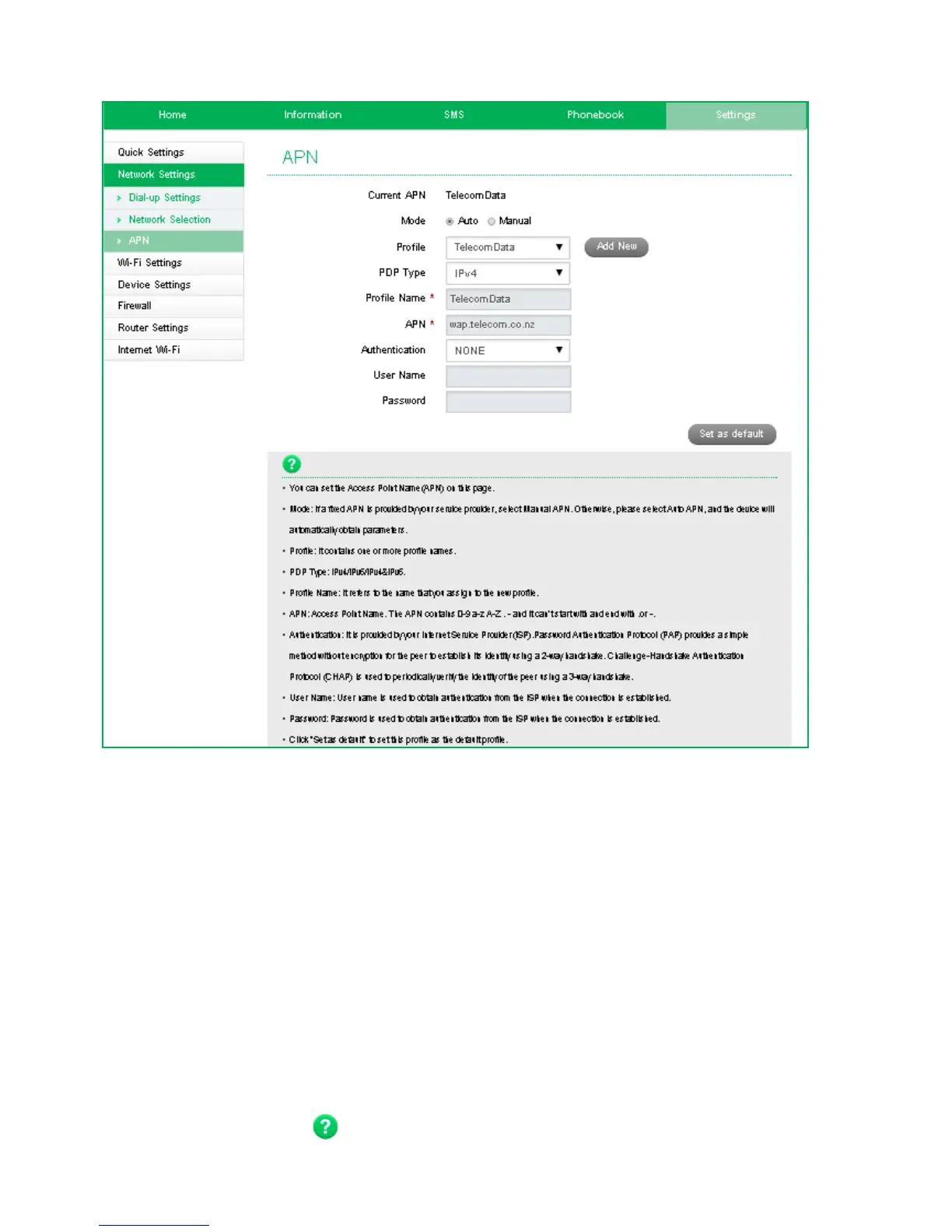
SETTINGS > APN:
• Press Disconnect on the Home screen to disconnect from the Network
• Your Wi-Fi Hotspot comes pre-installed with the standard Spark APNs. If you
require an alternate APN please follow these steps:
Press
Add New to create a new APN
Add the Profile Name, eg TelecomData
Enter the correct APN details eg wap.telecom.co.nz
Press Save to save your new APN
Press the Profile drop down box
Select the new APN profile name
Click on ‘Set as default’ to set the new APN as your preferred setting
• Normally there is no need to change these settings unless you change service
provider or are instructed by your carrier.
• Consult your new carrier to obtain alternate APN details for your device.
• Press the Help icon to get in context tips.


 To Next Page