Page 12 of 34
SMS
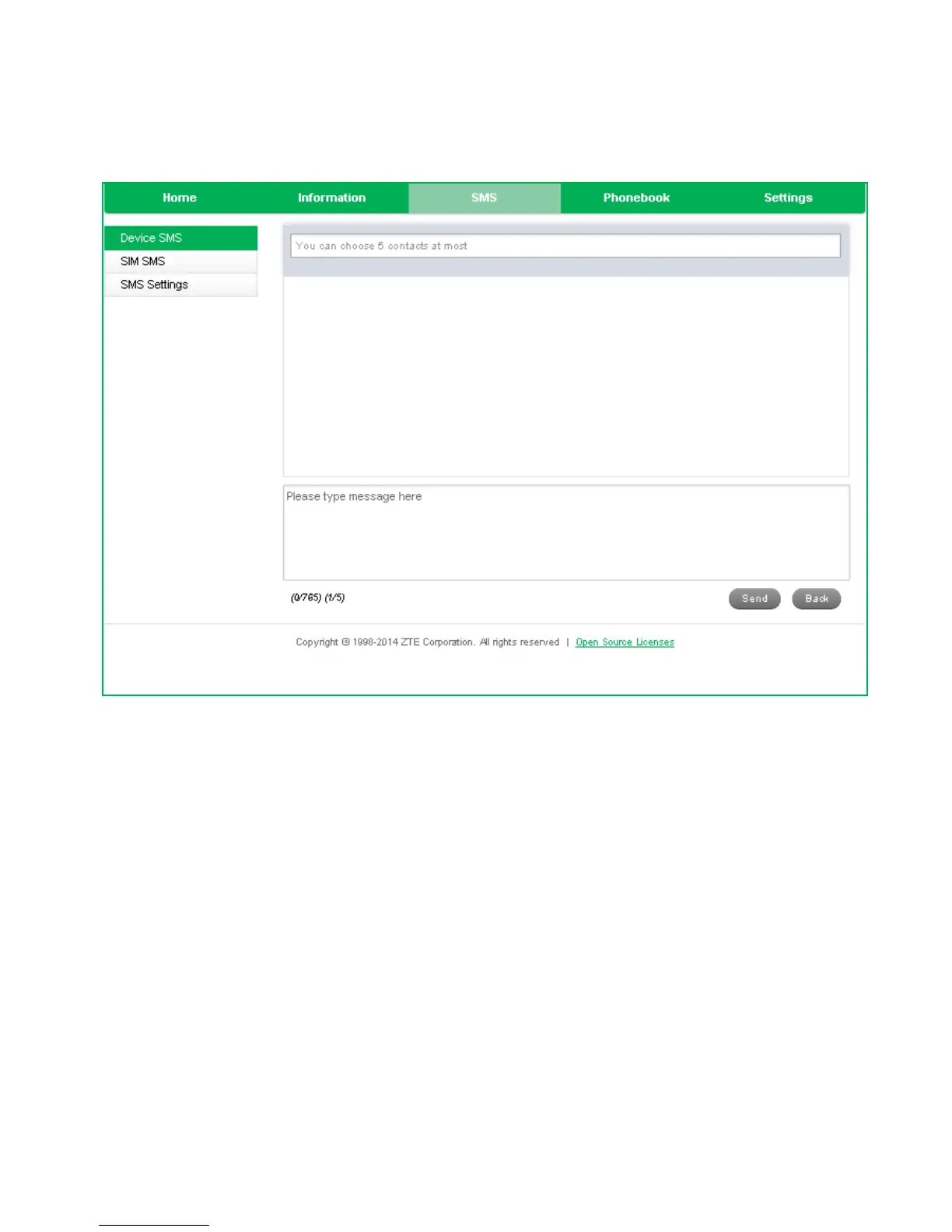
• Click in the top box to add Contacts
• You can enter Contact names in the Contacts field and the device will search and
list applicable matches
• Click in the bottom box to type your message
• Press the Send button when done
• Threaded messages (messages sent and received to the same Contact) are
displayed in the main panel.
• View SMS > SMS Settings to enable delivery reports and to check the SMS centre
number (read from your SIM card)


 To Next Page