Page 18 of 34
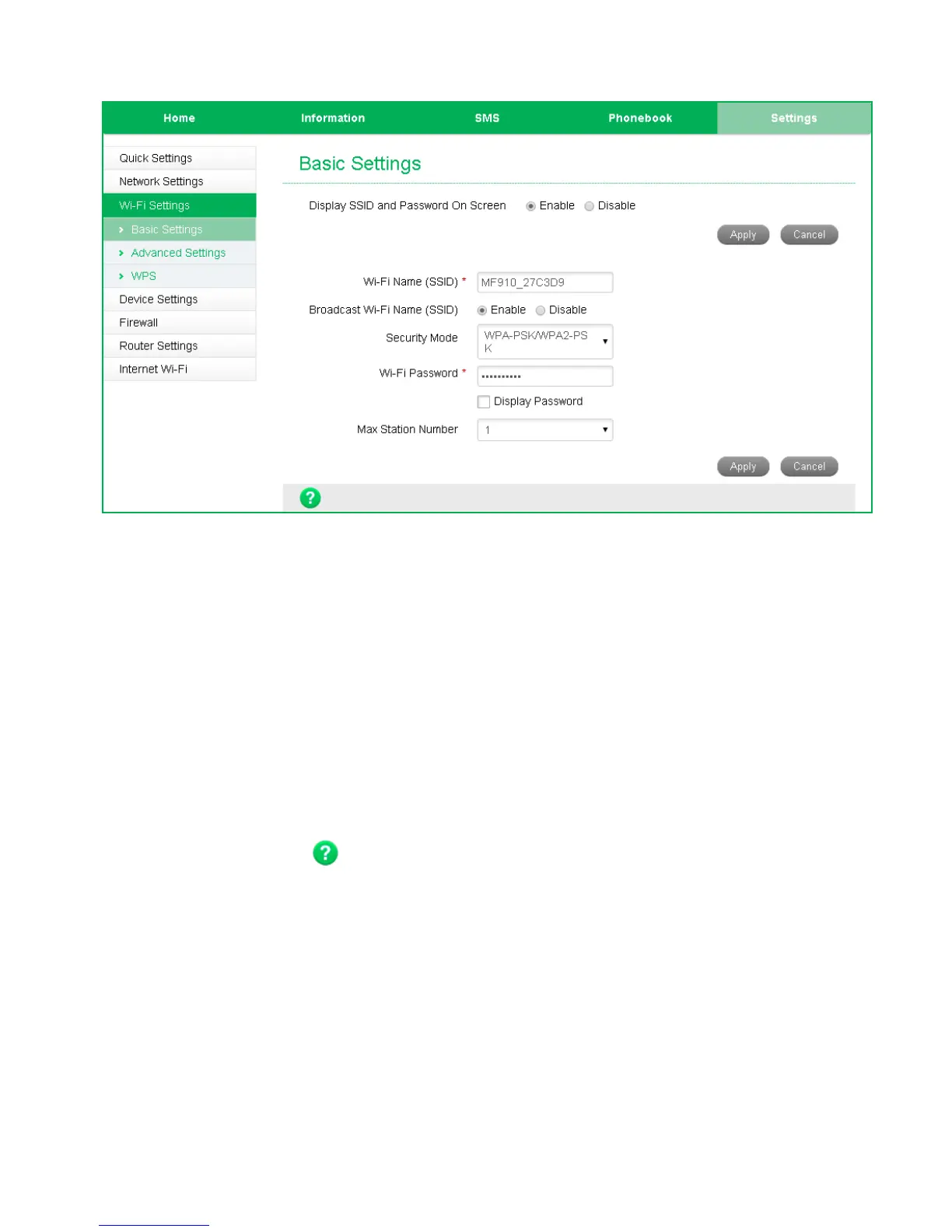
SETTINGS > WI-FI SETTINGS > BASIC SETTINGS:
The SSID is the Wi-Fi Network Name for your device
• By default the SSID and Password is shown on the front screen. Select Disable on
“Display SSID and Password On Screen” to hide this information.
• You can change the SSID to something more memorable or personal
• You can hide the SSID broadcast so unknown users will not even see your
network
• You can change the security settings and password to suit your own preferences
• You can set the number of available connections between 1 and 10. The default
setting is 10 users.
• Press Apply to save your changes
• Press the Help icon to get in context tips


 To Next Page