INDEX Page. 32 of 89
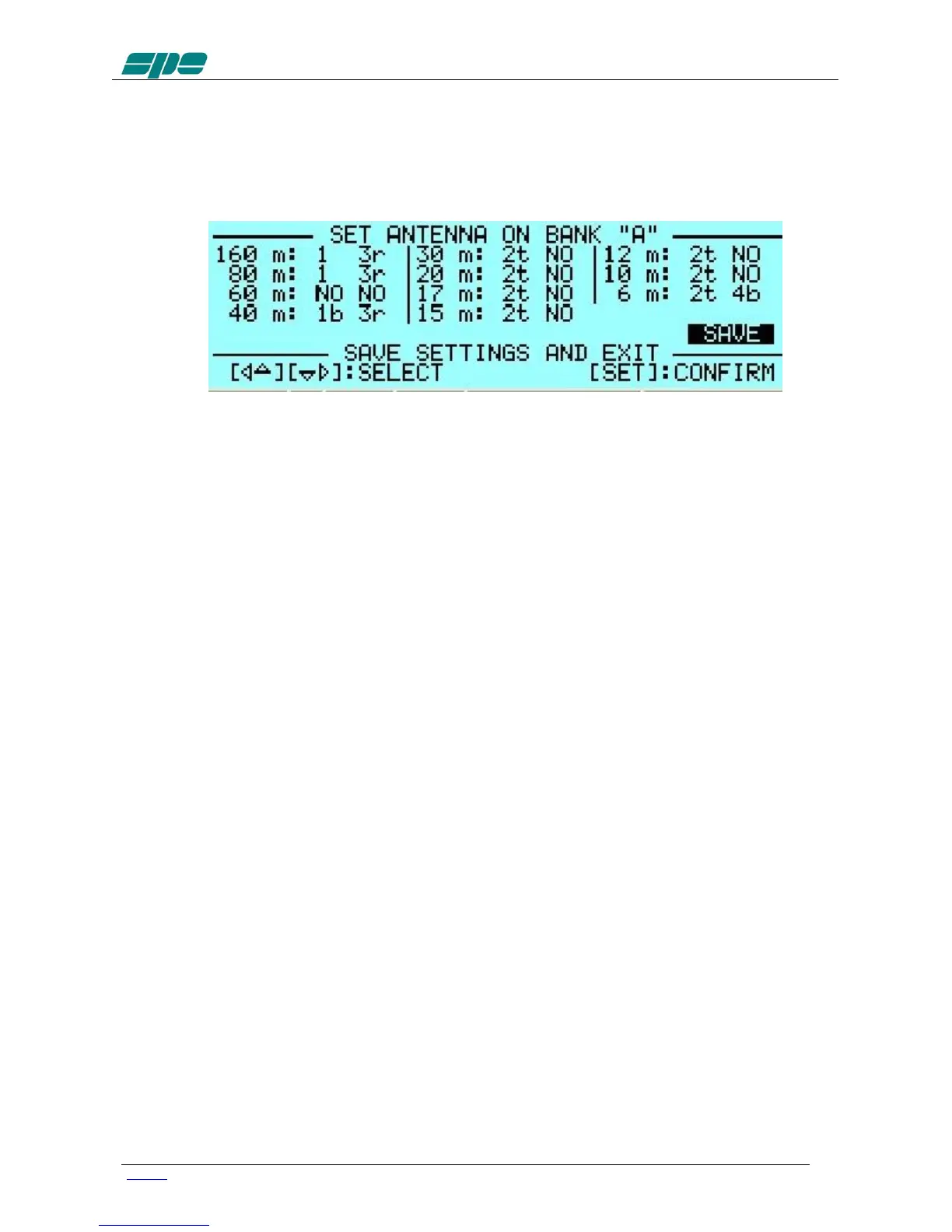
2) To Set ANTENNAS:
Press [SET] and open the “ANTENNA“ menu page.
Assign an appropriate antenna output number for the desired band.
If you don’t have an antenna for that band, select “NO“.
To bypass the Tuner on a certain band and/or a certain antenna, just
press the [TUNE] key, you will see a "b" next to the antenna number.
To remove the bypass, just press [TUNE] again.
When all the antennas are programmed, press [SET] to exit and the screen
will go back to STANDBY.
To select a tunable antenna, refer to the “TUN ANT” item on the menu.
Next to the number of the tunable antenna in use will appear a “t”.
To select a receiving antenna, refer to the “RX ANT” item on the menu.
Next to the number of the receiving antenna in use will appear an “r”.
3) To Set CAT:
Press [SET] and open the “CAT“ menu page
Select the transceiver brand and proceed with programming according to
the type of connection between the amplifier and the transceiver
(read the “CONNECTIONS” chapter of this manual).
At the end of programming, exit and go back into STANDBY.
To verify the correctness of your programming, press the [CAT] key, and all
the data stored will appear on the display.
To verify proper “CAT” operation, press [SET], step to “MANUAL TUNE” and push SET.
When moving your transceiver’s VFO you should see the same frequency on the
display.
If set to "None", then transmitting briefly in RTTY or in FM, will allow you to read the
transmitted frequency on the display.
Then return to the STANDBY mode.
Similarly, if “BAND DATA“ is connected, check that the amplifier follows band changes
of the transceiver.
If it does not do so, then verify that your programming (or your connection) has been
correctly made.



 To Next Page