INDEX Page. 74 of 89
20.3 Term_1.5K_232.exe usage
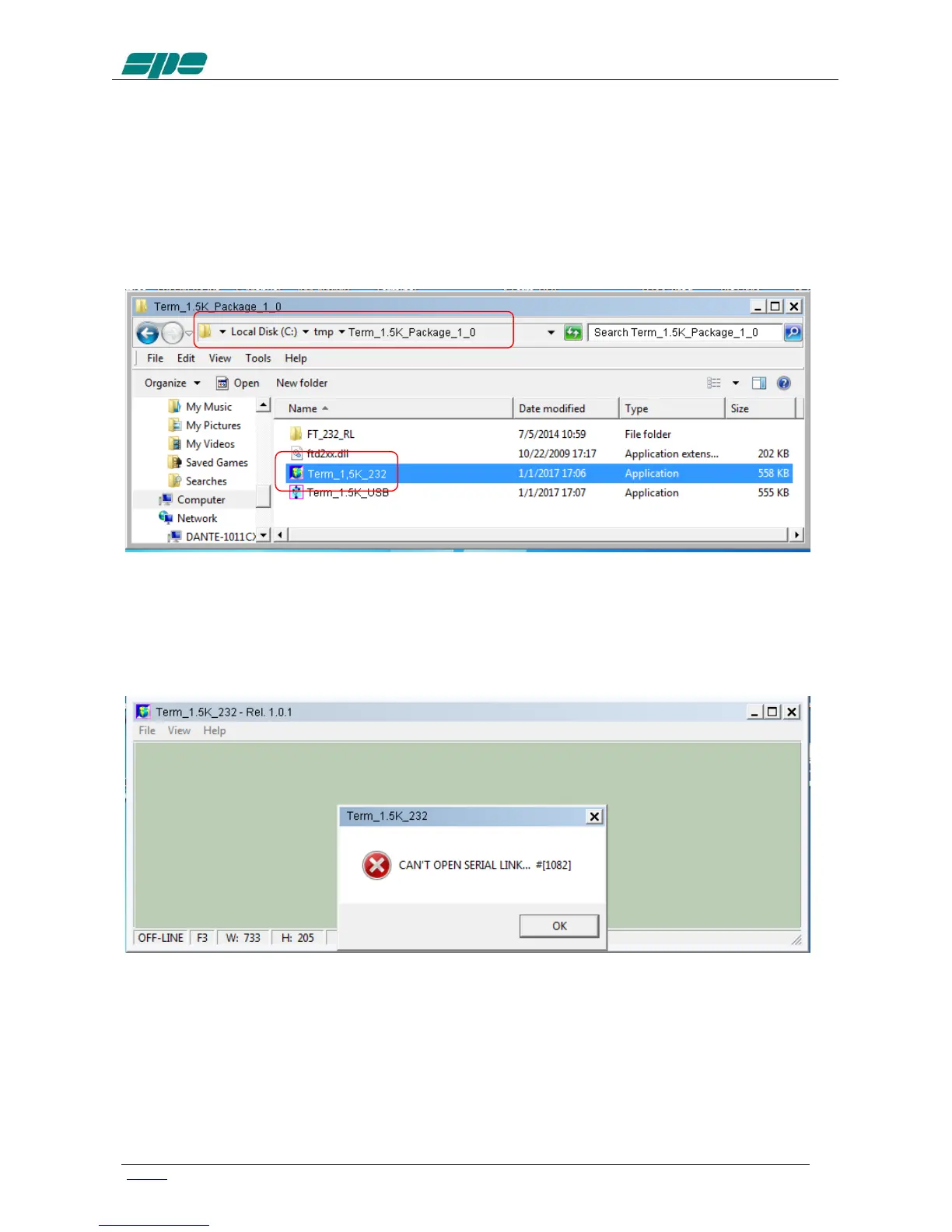
To start running the Term_1.5K_232.exe application, it is necessary to go back into the
Term_1.5K_Package_1_0 uncompressed folder and select the related filename as
shown in the picture below:
A suggestion is to create a link to the application and place it on the Windows desktop.
A double-click using the left-button of the mouse on the application icon should render a
result as the one shown in the following picture:
The very first time Term_1.5K_232.exe is launched, a notifying pop-up message, like
the one in the picture above, is shown.
This is for just warning the user that there is still no valid RS-232 port being set on the
application itself.



 To Next Page