7
E-DOC-CTC-20050705-0001 v1.0
Chapter 2
Installing your SpeedTouch™
Computer: system
requirements
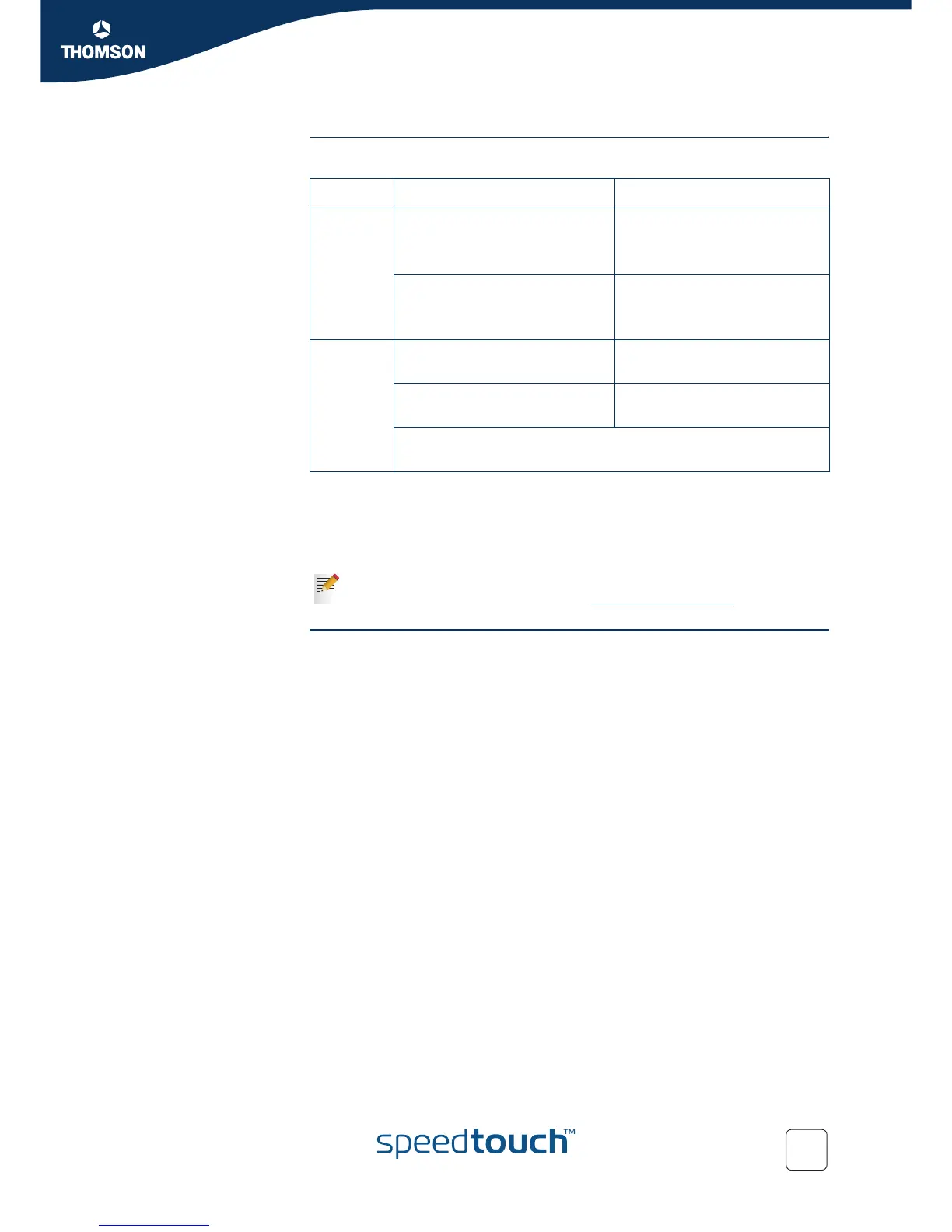
Your computer must meet the following minimum requirements:
Some operating systems require you to have administrative privileges to install
software on your computer. The way in which you can verify and change the
privileges of users depends on the platform and operating system of your
computer. Refer to the documentation or online help of your operating system for
more information.
Connection details from
your Internet Service
Provider (ISP)
You need the following connection details from your Internet Service Provider (ISP):
Your ISP’s method for connecting to the Internet (e.g. PPPoE or PPPoA)
The VPI/VCI (for example 8/35)
Your user name and password to connect to the Internet
You must have received this information when you took out an ADSL subscription
with your Internet Service Provider (ISP). You will be prompted for this information at
a given step in the installation procedure.
See also “ Connection methods” on page 15.
Platform Operating System Requirements
Microsoft Windows 98/98SE/ME 166-MHz Pentium (or
compatible) processor
32 MB of memory
Windows 2000/XP
Windows XP Professional x64
Pentium II processor (or
compatible)
64 MB of memory
Macintosh Mac OS X v10.1 (Puma) 121 MB of free disk space
(during installation process)
Mac OS X v10.2 (Jaguar), v10.3
(Panther) and v10.4 (Tiger)
22 MB of free disk space
(during installation process)
Mac OS X v10.0 users must download the free update to Mac OS X
v10.1 to be able to install and use the SpeedTouch™ device.
The SpeedTouch™ also supports Linux platforms. Refer to the SpeedTouch™
Support pages for more information: www.speedtouch.com
> Support.



 To Next Page