33
E-DOC-CTC-20050705-0001 v1.0
Chapter 6
Removing the SpeedTouch™
6 Removing the SpeedTouch™
Disconnect the
SpeedTouch™, remove
the software
To remove the SpeedTouch™, you do not just disconnect it, you also need to remove
the software from your computer. Depending on your operating system, you will
perform one of the following procedures:
“ To remove the SpeedTouch™ from Microsoft Windows” on page 33.
“ To remove the SpeedTouch™ from Mac OS X” on page 34.
To remove the
SpeedTouch™ from
Microsoft Windows
Proceed as follows:
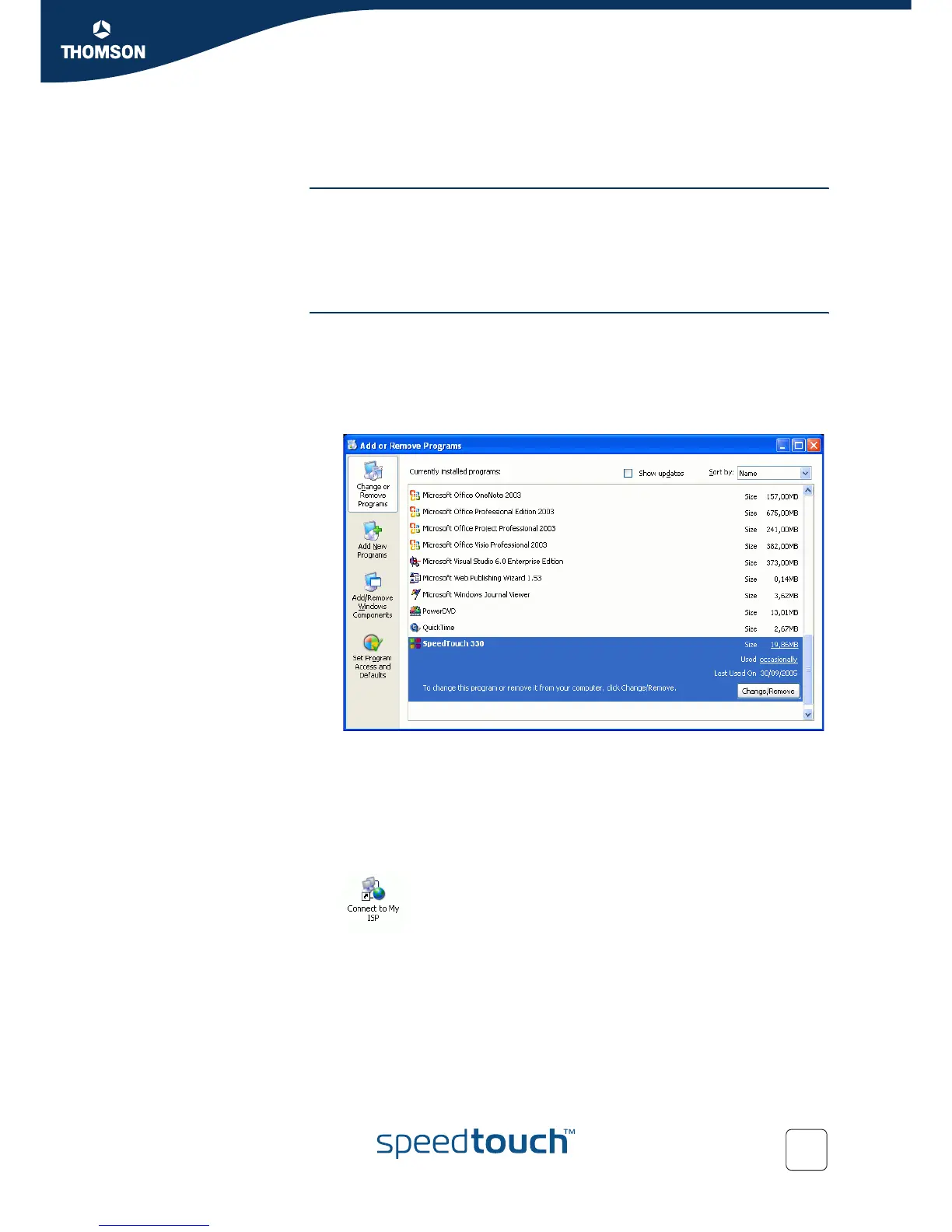
1 Choose Start > Settings > Control Panel > Add or Remove Programs.
The Add or Remove Programs window appears.
2 Scroll through the list of currently installed programs until you see the name of
your SpeedTouch™, and then select it.
3 Click Change/Remove.
The SpeedTouch Home Install Wizard removes the necessary files from your
computer.
4 Follow the instructions on your screen.
5 Delete remaining SpeedTouch™ shortcuts, if any, from your desktop or Quick
Launch bar, e.g. the Connect to My ISP icon:



 To Next Page