EN
Swash Type
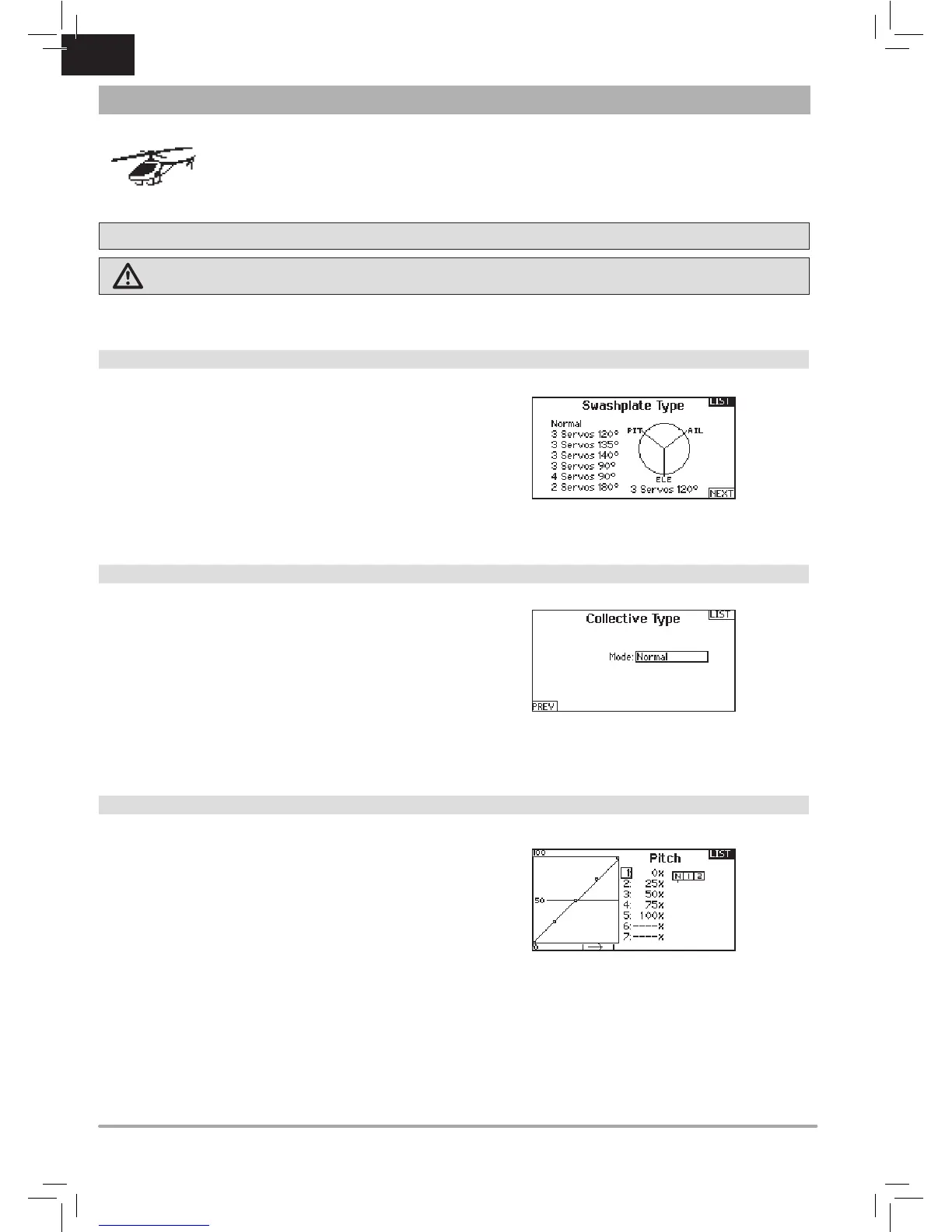
The Swash Type menu option assigns the swash type for your
particular helicopter model.
Select the Swash Type before completing any programming in
the Function List. The Swash Type will affect menu options in the
Function List.
Collective Type
The collective type is used to turn on “Pull” collective for reversed
collective. Available settings are Normal and Reverse. Press
NEXT from the Swashplate Type screen to access the Collective
Type screen. The Collective Type allows the throttle/pitch stick
to operate in reverse and ensures trims, curves and all other
functions that are to work in reverse function properly.
Pitch Curve
This function supports adjustment of collective pitch in 5 flight
modes.
To adjust the Pitch Curve:
1. Select the Pitch Curve you wish to edit (N, 1 or 2).
2. Scroll right to select the points on the curve and edit the
respective values.
3. Press the BACK button to save the Pitch Curves and return
to the Function List.
Heli Model Type
NOTICE: Refer to your helicopter, gyro and governor manuals for programming recommendations.
CAUTION: Always do a Control Test of your model with the transmitter after programming changes to make sure your model
responds as desired.
HELI (HELICOPTER)



 To Next Page
 Loading...