Page 41
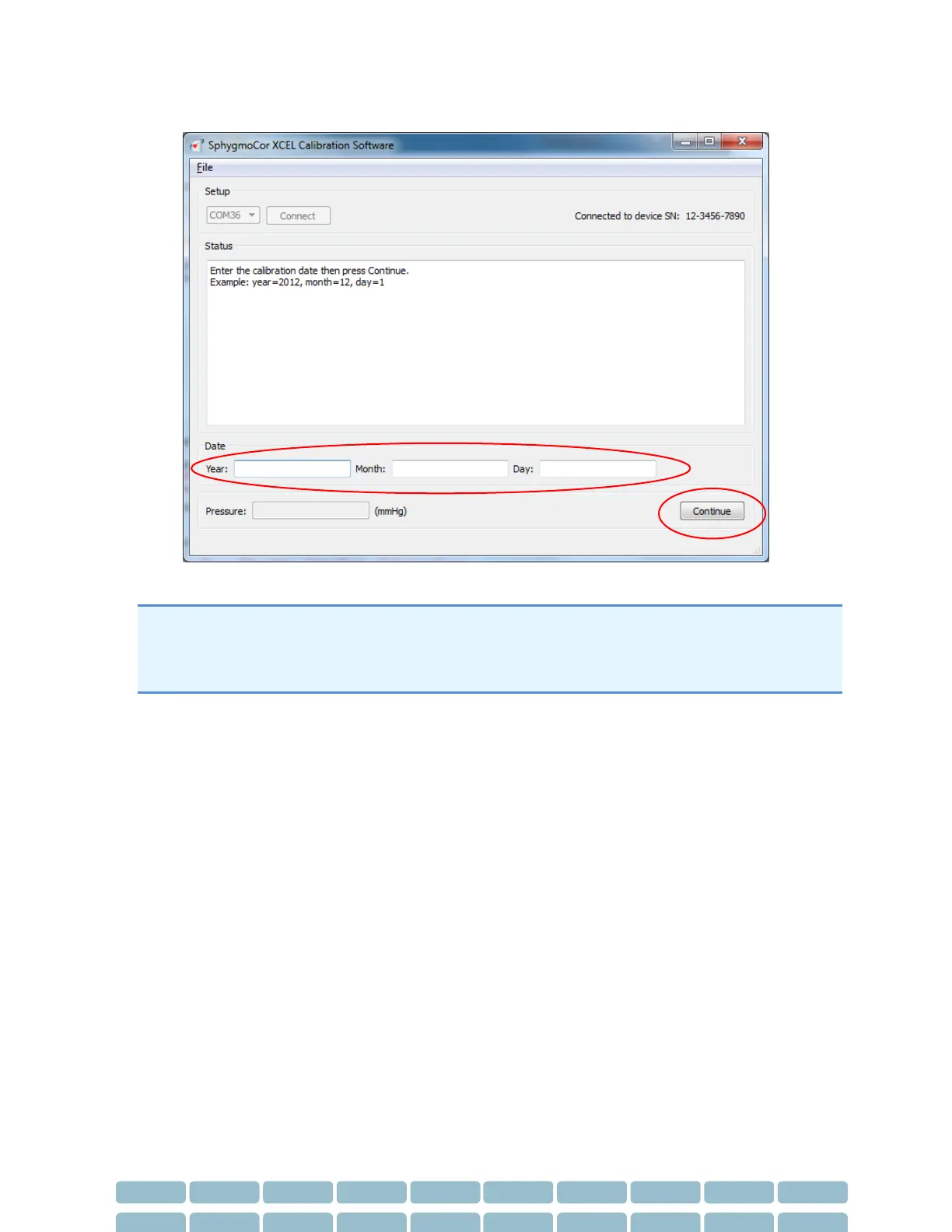
28- Upon successful calibration, enter the calibration date (year, month & date) then click Continue
If the Continue button is pressed without entering a date, close the SphygmoCor XCEL Calibration
software, turn OFF and then ON the SphygmoCor XCEL device, and repeat the calibration
procedures from step 1. Please refer to Restarting the Calibration Procedure Section in the
Calibration Troubleshooting section.


 To Next Page