Base Unit User Guide Issue 1 Tech-X Flex™
2-6 2: Wi-Fi Testing Menu
Intro
Wi-Fi
10/100
System
IP/Video
Specs
Setup - Scan (Wi-Fi Setup)
The Wi-Fi Scan requires no setup parameters. The process launches immediately following the menu
selection
Results - Scan (Wi-Fi Setup)
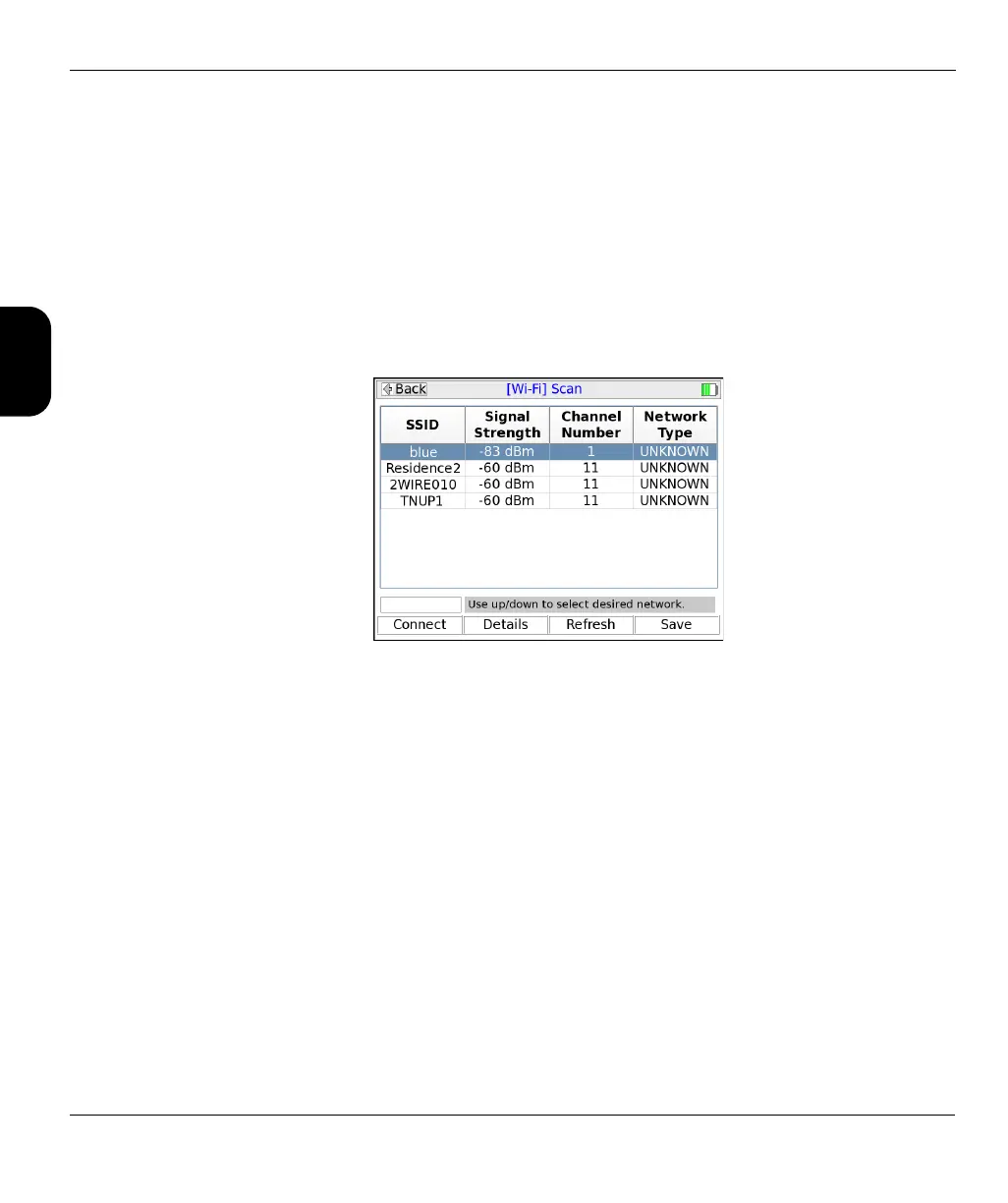
The scan lists all networks within range of the unit, including the SSID (name), signal strength, and
channel number for each network. For more information on these fields, see the descriptions under Wi-Fi
Setup > Details on page 2-9.
Figure 2-3 Wi-Fi Scan results
Results screen shortcuts:
• Connect - Launches the Wi-Fi Connect function for the selected network (see Wi-Fi Setup > Connect
on page 2-6)
• Details - Displays details of the selected network, similar to those displayed when you request the
details of a currently-connected network (see Wi-Fi Setup > Details on page 2-9)
• Refresh - Reruns the scan
• Save - Saves the Scan results (see Record Manager on page 4-1)
2.3.2 Wi-Fi Setup > Connect
The Connect function attempts a connection with a wireless network according to the specified
parameters. If you used the Wi-Fi Setup > Scan function results to launch the Connect, many of the
parameters are automatically populated. For this reason, the Scan function is generally recommended as
a prerequisite.



 To Next Page