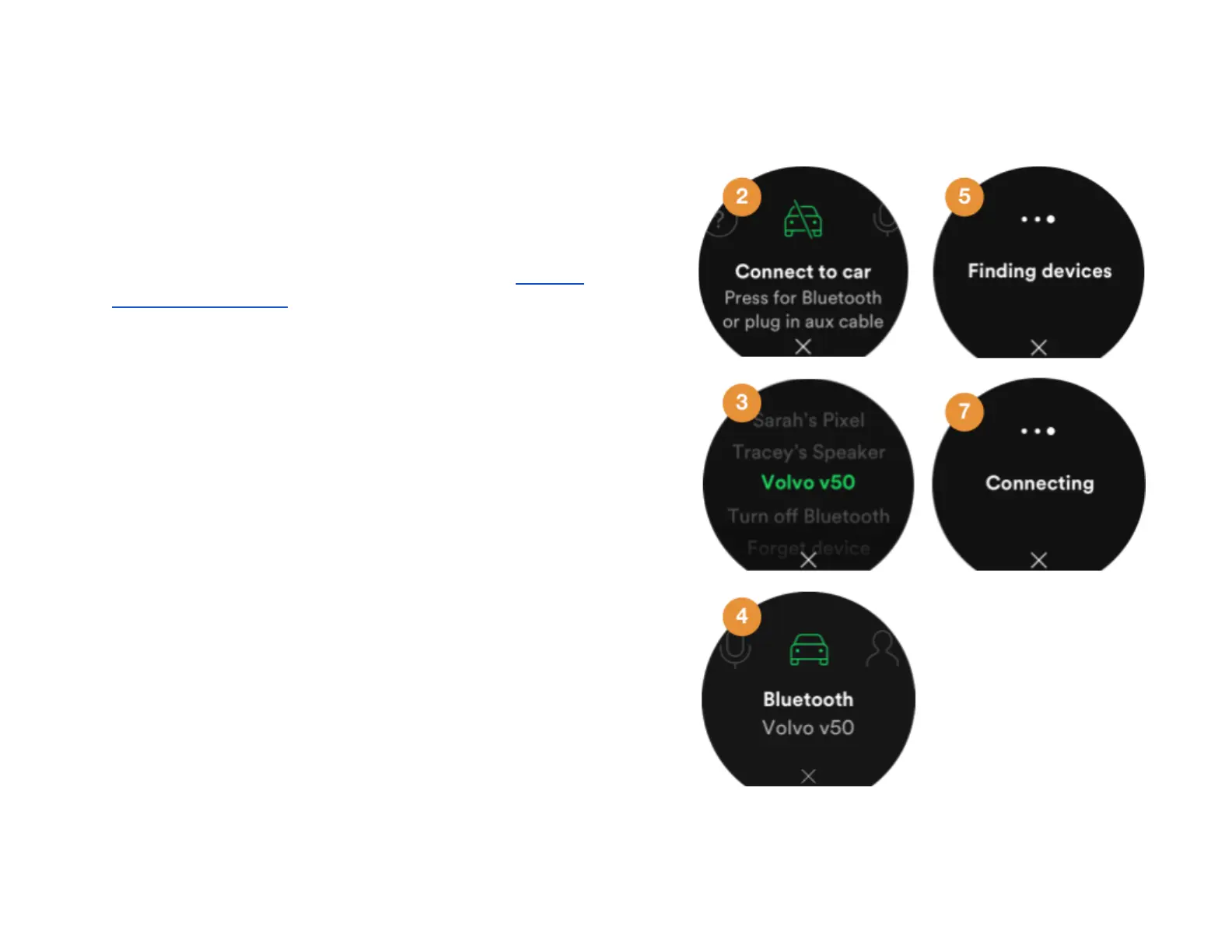
Pair from Car Thing
Follow these instructions if you want to establish the
connection from Car Thing.
Note : Some cars don’t support pairing from another device. If
that’s the case try pairing from the car instead, go to Pair from
the car’s media system for information about how to do this.
1. Go to the Bluetooth settings in the car’s media system
and set it to be discoverable by other Bluetooth
devices. This will make the car’s media system
discoverable for other Bluetooth devices
2. On Car Thing, go to Settings > Connect to car .
Note : If no car connection is found when you start the
device, you’re automatically taken to this page.
3. Press the center of the screen. Car Thing will look for
nearby Bluetooth devices.
4. When Car Thing has found one or more available
Bluetooth devices they are displayed in a list. Turn the
dial to browse them.
Can’t find your car? Try these solutions:
● Exit and reopen Settings, then reselect
Bluetooth.
● Restart Car Thing
● Restart the car.
5. Press the center of the screen to select the Bluetooth
device you want to pair to. Allow 30 seconds for it to
pair.
24



 To Next Page