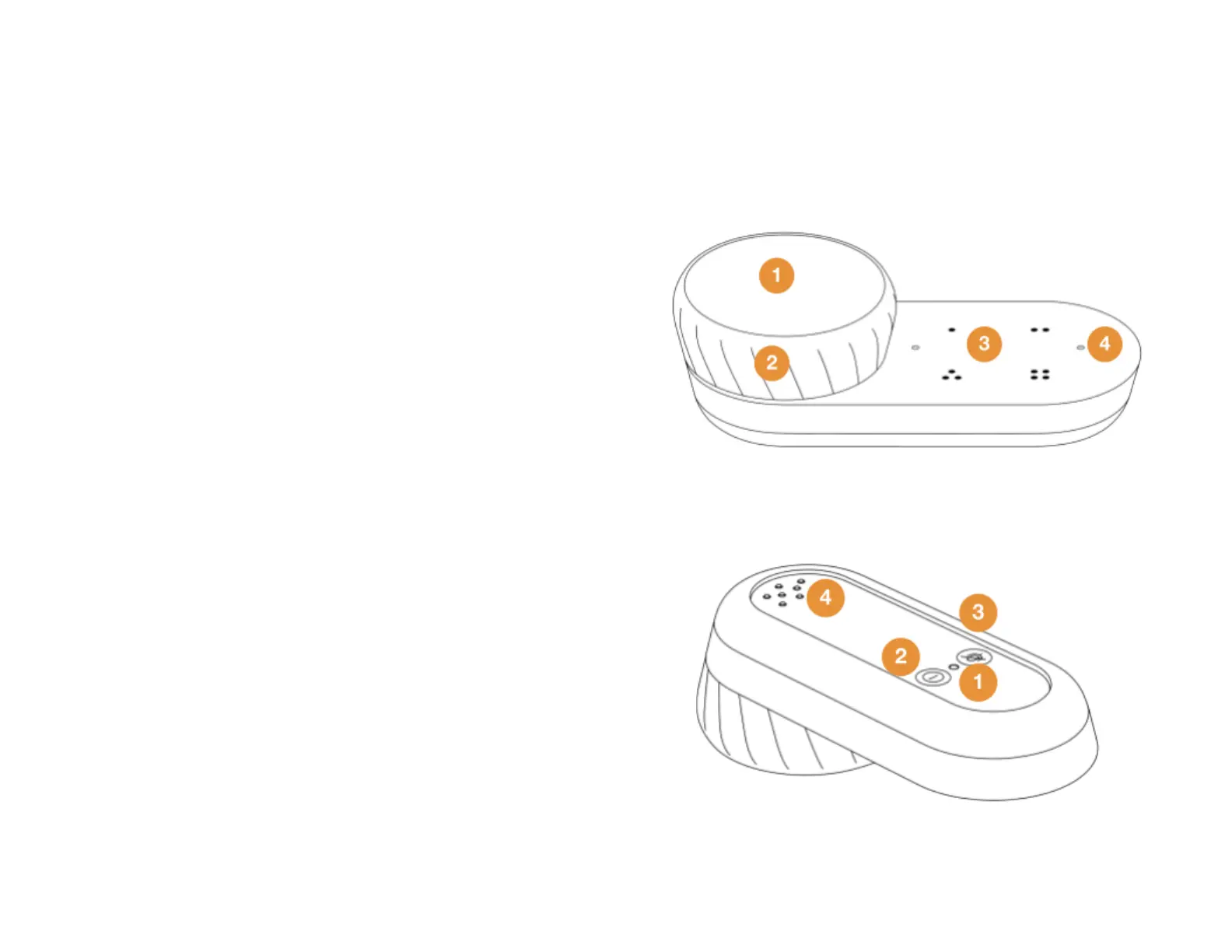
Get to know Car Thing
Front
1. Screen - See and control what’s playing. Press up,
down, left, right, and center to navigate and perform
different actions.
Note: The screen is not a touch screen. You need to
push the screen firmly but carefully until you hear it
click.
2. Dial - Turn to explore music, settings, and options.
3. Preset buttons - Save your favorite music and
podcasts to play instantly.
4. Microphones - Control Car Thing with your voice.
Back
1. Restart button - Press to make the device restart.
Tip : Use a thin object such as a paper clip to push the
button.
2. Power button - This button controls the device’s
power:
● Tap briefly to put the device in sleep mode.
● Press and hold for about 3-5 seconds to turn
the device off.
3. Microphone button - Press to switch the mic on or
off.
4. Dock connectors - Make sure the little pins line up
with those on the dock.



 To Next Page