Navigate Car Thing
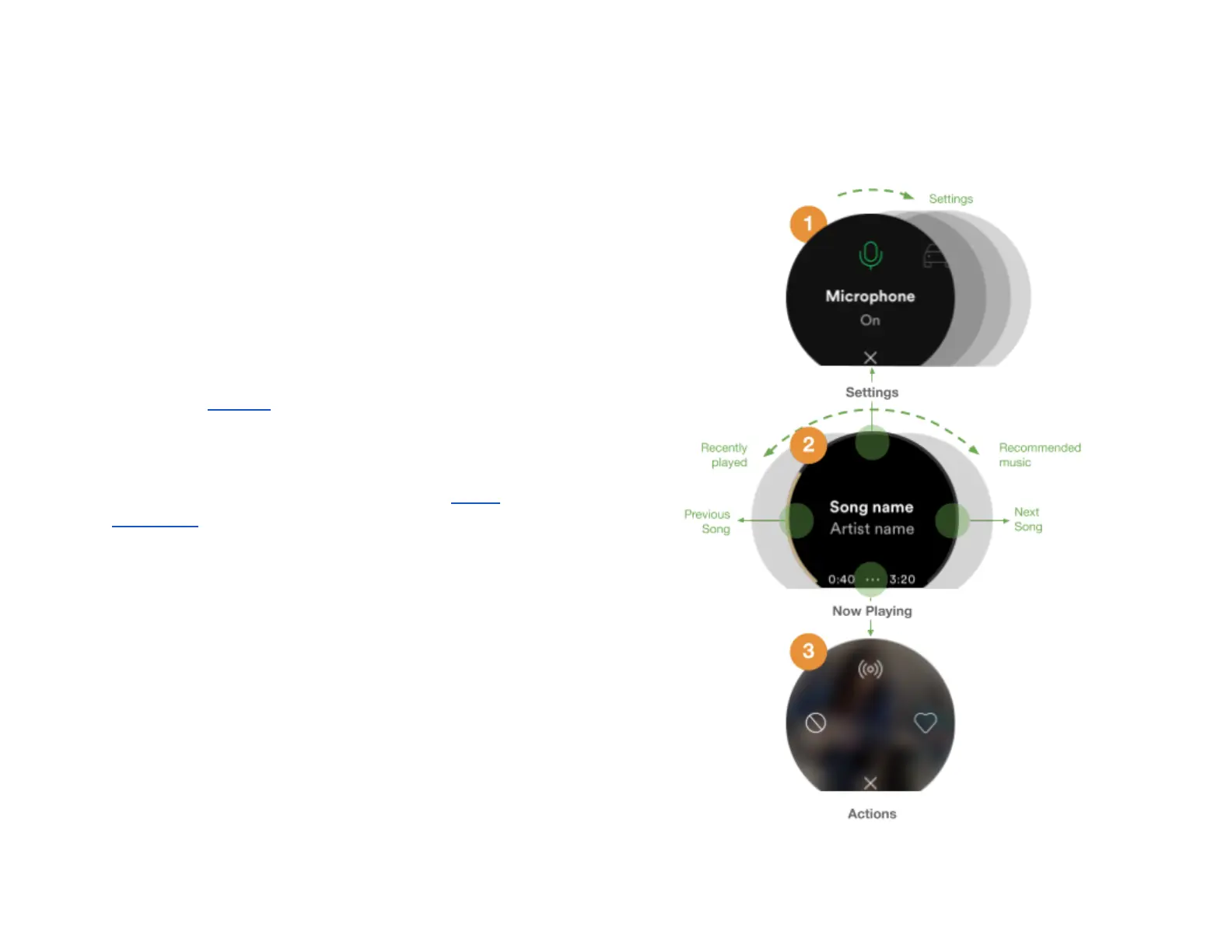
1. Settings
Here you can manage Car Thing. To get to Settings , press up
from Now Playing (default screen).
● Turn the dial to scroll through options and sub-options
● Press the center of the screen to select options.
● Press down to return to Now Playing .
Note! Go to Settings for more information about the different
settings that are available.
Important! When you’re driving, most of the Settings menu
is not available for safety reasons. Go to the Safety
information for information about using the device safely while
driving.
2. Now Playing (default view)
This is the default view when turning on Car Thing. Here you
will see cover art for what’s currently playing.
● Press and hold the center of the screen to get Car
Thing listening.
● Press the center of the screen to play/pause.
● Press the screen right to skip current song.
29



 To Next Page