8
3. Switching on and getting started
3.6 Hints for First Time Users
If the message “Fill Up Pipe System” appears on the display when the
SPRADA Future OTC is used for the very first time: (Refer to section 2.3)
Place a receptacle or large cup with its centre under the Spout.
Press the Rotary Control Knob.
The system will now be filled. Water may come out of the Spout. After
the system has heated up, the message, “Please Rinse”, will appear on the
Display Screen.
Press the Rotary Control Knob again.
The system is now filled with water.
If the message, “Fill up beans” appears on the display.
Fill the bean hopper.
Select any coee.
Press the Rotary Control Knob.
If the Grinder does not grind it is because it is still empty.
Press the Rotary Control Knob again.
The Grinder is now full and grinding will take place.
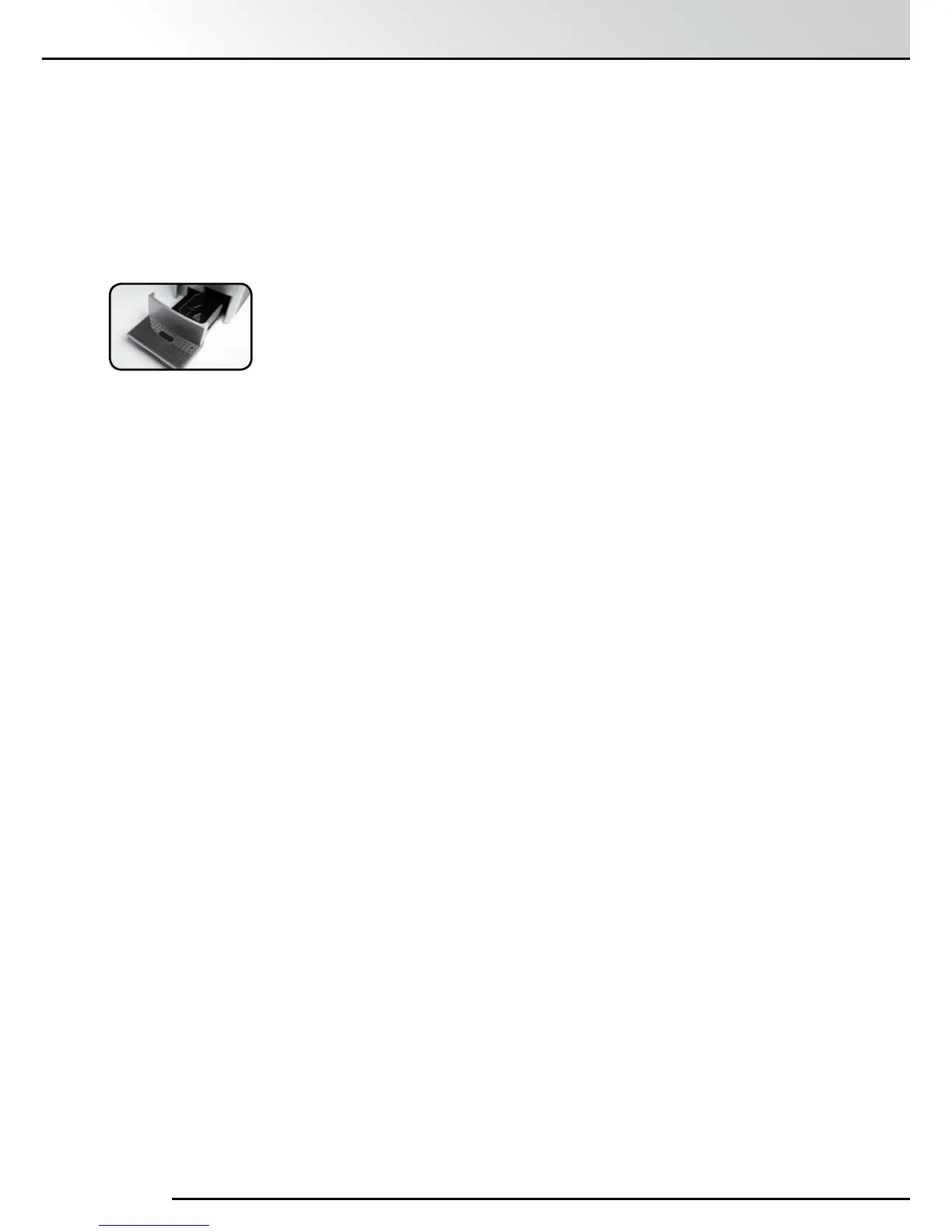
The Drip Tray and Coffee Grounds Container are integral to the machine
and require emptying on a regular basis or when the display indicates that
this should be done with the message “Empty Drip Tray”.
Move the Height Adjustable Spout to its uppermost position.
Grasp the Drip Tray assembly in the middle and carefully pull outwards.
The message “Insert Tray” will be displayed and the machine will not
operate.
Remove the Coffee Grounds Container, empty and rinse with clean water.
Empty the Drip Tray and rinse with clean water.
Remove the stainless steel Drip Cover and wash with clean water.
Re-assemble the components of the Drip Tray assembly.
Gently push the Drip Tray all the way in and seat.
The display will return to the Main Menu and the machine can be used.
3.5 Emptying the Drip Tray and Coee Grounds Container


 To Next Page