18
6. Manual Adjustments
6.2 Preparing Pre-Ground Coee
Open the cover on top of the machine.
Open the lid of the Pre-Ground Coee Chamber.
After a moment, the Display Screen will show the message, “Fill in Coffee
Powder” alternating with the message “ Close Powder Shaft”.
Add one level Measuring Spoon of pre-ground coee. Close the lid and
the cover. The display will now show the message, “Powder is ready”.
Place a cup under the Height Adjustable Spout,
In the Main Menu, turn the Rotary Control Knob to the drink of your
choice.
Press the Rotary Control Knob to start brewing your coee.
Caution: The Grinder setting can only be changed while the Grinder
is operating.
The Grinder can be adjusted to suit the roast of your coffee beans. It is
advised that you always keep the Grinder on a medium setting.
To change the grinding level:
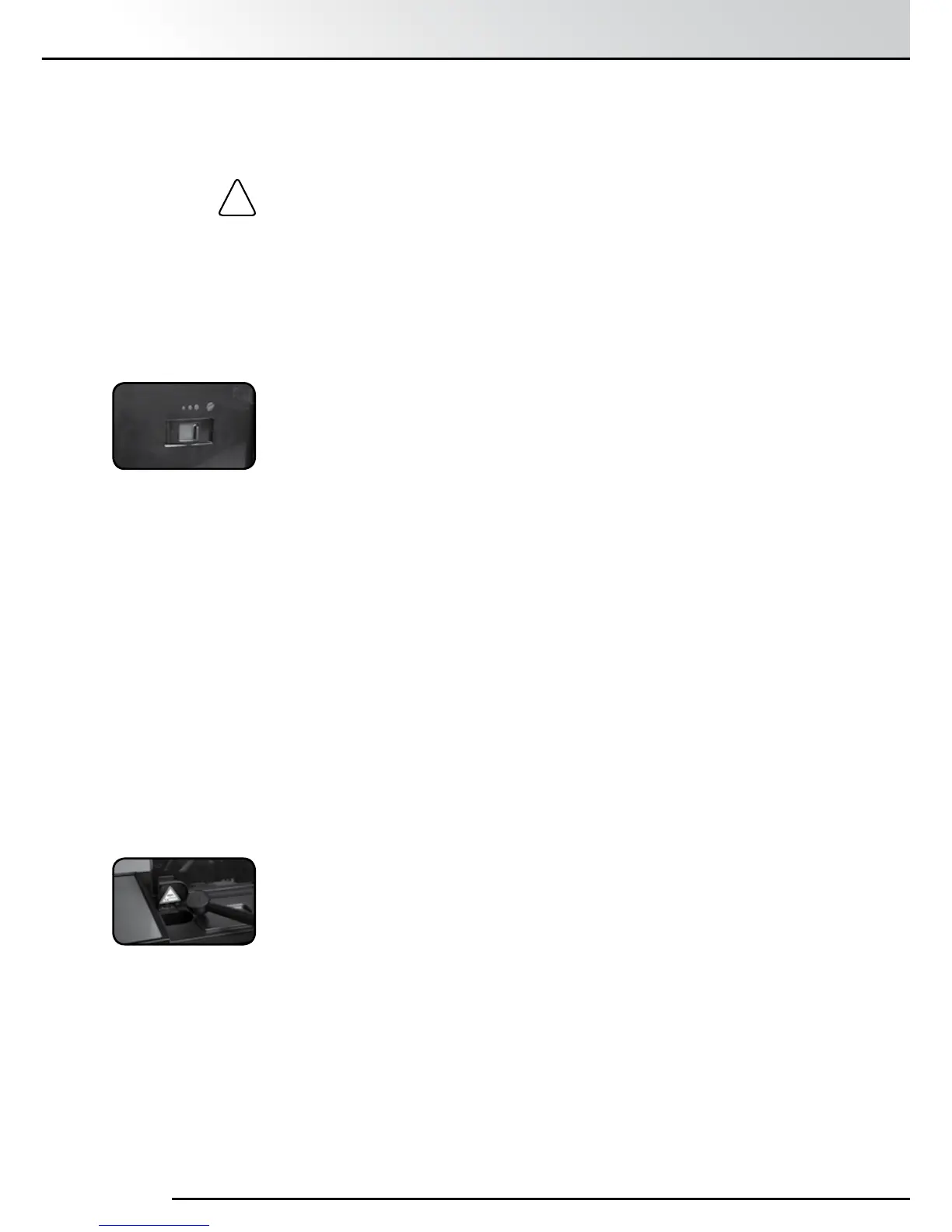
Open the service door on the right side of the machine.
The Grinder Setting Control is on the top right (Image).
Place a cup under the Height Adjustable Spout.
In the Main Menu, turn the Rotary Control Knob to “Espresso” / the
Espresso symbol.
Press the Rotary Control Knob.
While the Grinder is grinding, change the Grinder setting by moving
the Grinder Setting Control.
The smaller the dot, the finer the ground coffee.
•alightroastrequiresafinersetting(controlfurthertotheleft).
•adarkroastrequiresacoarsersetting(controlfurthertotheright).
You can try different settings to find the one which best suits your taste.
Close the service door, guiding the projections at the rear of the door
into the corresponding recesses and pressing the door to click it shut.
6. Manual Adjustments
6.1 Setting the Grinder
!


 To Next Page