14
5.3 Water Hardness
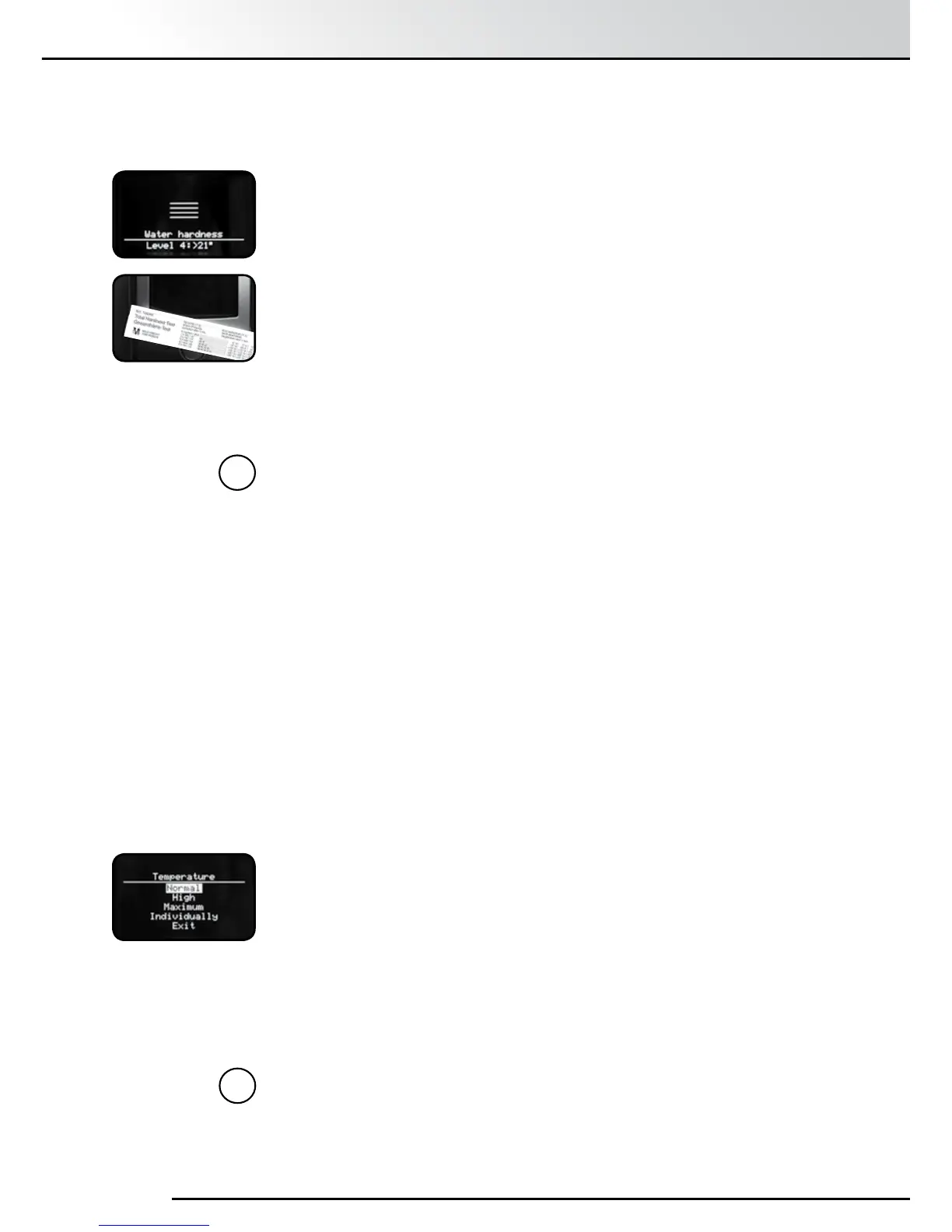
Using the Test Strip:
A Water Hardness Detection Strip is supplied with the machine as an
accessory. It is used to determine Water Hardness.
Dip the Test Strip in the water and shake o excess water.
After about a minute, count the number of Red Dots on the Test Strip.
The number of dots correspond to the hardness level:
Test Strip / Degree of hardness = display
1 Red Dot = (HARDNESS) LEVEL 1
2 Red Dots = (HARDNESS) LEVEL 2
3 Red Dots = (HARDNESS) LEVEL 3
4 Red Dots = (HARDNESS) LEVEL 4
Note: If no Red Dot appears, set Water Hardness to Level 1.
Setting the Water Hardness Level:
The basic factory setting for Water Hardness is LEVEL 3 but this depends
on Water Hardness in your area. The machine detects when descaling is
necessary but the correct Water Hardness level must be set before using
the machine.
Setting the Water Hardness Level:
Turn the Rotary Control Knob to select “Water Hardness”.
Press the Rotary Control Knob to conrm your selection.
Match the ashing “Level” to that measured with the Water Hardness
Testing Strip with the Rotary Control Knob.
Press Rotary Control Knob to conrm selection
i
5.4 Temperature
The Temperature can be set with the Rotary Control Knob to:
“Normal”, “High”, “Maximum” or “Individually”.
The factory setting is “High” for all Speciality Coffees. The setting selected
will apply to all drinks and only if you select “Individually” will you be able
to set different temperatures for different drinks.
Turn the Rotary Control Knob to select your desired Temperature.
Press the Rotary Control Knob to conrm your selection.
Note: If the Temperature is not set to “Individually” in this menu, the
Temperature option will be removed on the Coffee Recipes menu.
i
5. The Settings Menu


 To Next Page