3
The following items are packaged with the machine:
• UserManual
• MilkCoolerThermoswithseparateConnectingPipe
• MeasuringSpoonwithAssemblyToolforFilter
• 2CleaningTablets
• 1ClarisWater-Filter
• 1WaterHardnessTestStrip
Unpacking:
• Carefullyremovethemachineandallpartsfromthepackaging.Please
keep all packaging including the styrofoam inserts in case you need to
return the machine for service.
• Place the machine on a level, dry and stable work surface.
• Connect the machine to a properly installed mains socket.
• Place the Milk Cooler Thermos upright next to the machine and connect
pipe.
2. Set up
2. Set up
2.1 Preparing the machine
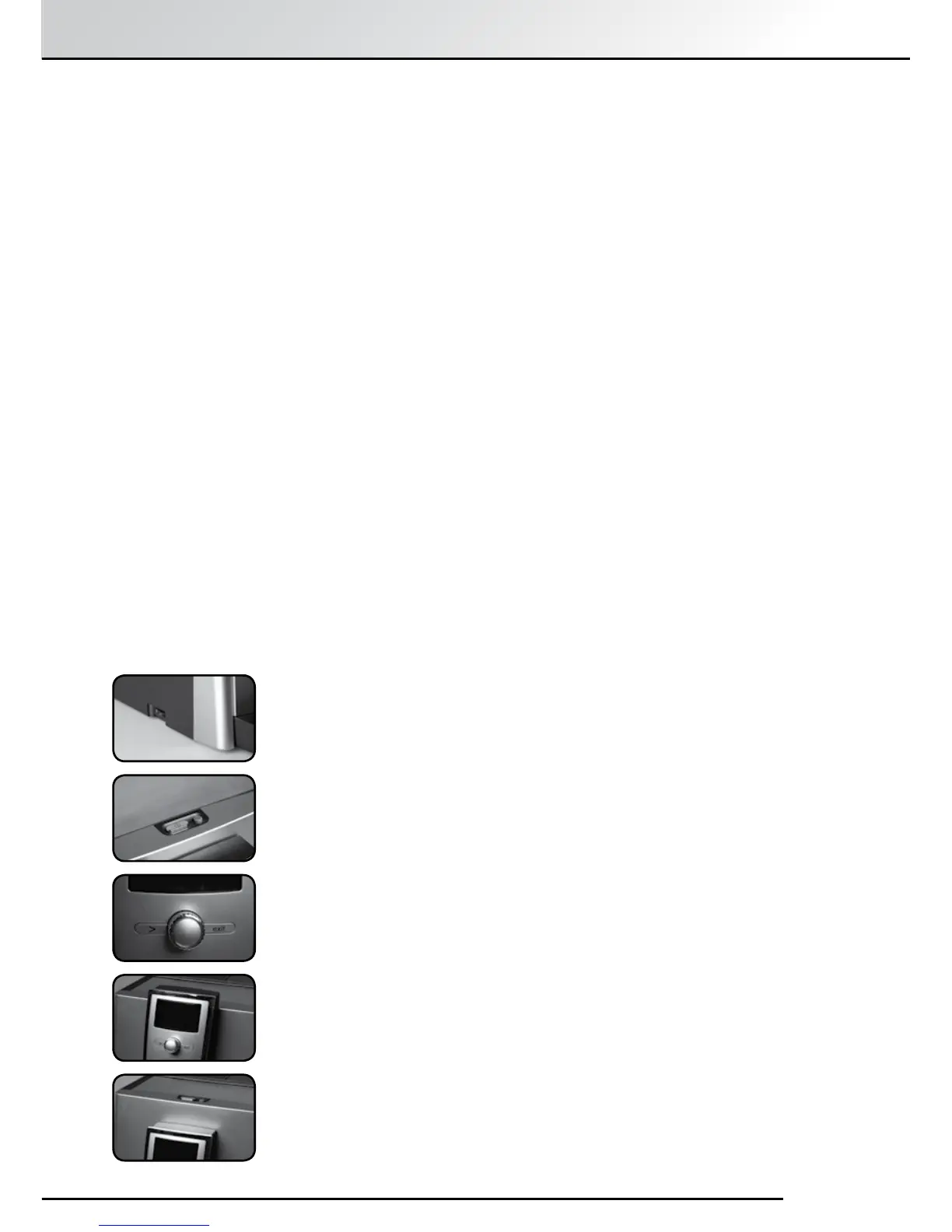
2.2 The most important controls
Your SPRADA One Touch brews a range of Speciality Coees according
to your own personal taste. For easy use, the most important controls are
common to the various Speciality Coees and machine setup functions.
• The Main Power Switch is on the lower left-hand front side of the
machine.
• TheOn/OSwitchisonthetopofthemachine.
• The multi-function turn-and-press control knob (Rotary Control Knob
for short) is the most important control. Rotating it selects options and
menu items while pressing it conrms the selection or initiates the
machine cycles.
• The “>” Button: Press the “>” Button to move to the next menu or item.
• The “Exit” Button: Press the “Exit” Button to move one menu level back or
abort a process in progress.
• The Height Adjustable Spout moves up and down to accommodate
dierent sizes of cups or glasses.
DOWN
UP



 To Next Page