17
5. The Settings Menu
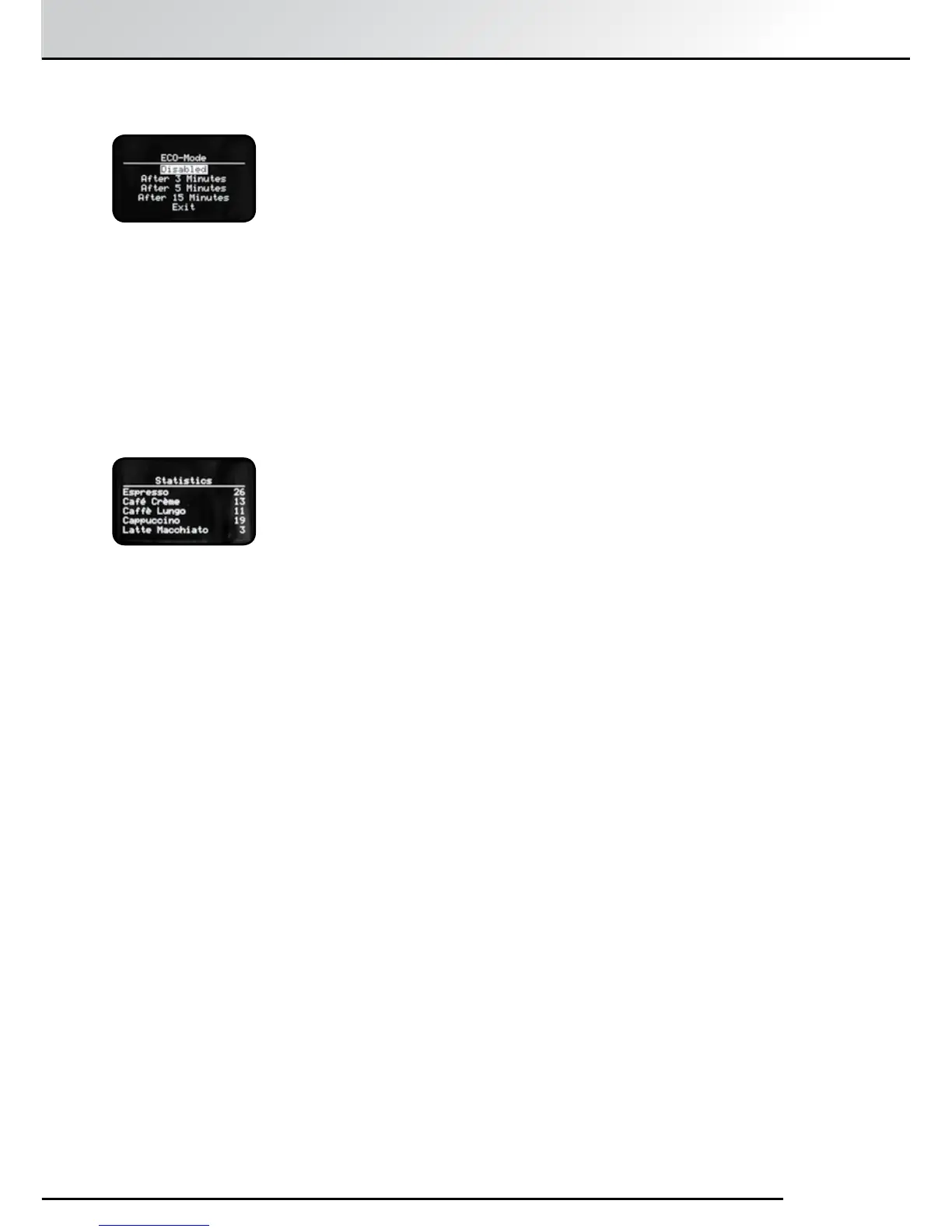
5.8 ECO Mode
A unique feature of the SPRADA Future OTC is the power saving ECO Mode
where the machine uses minimal power but is ready for use at the touch
of a button.
This can either be “Disabled” or the delay set from 3 minutes to 15 minutes
before going into ECO Mode.
Touching any control on the machine brings the machine out of ECO mode
but will take a few seconds longer to heat up.
Select the function using the Rotary Control Knob.
Press to confirm selection.
5.9 Statistics
“Statistics”, shows an interesting breakdown of the drinks that the machine
has brewed since it was set up.
Select using Rotary Control Knob
Press to confirm selection
Scroll down list using Rotary Control Knob for information on:
“Espresso” - “Café Crème” - “Caffè Lungo” - “Cappuccino” - “Latte Macchiato” -
“My coffee” - “Powder Coffee” - “1 cup” -”2 cups” - “Total” (= sum of all coffees)
- “Hot water” - “Milk” - “Cleaning” - “Descaling” - “Filter replace”
Press “Exit” to return to the “Setup” menu.



 To Next Page