25
7. Care
7.7 Cleaning the Brewing Unit
Caution: Only remove the Brewing Unit when the machine is in
Standby mode.
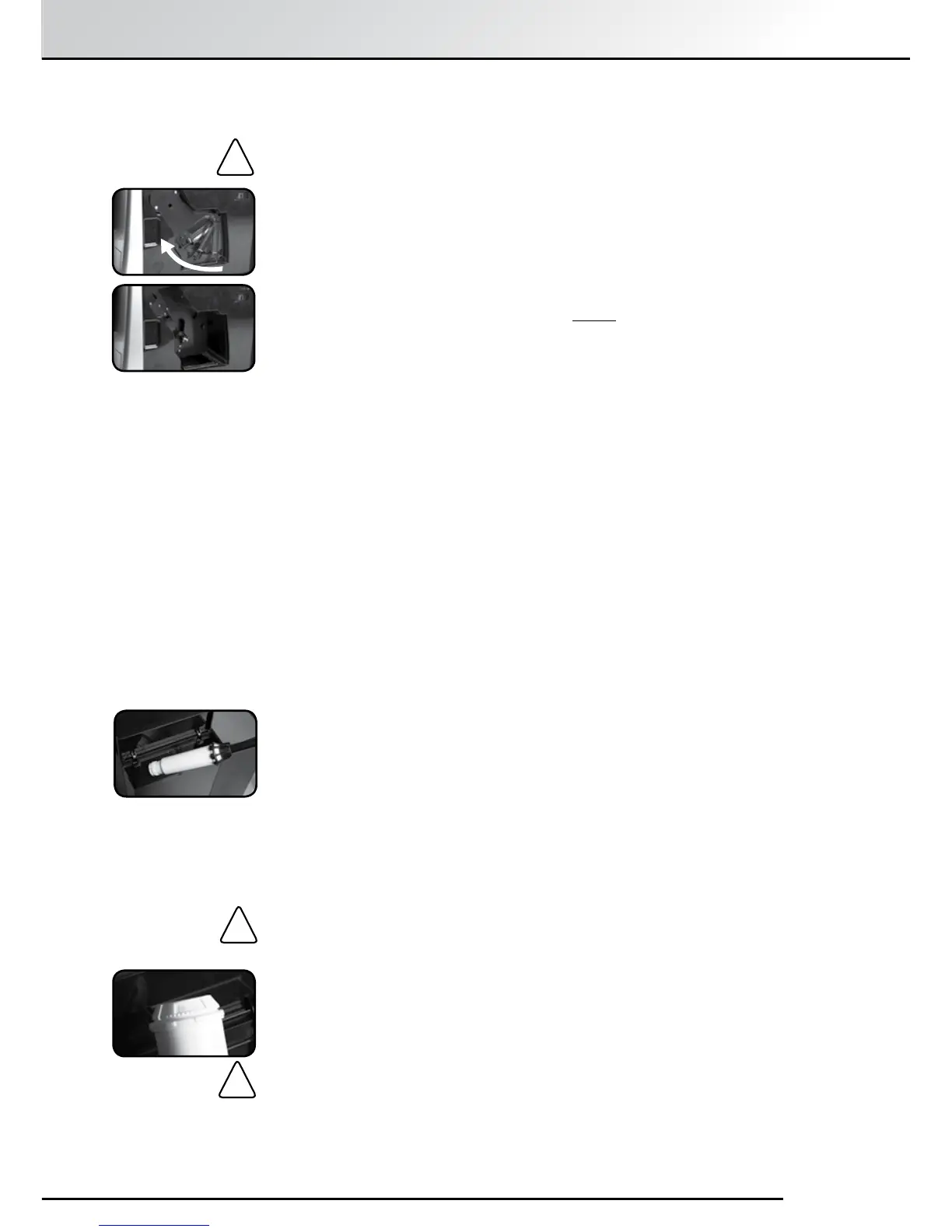
Open and remove the service door on the right of the machine.
To unlock the Brewing Unit, press the red button and turn the handle
all the way to the left until it unlocks.
Remove the Brewing Unit carefully using the handle.
Clean the Brewing Unit under clean running water and leave it to dry.
Do not use detergents to clean and never put it in the dishwasher.
Carefully put the Brewing Unit back in the machine and lock it in by
pressing the red button and turning the handle all the way to the right
until the unit clicks into place.
Close the service door by rst guiding the projections at the rear of the
door into the corresponding recesses and then pressing the door to
click it shut.
!
7.8 Changing the Filter
Filters lose their efficiency after processing about 50ℓ of water. The Display
Screen will then show the message “Replace Filter”. You can continue to
prepare drinks but it is advisable to change the Filter immediately.
Select“Settings” with the Rotary Control Knob and press to conrm.
Select “Filter” with the Rotary Control Knob and press to conrm.
Select “Insert Filter? Yes” so that the machine knows that the Filter is
being inserted.
Empty the Water Reservoir and unscrew the old Filter using the
Assembly Tool at the end of the Measuring Spoon. Remove it from the
holder provided in the Water Reservoir.
Press the Rotary Control Knob. The message, “Insert Filter” or “Filter
Inserted?” will now appear on the Display Screen.
Carefully screw the new Filter (available separately) into the holder
provided in the Water Reservoir using the Assembly Tool at the end of
the Measuring Spoon.
Caution: Be careful not to turn too far or to cause it to snap off.
Fill the tank with fresh water and put it back into the machine.
Place a receptacle with at least 0.5ℓ capacity under the Spout and press
the Rotary Control Knob.
The message “Rinsing Filter”, will appear on the Display Screen and the
machine will rinse. Thereafter, the message “Heating” will appear on the
Display Screen and the machine will then be ready for use.
Caution: Even if you use only a small amount of water, you must
change the Filter at least every two months. You will not see a message
on the Display Screen in this case. Using the dial at the head of the
Filter (the month display), you can set the Filter change date.
!
!


 To Next Page