Connectivity 122
Note:Wi-Finetworksareself-discoverable,whichmeansnoadditionalstepsarerequiredforyour
tablettoconnecttoaWi-Finetwork.Itmaybenecessarytoprovideausernameandpasswordfor
certainclosedwirelessnetworks.
Wi-Fi Settings
UsetheWi-FisettingsmenutomanuallysetyourWi-Ficonnectionoptions.
1.
Fromthehomescreen,tapApps >Settings .
2.
TapWi-Fi .
3.
TaptheswitchtoOn toturnWi-Fion.
4.
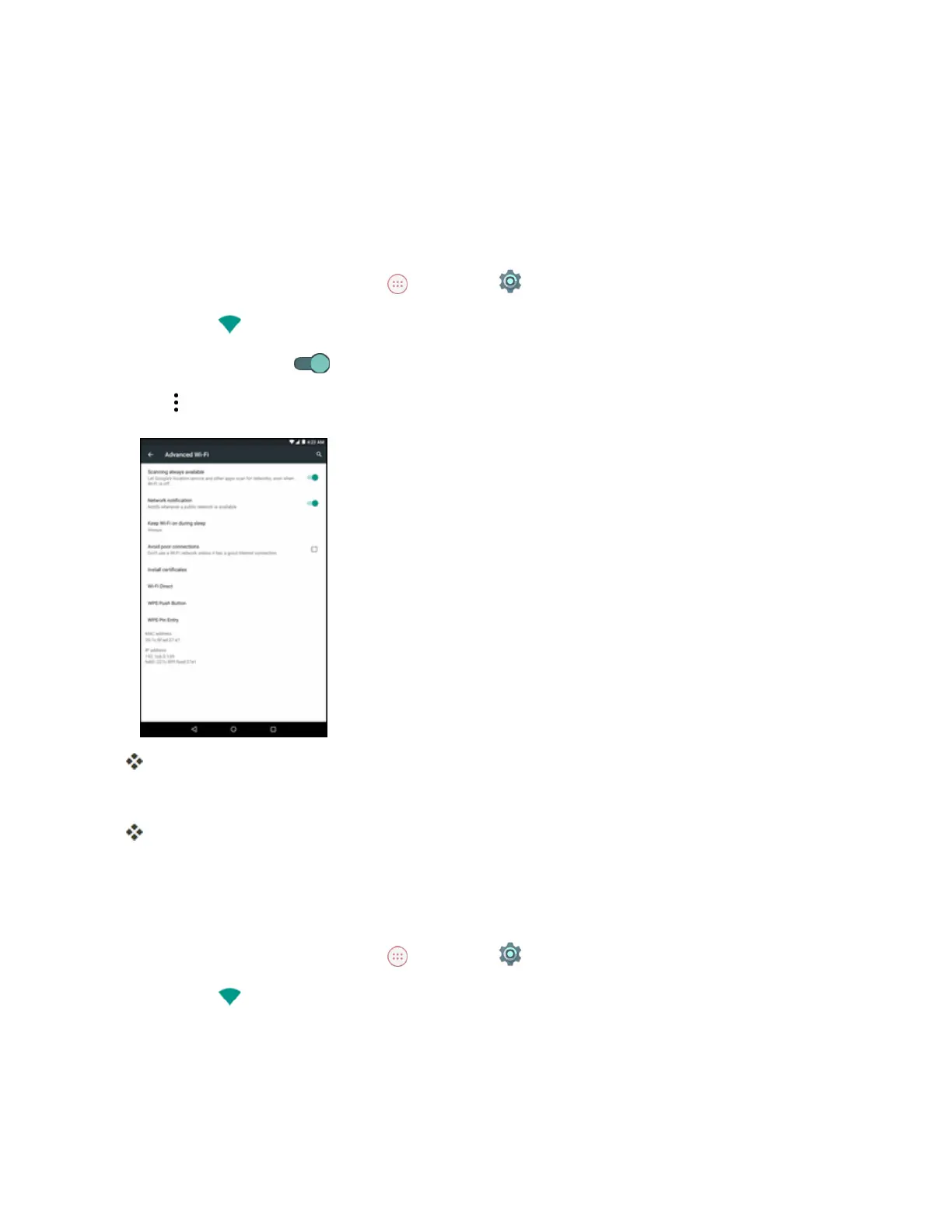
Tap >Advanced.
TheadvancedWi-Fisettingsmenuappears.
5. ConfigureyourWi-Fisettings.
YourWi-Fisettingschangesaresaved.
Disconnect Wi-Fi
YoumaywishtodisconnectfromaconnectedWi-FinetworkwithoutturningWi-Fioff.
1.
Fromthehomescreen,tapApps >Settings .
2.
TapWi-Fi .


 To Next Page