Messaging and Internet 80
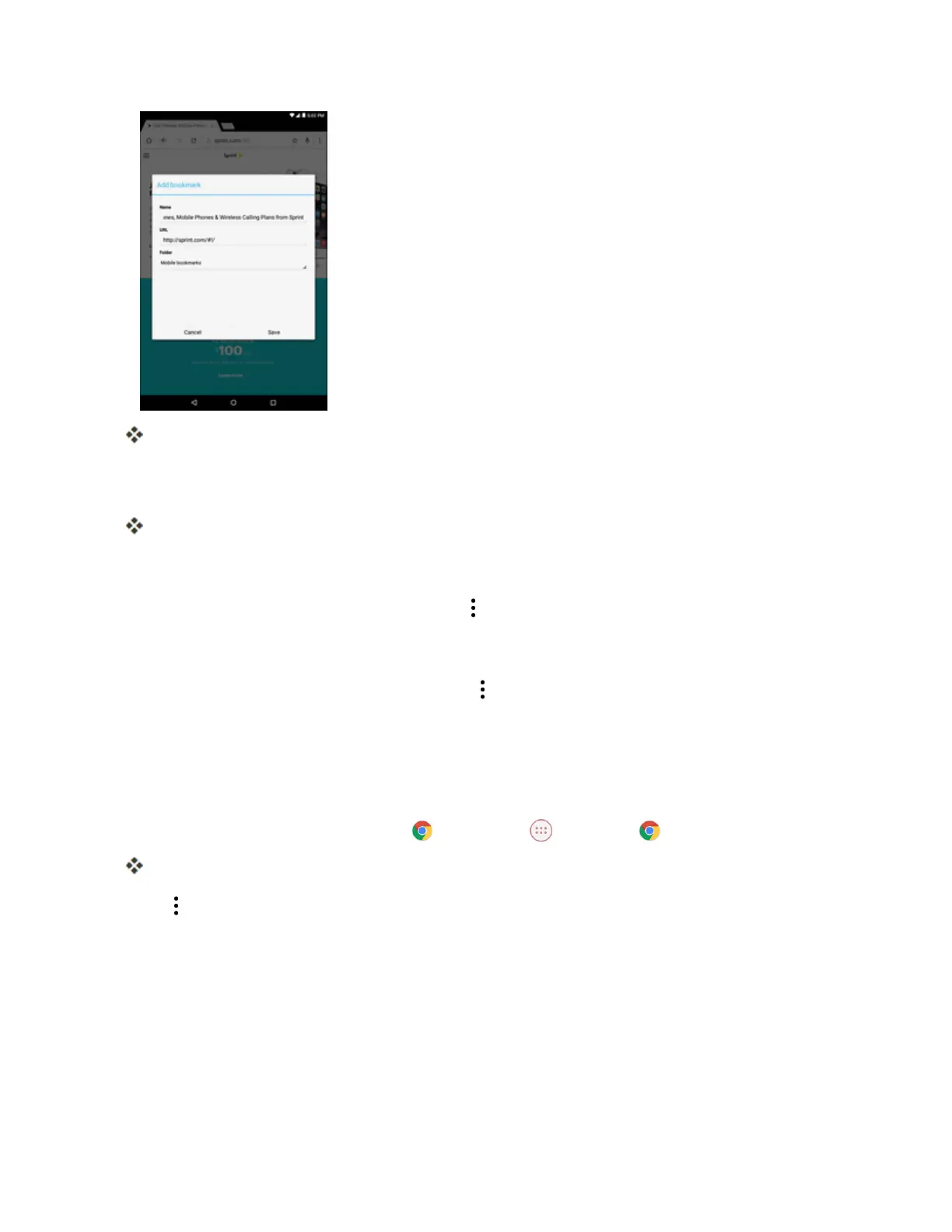
Theaddbookmarkwindowopens.
3. Checkorchangethebookmarktitle,URL,andthefoldername.ThentapSavetosavethe
settings.
TheWebpageisaddedtobookmarks.
Bookmark Options
n
Editing Bookmarks:Fromthebrowser,tap >Bookmarks.Tapandholdabookmarkthat
youwanttoedit.ThentapEdit bookmarkandeditthebookmark.TapSavetosavethe
changes.
n
Deleting Bookmarks:Fromthebrowser,tap >Bookmarks.Tapandholdabookmarkthat
youwanttodelete.ThentapDelete bookmark.
View Browser History
Usethebrowsermenuoptionstoviewyourbrowsinghistory.
1.
Fromthehomescreen,tap Chrome ortap Apps >Chrome .
Thebrowseropens.
2.
Tap >History.


 To Next Page