Messaging and Internet 72
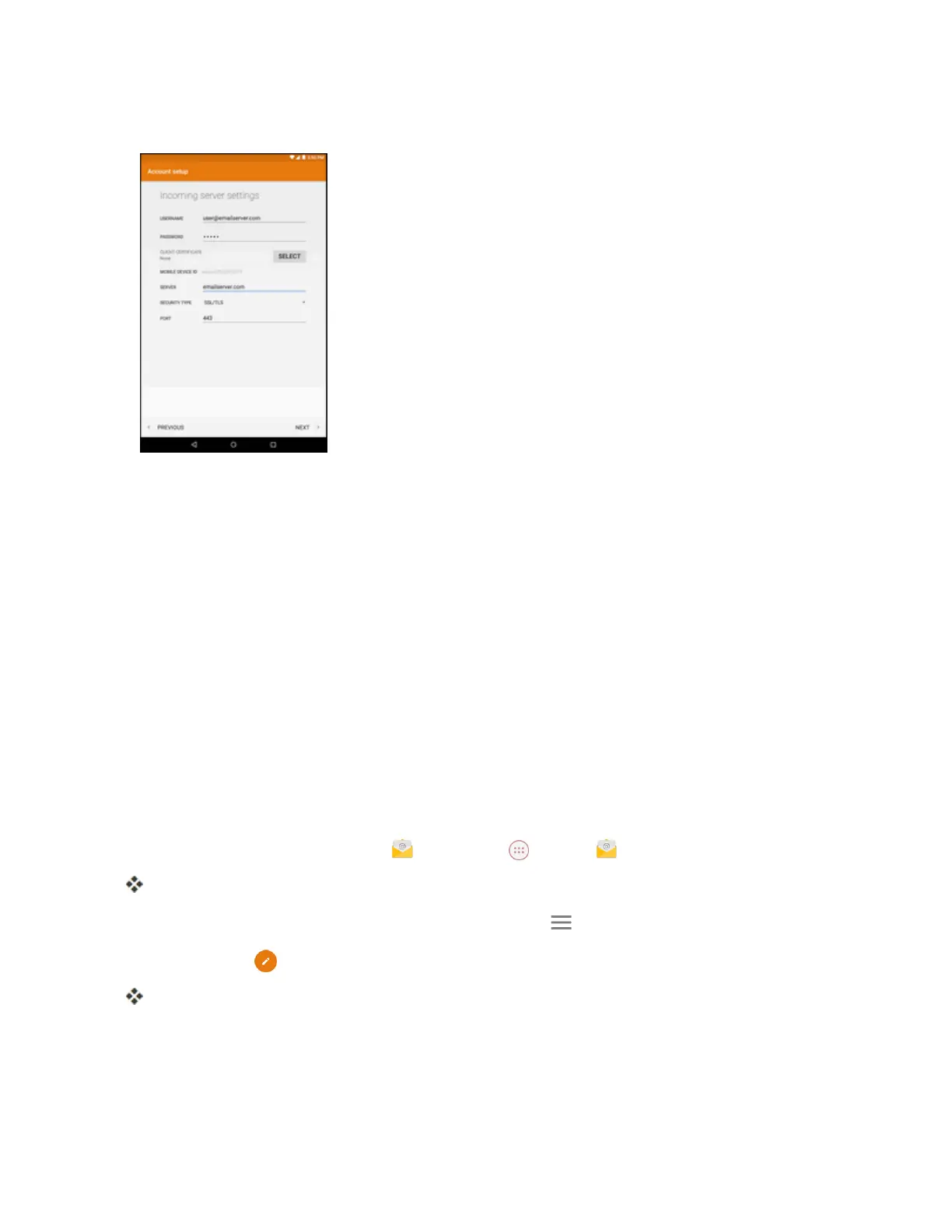
5. Entertherequiredinformation:
l Username:Enteryournetworkdomainandusername,separatedby“\”.
l Password:Enteryournetworkaccesspassword(case-sensitive).
l Server:Enteryoursystem’sExchangeserverremoteemailaddress.Obtainthisinformation
fromyourcompanynetworkadministrator.
l Security Type:Selectthesecuritytype.
l Port:Specifytheportnumber.
6. Followtheonscreenpromptstoconfigureoptionsfortheaccount.
Note:Consultyournetworkadministratorforassistanceinconfiguringyouraccount.
Compose and Send Email
Composeandsendemailusinganyaccountyouhavesetuponyourtablet.Increaseyour
productivitybyattachingfilessuchaspictures,videos,ordocumentstoyouremailmessages.
1.
Fromthehomescreen,tap Email ortapApps >Email .
Theemailinboxopens.
l
Ifyouwanttoswitchtoadifferentemailaccount,tap andthenselectanotheraccount.
2.
TapCompose .
Theemailcompositionwindowopens.
3. Enterthemessagerecipient(s).



 To Next Page