11
VIEW (FORCE-12 only)
Allows the user to view or delete recorded photos and videos on the
camera screen.
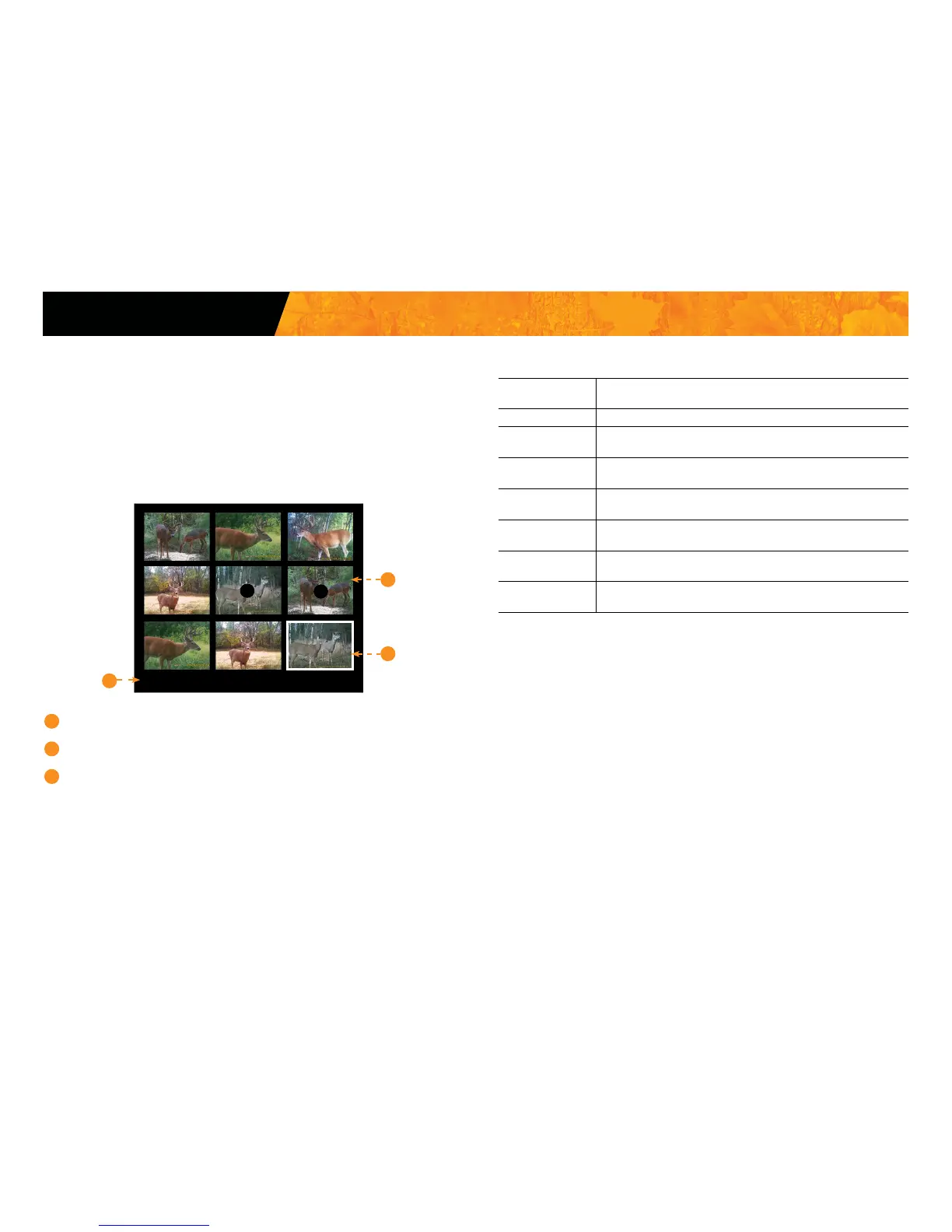
Viewing with the screen of the camera:
When the VIEW mode is selected, the latest photos or videos recorded
appear as thumbnails on the screen. Press or to navigate this page,
and press OK to view a photo in large format. To view next or previous large
photo, press or . Press back to return to the thumbnail view.
1
Selected photo / total number of photos
2
The play icon indicates that this element is a video
3
The white outline indicates which photo is selected
Settings
FORCE
When a large photo in opened, press OK to view the different options available:
Play: Allows the user to play or pause the video on the screen
(this option is available only for videos).
Zoom: Allows the user to zoom in or out.
Date and time: Allows the user to view the date and time printed on
the photo.
Protect: Allows the user to protect a photo or video to prevent it
from being deleted by selecting "Erase All".
Erase: Allows the user to erase the photo or the video seen on
the screen from the memory card.
Erase all: Allows the user to erase from the memory card all stored
photosandvideos,withtheexceptionofprotectedles.
Format: Allows the user to format the memory card and delete
all protected photos and videos.
Exit: Allows the user to exit the menu and return to the
viewing screen.
9/9
1
2
3















 To Next Page