LINK-MICRO-LTESPYPOINT
12
6. If the light is red during step 3, you should:
• Turn your camera OFF and then back ON.
• Retry while pointing the antenna at dierent angles.
• Try moving it to a spot with better signal.
• Try our #CA-01 long range cellular antenna (sold separately),
which could help improve signal strength.
OPERATIONAL VALIDATION TEST
You can use the following test to make sure everything works as it should:
1. When your camera is turned ON, open the door to gain access to the OFF/ON switch
and the status light.
2. Move in front of the camera so that it takes a picture. The STATUS light should
light up while the camera takes and processes the picture.
3. Turn the camera OFF and ON again.
4. Verify the strength of the cellular signal.
5. If everything works normally, your camera will connect to the cellular network
and will transmit its status and at least one photo. The latter should appear
in your app within 15 minutes.
Starting Your Camera
NOTE
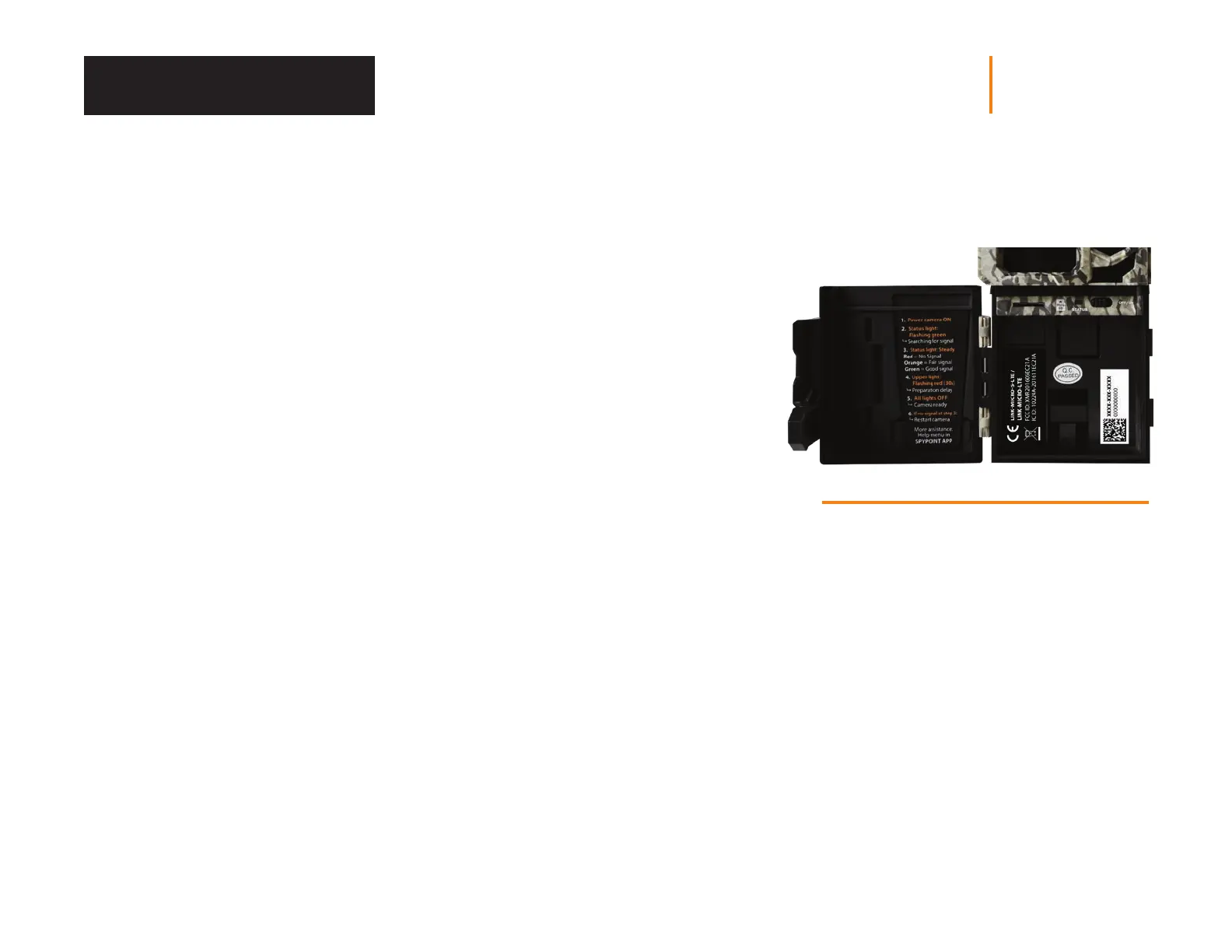
Inside your camera’s door is a small checklist
to guide you through the dierent steps to start
your device.















 To Next Page