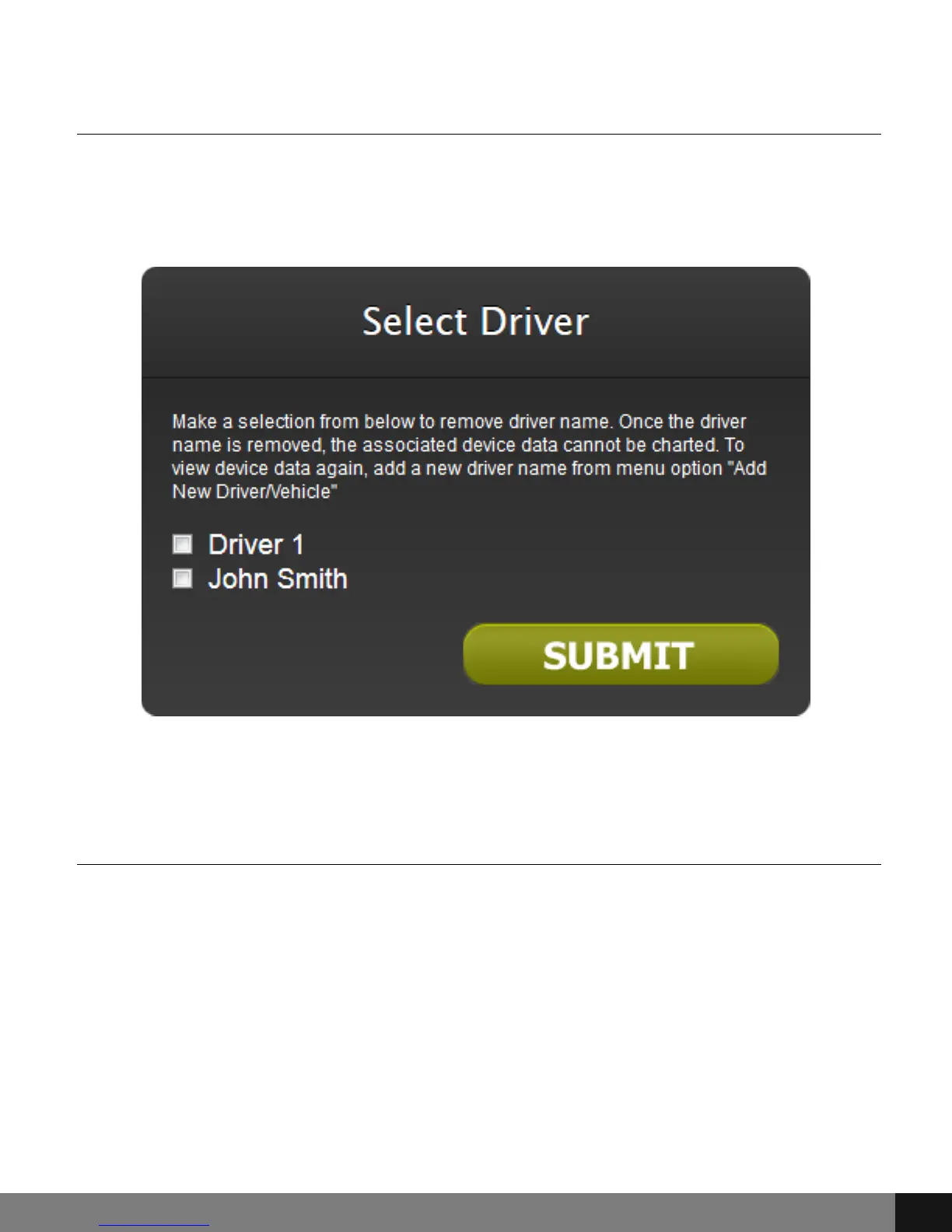
Remove Driver
To Remove a Driver from the GPS device, click the Remove Driver menu option
and check the box corresponding to the driver that is to be removed. Click the
SUBMIT button.
Change Alert Settings
Select the Change Alert Settings item from the drop-down menu to set alert
options for Geofencing (set parameters/boundaries), Speed, Ignition Off,
Ignition On, Tow Alert, Function Key Alert and Low Battery Alert. Check the
box(es) that corresponds to the desired alert(s.) Enter a Speed Limit and/or
Low Battery Alert option in the field below. For example, if an alert is to be
sent when the car reaches 75 mph, enter 75 in the Speed Limit field and make
sure that the box next to Speed is checked. Click the SUBMIT button.
Spy Tec www.spytecinc.comSpy Tec www.spytecinc.com 11


 To Next Page