The CHANGE SETTINGS button enables a drop down menu
with the following options: Set Home Address, Change
Password, Change Driver Icon, Add New Driver/Vehicle,
Remove Driver, Change Alert Settings, Add Email for Alerts,
Add SMS for Alerts, Remove Email/SMS for Alerts and
Change Time Zone. Click any option to access a pop up
screen that allows for preference changes.
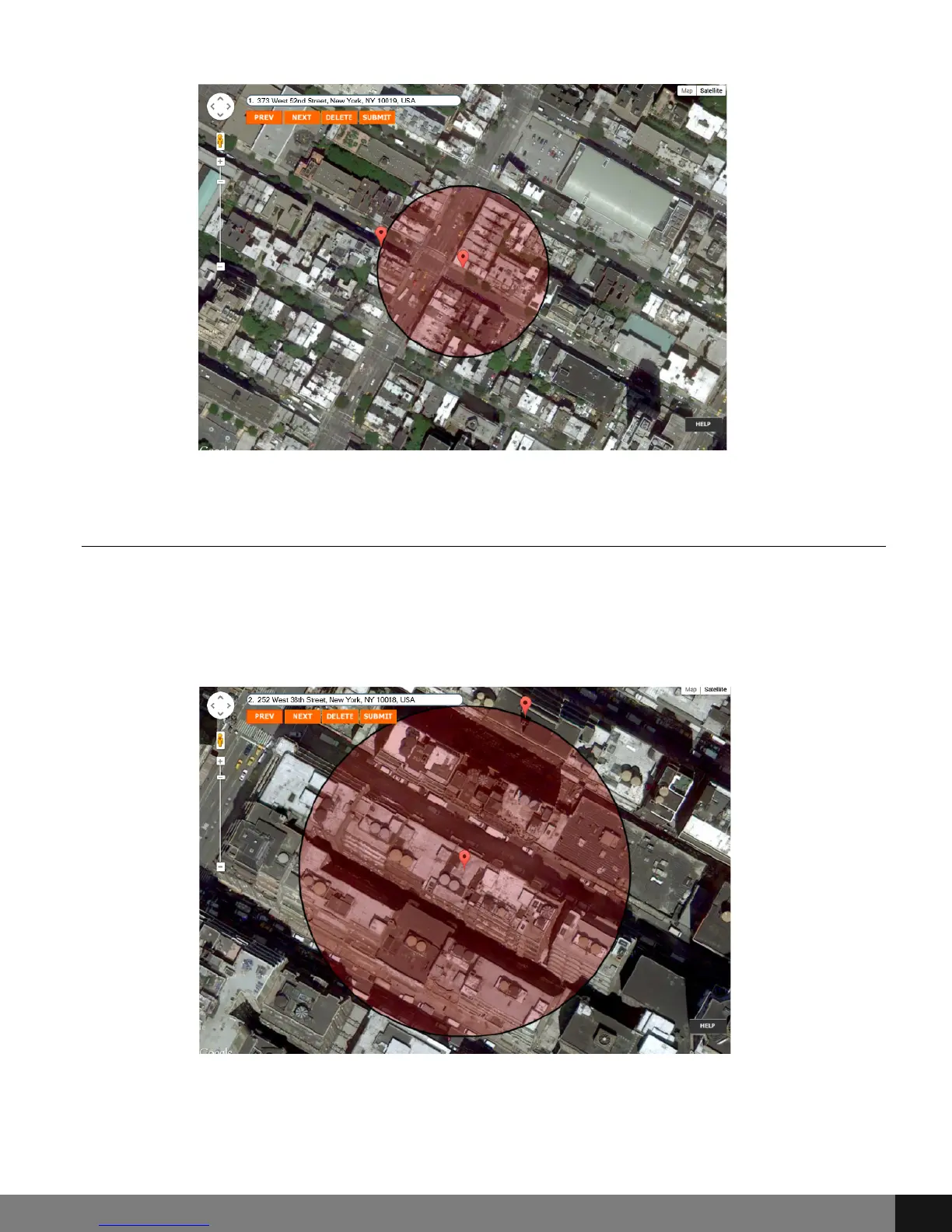
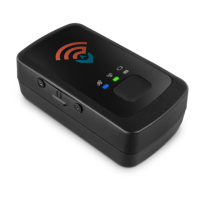
View / Delete Geofences
To view current Geofences, click on the Geofencing menu option and then
click View/Delete Geofences from the drop-down menu. A pop-up will appear
with the first Geofencing area. Use the PREV and NEXT buttons to navigate
through Geofencing areas.
To delete a Geofence, click the red box to the right of the SUBMIT button.
After clicking DELETE, click the SUBMIT button. The selected Geofence will be
deleted and the Geofencing window will close.
Spy Tec www.spytecinc.comSpy Tec www.spytecinc.com 19


 To Next Page