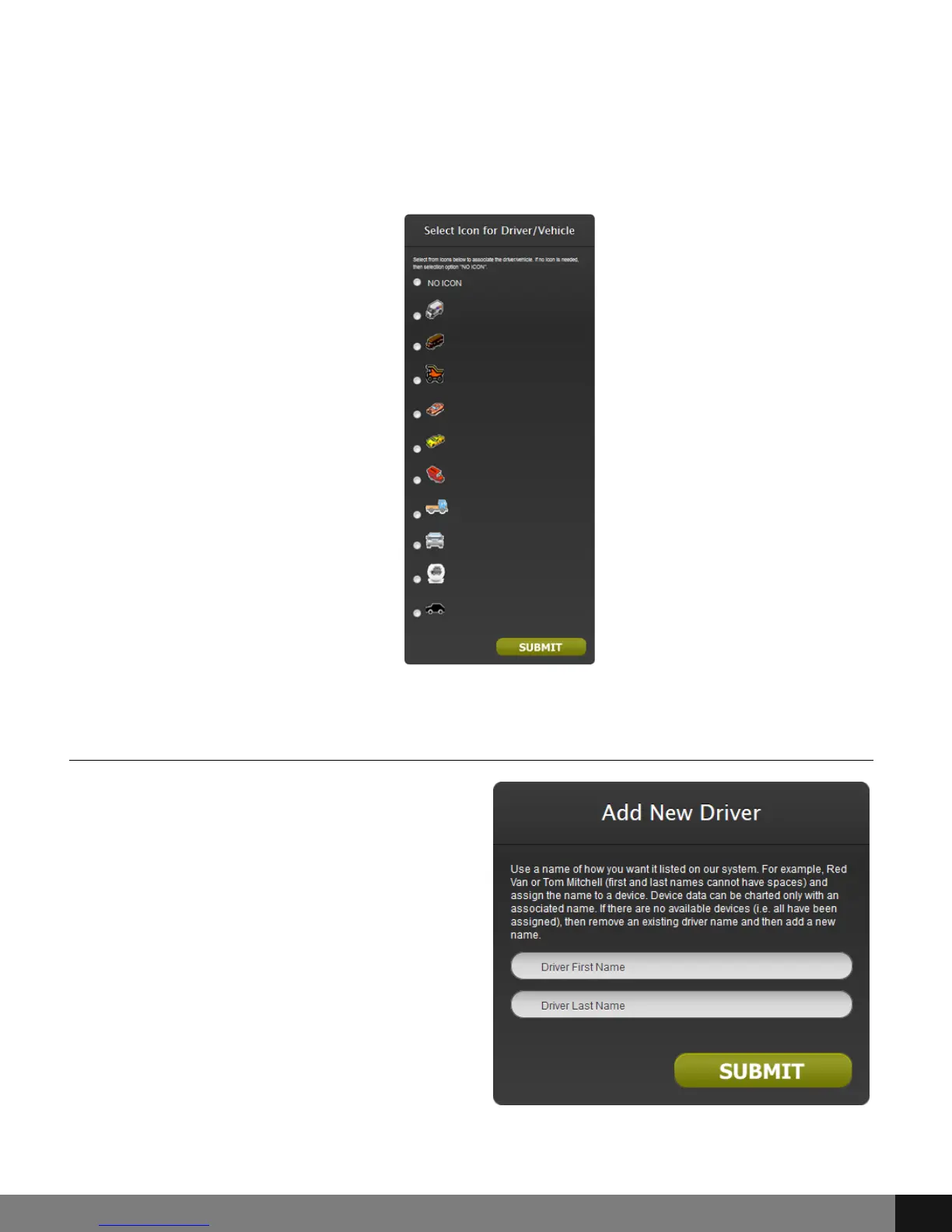
Choose the radio button that corresponds to the Driver for which you would
like to add a new icon and click the SUBMIT button. A new pop up will appear
with a radio button for each corresponding driver icon option. Choose an
option, scroll down and click the SUBMIT button.
Add New Driver/Vehicle
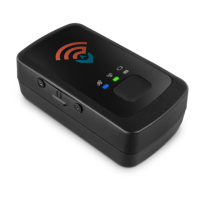
Choose the Add New Driver/Vehicle
option from the drop-down menu. An
Add New Driver pop up will appear.
Enter the new driver’s first and last
name in the Driver First Name and
Driver Last Name fields. Click the
SUBMIT button. Another pop up will
appear. Select the radio button
corresponding to the device that will
receive the new driver and click the
SUBMIT button.
Spy Tec www.spytecinc.comSpy Tec www.spytecinc.com 12


 To Next Page