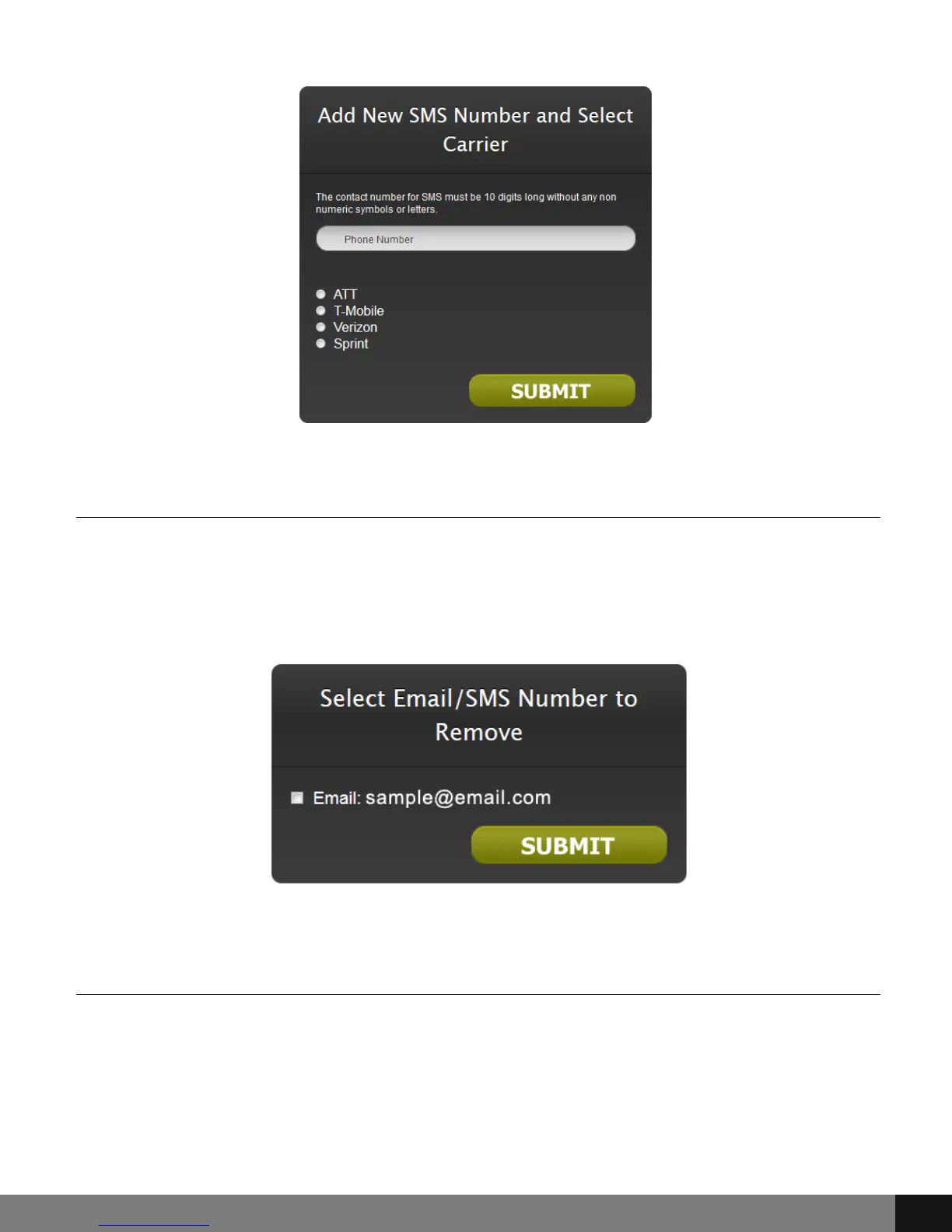
Remove Email/SMS for Alerts
Choosing the Remove Email/SMS for Alerts option will open a pop-up showing
a checkbox with corresponding options as set in Email/SMS alerts settings.
Check the email or SMS account that needs removal and click the SUBMIT
button.
Change Time Zone
Choose the Select/Change Timezone option to update timezone preferences.
A pop-up will appear with radio buttons for each timezone (GMT). Select the
radio button for any given timezone and then click SUBMIT.
Spy Tec www.spytecinc.comSpy Tec www.spytecinc.com 14


 To Next Page