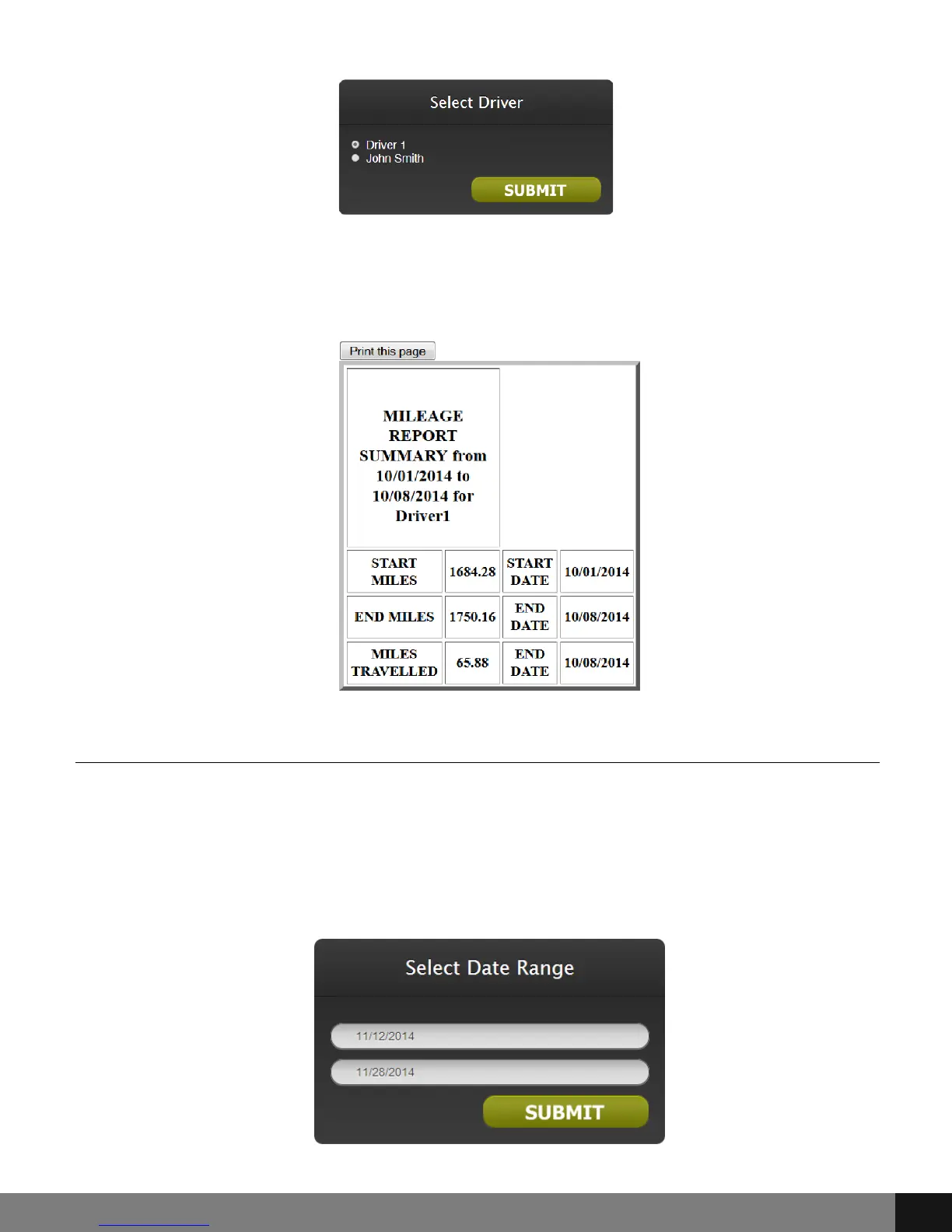
A pop up will appear with MILEAGE REPORT SUMMARY for indicated dates and
driver/vehicle. A Print this page button is at the top left. Click the Print this
page to print the report according to print preferences in My Computer.
Fuel Report
The Fuel Report option will open a pop up with fields for start and end dates.
Click in each field and a pop up calendar will appear. Click the date for start
and end fields and then SUBMIT. Another pop up will then appear asking for
Driver/Vehicle. Choose the radio button that corresponds to the driver/vehicle
for which the report is to be generated.
Spy Tec www.spytecinc.comSpy Tec www.spytecinc.com 24


 To Next Page