Choose the Add SMS for Alerts option from the menu and enter a phone
number in the field provided on the Add New SMS Number and Select Carrier
pop up. Choose the radio button that corresponds with the service provider
(ATT, T-Mobile, Verizon or Sprint) and then click the SUBMIT button.
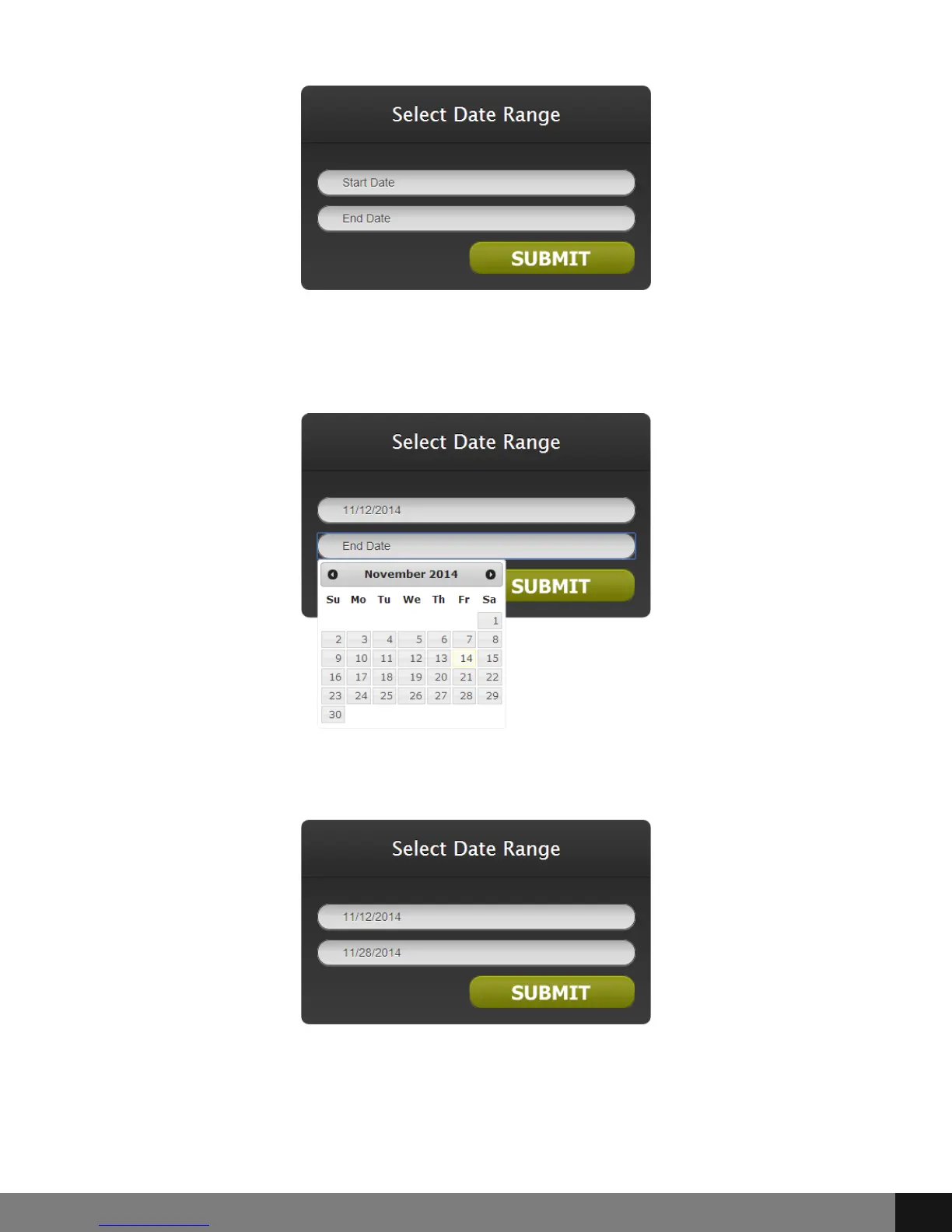
When clicking in the Start and End Date fields, a pop up calendar will appear
for selection of dates. Click the date for each field.
Once the dates are selected, click the SUBMIT button.
Select the Driver/Vehicle by clicking the corresponding radio button and then
the SUBMIT button.
Spy Tec www.spytecinc.comSpy Tec www.spytecinc.com 23


 To Next Page