EasyManua.ls Logo

Srne ASF4880SH3 - User Manual

Srne ASF4880SH3
43 pages
Print Icon
To Next Page IconTo Next Page
Loading...
File version: V1.0
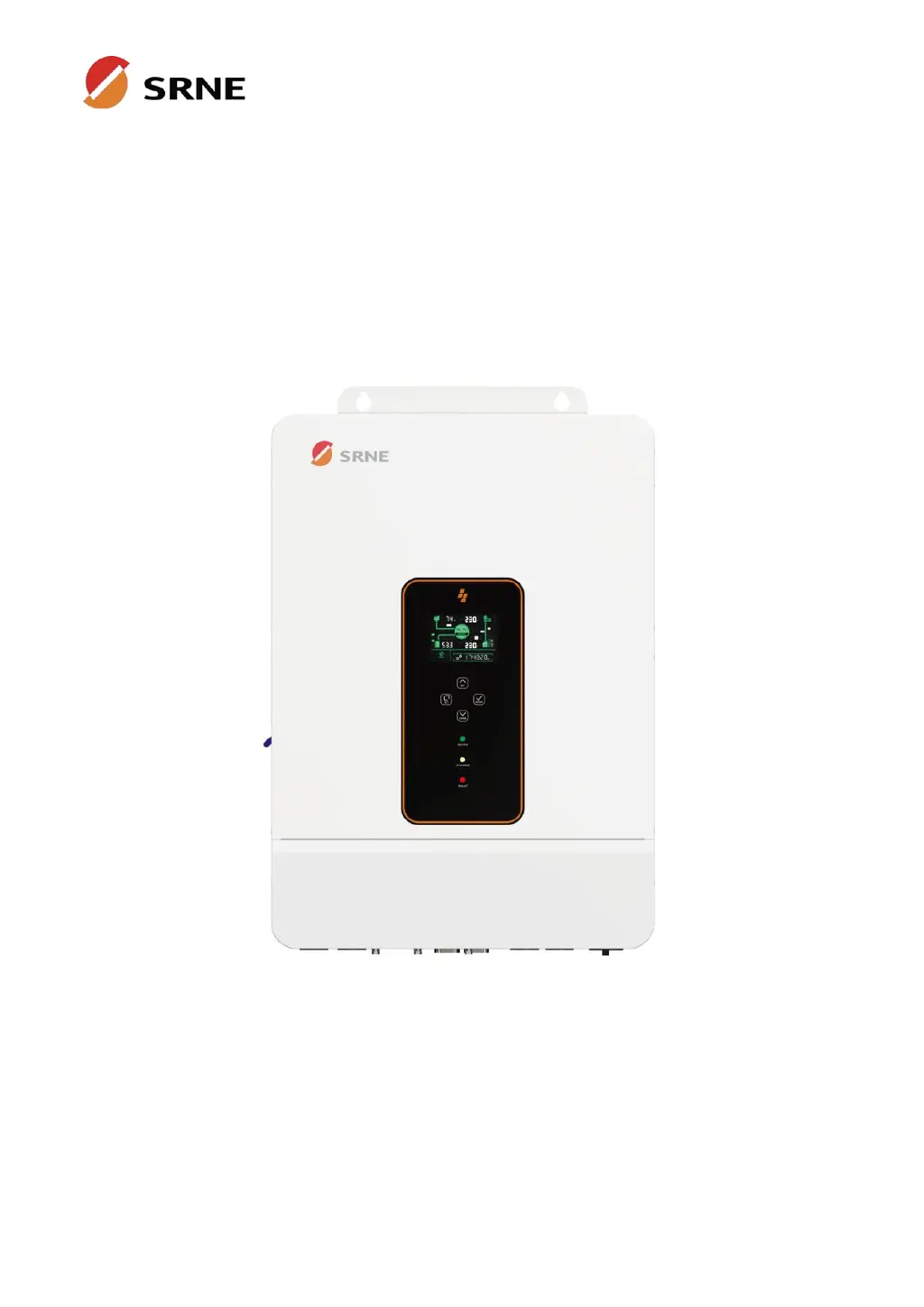
Solar Storage Inverter
User Manual
Product Models
ASF4880SH3
ASF48100SH3
ASF48120SH3

Questions and Answers

  • N
    Norman MurphyAug 14, 2025
    How to fix Srne Inverter with no screen display?
    • S
      stephensdanielAug 14, 2025
      If your Srne Inverter shows no screen display, first ensure that the battery or PV air circuit-breakers are turned on. Then, check if the power switch located on the bottom of the unit is in the "ON" position. Finally, press any button on the screen to ensure it is not in sleep mode.
  • D
    Diamond ColemanAug 17, 2025
    Why is my Srne Inverter showing battery under-voltage?
    • B
      brownjenniferAug 17, 2025
      If your Srne Inverter indicates a battery under-voltage, it means the battery voltage is lower than the value set in parameter [14]. To resolve this, charge the battery and wait until its voltage exceeds the value specified in parameter [14].
  • C
    Chase MillerAug 21, 2025
    What to do if Srne ASF4880SH3 says battery not connected?
    • G
      Glenn GarciaAug 21, 2025
      If your Srne Inverter is showing a 'Battery not connected' error, this could be due to a loose connection or the BMS being in discharge protection state. Check that the battery is reliably connected and that the battery circuit-breaker is not off. Also, make sure that the BMS can communicate properly.
  • T
    tdeleonAug 25, 2025
    Why is my Srne ASF4880SH3 showing battery over-voltage when charging?
    • S
      Stephanie PhillipsAug 25, 2025
      If your Srne Inverter displays a battery over-voltage error during charging, it means the battery voltage is too high. You should manually power off and restart the inverter. Check if the battery voltage exceeds the limit. If it does, discharge the battery until the voltage drops below the battery over-voltage recovery point.
  • L
    Laura WilliamsAug 27, 2025
    What to do if Srne ASF4880SH3 Inverter shows bypass overload error?
    • J
      Joel MitchellAug 27, 2025
      If your Srne Inverter indicates a bypass overload (software detection), it means the bypass output power or current has exceeded the limit for some time. Reduce the load power connected to the inverter and then restart the device. More details can be found in item 11 of the protection function description.
  • L
    Laura RamirezAug 30, 2025
    How to fix Srne Inverter battery over-discharge error?
    • T
      tjohnsonAug 30, 2025
      If your Srne Inverter is showing a battery over-discharge, it means that the battery voltage is lower than the value set in parameter [12]. You can manually reset the inverter by switching it off and then restarting it. Alternatively, the inverter will automatically reset once you charge the battery so that its voltage is higher than the value set in parameter item [35].
  • N
    Nicole GrahamSep 3, 2025
    Why does my Srne ASF4880SH3 Inverter show a utility input phase fault?
    • L
      levinecynthiaSep 3, 2025
      If your Srne Inverter reports a utility input phase fault, it indicates that the AC input phase does not match the AC output phase. Ensure that the phase of the AC input is the same as the phase of the AC output. For example, if the output is in split-phase mode, the input must also be in split-phase mode.
  • K
    Krystal HoganSep 6, 2025
    What does fan failure mean on Srne ASF4880SH3?
    • J
      Jeffrey WilkersonSep 6, 2025
      If your Srne Inverter reports a fan failure, it means the hardware has detected a problem with the fan. After powering off the machine, manually toggle the fan to check for any blockage caused by foreign matter.
  • K
    Kyle TurnerSep 10, 2025
    What to do if Srne ASF4880SH3 Inverter shows AC input relay short-circuit?
    • D
      Debbie HernandezSep 10, 2025
      If your Srne Inverter displays an AC input relay short-circuit error, it indicates that the relay for the AC input is sticking. Manually turn off and restart the machine. If the fault reappears after restarting, contact after-sales service to repair the machine.

Summary

Safety

How to use this manual

Provides essential information, guidelines, operation, and maintenance for the product.

Symbols in this manual

Explains the meaning of safety symbols used throughout the manual.

Safety instruction

Details critical safety instructions for installation, operation, and maintenance.

Production Instructions

Instructions

Introduces the inverter as a solar energy storage unit with advanced features.

Features

Lists key capabilities including battery support, PV inputs, and multiple charging modes.

System connection diagram

Illustrates the typical system setup and component connections for the inverter.

Production overview

Provides a visual breakdown of the inverter's physical ports and dimensions.

Installation

Select the mount location

Guides on choosing an appropriate and safe location for mounting the inverter.

Mount the inverter

Details the procedure and specifications for physically mounting the inverter.

Remove terminal protection cover and dust screen

Explains how to remove protective covers for access and cleaning.

Connection

Three-phase mode

Describes the three-phase AC output configuration of the inverter.

Cable & circuit breaker requirement

Specifies required cable diameters and circuit breaker ratings for connections.

AC input & output connection

Details the correct connection of AC input and output cables.

Battery connection

Provides instructions for safely connecting the battery.

PV connection

Details how to connect the PV input strings.

Dry contact connection

Explains the function and connection of the dry contact port.

Grounding connection

Emphasizes the importance of proper grounding for safety.

Final assembly

Guides on restoring protective covers after wiring.

Start-up the inverter

Outlines the steps for safely powering on the inverter.

Operation

Operation and display panel

Introduces the control panel, LCD screen, indicators, and touchable keys.

View real-time data

Explains how to view live operational data on the inverter's display.

Setting

Details the process of navigating and configuring inverter settings.

AC output mode

Describes different AC output modes and their operational priorities.

Battery charging mode

Explains various battery charging modes and their priority logic.

Time-slot charging;discharging function

Details how to schedule charging and discharging based on electricity tariffs.

Battery parameter

Lists configurable parameters for different battery types.

Communication

Overview

Introduces the communication interfaces available on the inverter.

USB-B port

Explains using the USB-B port for parameter modification via PC software.

WIFI port

Describes connecting a Wi-Fi module for remote monitoring via mobile APP.

RS485;CAN port

Details connecting to BMS for lithium battery communication.

Dry contact port

Explains the functions of the dry contact port for external control.

Fault and Remedy

Fault code

Lists fault codes, their meanings, and effects on output.

Troubleshooting

Provides common fault scenarios and their corresponding solutions.

Protection and Maintenance

Protection function

Details various internal protection mechanisms of the inverter.

Maintenance

Recommends regular checks to ensure optimal long-term performance.

Datasheet

Srne ASF4880SH3 Specifications

General IconGeneral
ModelASF4880SH3
Rated Power8000W
Output Power8000W
DC Input Voltage48V
Frequency50Hz/60Hz
WaveformPure Sine Wave
CoolingFan Cooling
Protection FeaturesOverload, Short Circuit, Over Temperature
AC Output Voltage220/230/240VAC
Operating Temperature-20°C to 50°C

Related product manuals